EasyManua.ls Logo

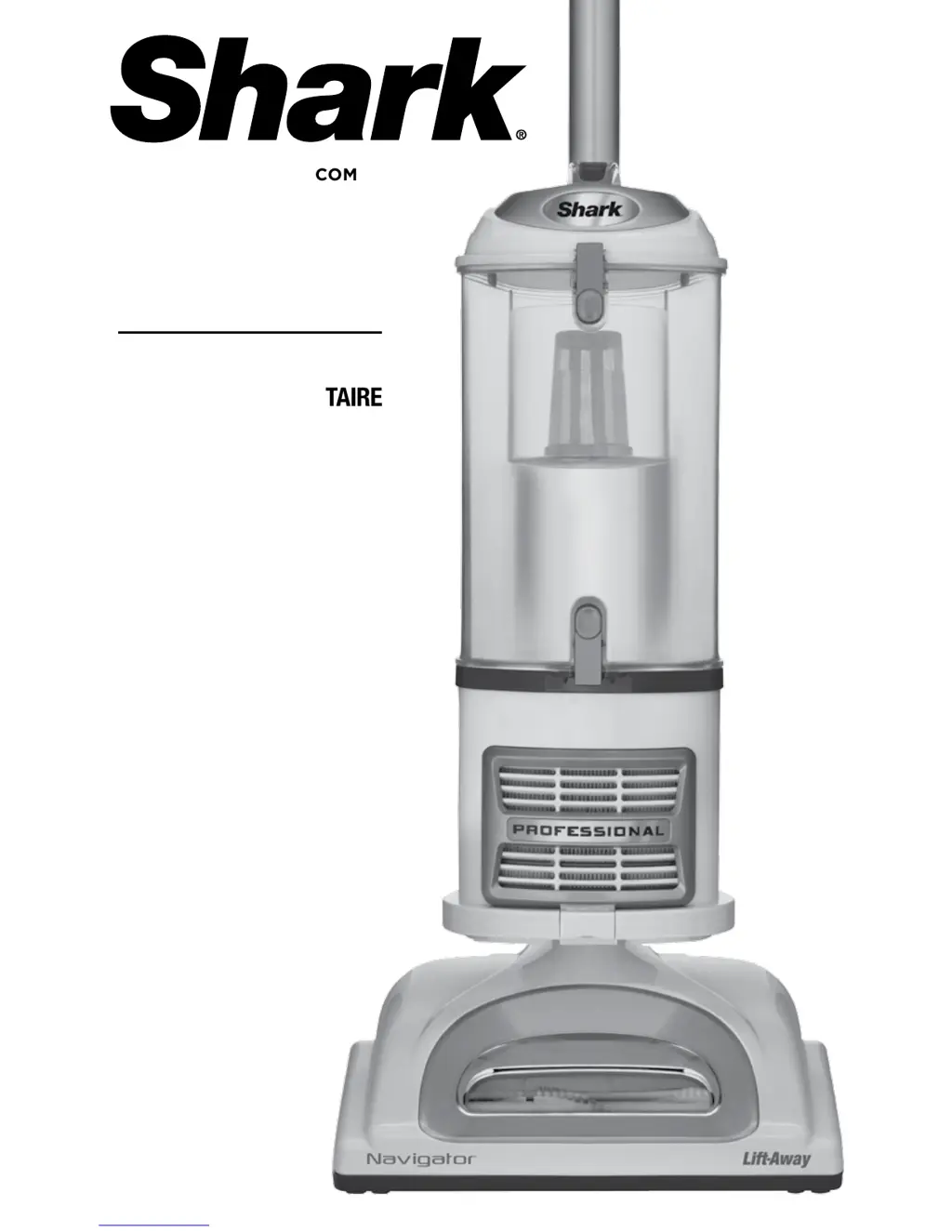
Shark NV370 - User Manual

Shark NV370
52 pages
Print Icon
To Next Page IconTo Next Page
Loading...
NV370
OWNER’S GUIDE
MANUEL DU PROPRIÉTAIRE
GUÍA DEL USUARIO
W WW.SHARKCLEAN.COM

Questions and Answers

  • M
    Maria WoodardJul 27, 2025
    Why does my Shark NV370 turn off by itself?
    • F
      Frank TurnerJul 27, 2025
      If your Shark Vacuum Cleaner turns off automatically, it's likely due to overheating. To restart the motor thermostat: 1. Move the On/Off switch to the “O” (Off) position. 2. Unplug the vacuum. 3. Empty the dust cup and clean the filters. 4. Check for blockages in the hose, accessories, and inlet openings. 5. Let the unit cool down for at least 45 minutes. 6. Plug in the vacuum. 7. Turn the On/Off switch to the “I” (On) position to restart the vacuum. If it still doesn’t work, contact Customer Service.
  • B
    Benjamin HoodAug 2, 2025
    How to troubleshoot Shark Vacuum Cleaner not picking up dirt?
    • S
      Sarah HamiltonAug 2, 2025
      If your Shark Vacuum Cleaner isn't picking up dirt, start by checking the filters to see if they require cleaning. Follow the instructions for rinsing and drying them before putting them back. Also, the dust cup might be full, so empty it. Inspect the hose and its connections for any blockages, and clear them if necessary. If the dust cup is empty and the attachment inlets are clear, then check for other blockages.
  • T
    Teresa BradleyAug 8, 2025
    What to do if brush roll does not spin on Shark Vacuum Cleaner?
    • K
      Kyle HansonAug 8, 2025
      If the brush roll on your Shark Vacuum Cleaner isn't spinning, immediately turn off and unplug the vacuum. Disconnect the nozzle and remove any blockage before reconnecting and turning the vacuum back on. Pull the handle toward you and release the floor nozzle to disengage the auto-off feature. Ensure the On/Off switch is in the “II - Brush Roll On” position.
  • C
    Charles GriffinAug 14, 2025
    Why is there no suction in my Shark Vacuum Cleaner?
    • G
      Gregory SanchezAug 14, 2025
      If your Shark Vacuum Cleaner has restricted airflow, resulting in no or light suction, examine the filters to see if they need cleaning. Follow the instructions for rinsing and drying the filters before re-inserting them. Ensure the dust cup is not full; empty it if it is. Inspect the hose, hose connections, nozzles, and accessories for blockages and clear them. Close the suction release on the handle to increase suction power. If the dust cup is empty and the attachment inlets are clear, check for other blockages.
  • S
    Stephanie OrtizAug 20, 2025
    How to stop my Shark NV370 Vacuum Cleaner from lifting rugs?
    • M
      Michael PerezAug 20, 2025
      If your Shark Vacuum Cleaner lifts scatter rugs, it's because the suction is too powerful. To fix this, open the suction release on the handle to decrease suction power. You can also move the On/Off switch to the “I - Suction Only” position to disengage the brush roll.

Summary

Important Safety Instructions

General Electrical Safety

Safety rules for electrical operation, including cord handling and maintenance.

Polarized Plug Explanation

Explanation of the polarized plug for safe electrical connection.

Outdoor;Wet Surface Warning

Warning against using the appliance on wet surfaces or outdoors.

Getting Started

Vacuum Accessories

Details various accessories like Hard Floor Hero, Crevice Tool, Dusting Brush, and Pet Power Brush.

Operating Modes

Upright Vac Mode

Standard mode for vacuuming floors and carpets.

Portable Lift-Away Mode

Mode for cleaning hard-to-reach areas away from the main unit.

Mode 1: Upright Vac Assembly

Assembly Instructions

Step-by-step guide on how to assemble the vacuum in upright mode.

Mode 1: Upright Vac Operation

Operation and Controls

Instructions on using the vacuum, controls, suction release, and indicator light.

Mode 2: Portable Lift-Away Operation

Operation Instructions

Step-by-step guide on how to use the portable Lift-Away mode.

Above-Floor Cleaning

Accessory Use and Suction Control

Instructions for cleaning above the floor and adjusting suction power.

Vacuum Storage and Safety

Safe Storage Procedures

Guidelines for safely storing the vacuum cleaner.

Maintenance Safety Precautions

Important safety warnings before performing maintenance.

Component Maintenance: Dust Cup & Filters

Dust Cup Emptying

Instructions for emptying the dust cup after each use.

Pre-Motor Filter Cleaning

Steps for rinsing and drying pre-motor foam and felt filters.

Component Maintenance: HEPA & Brush

Post-Motor HEPA Filter Cleaning

Guide for cleaning the HEPA filter, including rinsing and drying.

Power Brush Cleaning

Instructions for cleaning the motorized power brush and removing debris.

Maintenance and Blockage Checks

Motorized Floor Brush Cleaning

How to clean the motorized floor brush and what to do when it shuts down.

General Blockage Detection

Procedures to check for blockages in various parts of the vacuum.

Maintenance and Blockage Checks (Cont.)

Hose and Connection Blockage Check

Steps to check the hose and vacuum connections for obstructions.

Motorized Floor Brush Blockage Check

Instructions for checking blockages in side and center suction models of the floor brush.

Ordering Replacement Parts

Parts Identification and Ordering

List of available parts with part numbers and how to order them.

Troubleshooting Guide

Common Vacuum Problems and Solutions

Solutions for common problems like poor suction, brush roll issues, and overheating.

Warranty and Product Registration

Limited Warranty Details

Details of the five-year limited warranty, exclusions, and how to claim.

Product Registration Guide

Instructions for registering the product for safety notifications and support.

Shark NV370 Specifications

General IconGeneral
BrandShark
ModelNV370
CategoryVacuum Cleaner
LanguageEnglish

Related product manuals