EasyManua.ls Logo

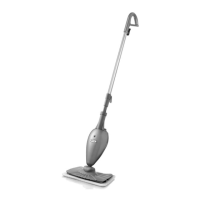
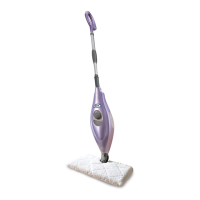
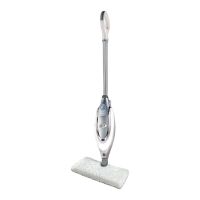
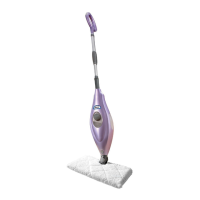
Shark S3455K - User Manual

Shark S3455K
16 pages
Print Icon
To Next Page IconTo Next Page
Loading...
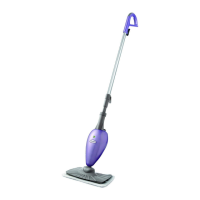
S3455K
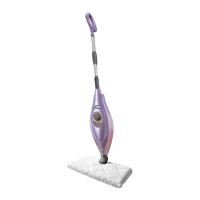
OWNER’S GUIDE
Professional SLIM
STEAM POCKET
®
MOP
WWW.SHARKCLEAN.COM

Questions and Answers

  • W
    William CollinsJul 31, 2025
    What to do if my Shark S3455K won't make steam?
    • S
      Sandra JoyceJul 31, 2025
      If your Shark Steam Cleaner won't make steam, first check if there is water in the water tank. If not, add water to your steam mop following instructions on page 4. If the unit still doesn’t make steam, follow the decalcification instructions on page 9.
  • S
    Samuel DickersonAug 4, 2025
    How to fix a Shark S3455K that won't turn on?
    • J
      James Perez PhDAug 4, 2025
      Your Shark Professional SLIM Steam Pocket® Mop should be securely plugged into an electrical outlet only. Check your fuse or breaker. If your unit still does not work, call 1-800-798-7398.
  • A
    Amy PaulAug 8, 2025
    Why are my floors cloudy after using the Shark S3455K?
    • K
      Karen EstradaAug 8, 2025
      Cloudy, streaky, or spotty floors after steaming with your Shark Steam Cleaner can occur for several reasons. Try changing the pocket, as it may be dirty. If you washed the cleaning pocket with powder detergent, it might be ruined. Replacement pockets are available at www.sharkclean.com. Avoid leaving the mop in one spot for too long. If you have hard water, switch to distilled water. The issue might also stem from leftover residue from past cleaners. Try steam mopping a few more times. If cloudiness persists, rinse the floor with water, let it dry, and then steam mop again with a clean pocket. For stubborn cases, rinse with a mix of one part vinegar and two parts water.
  • M
    Michael MartinezAug 13, 2025
    What to do if my Shark Steam Cleaner leaves water on the floor?
    • K
      Kimberly RiveraAug 13, 2025
      If your Shark Professional SLIM Steam Pocket® Mop leaves water on the floor, the cleaning pad might be soaked. Unplug the steam mop and change the cleaning pocket. Make sure the cleaning pocket is attached correctly.
  • W
    wilsonseanAug 16, 2025
    Why is my Shark S3455K Steam Cleaner hard to push?
    • M
      mcdonaldlisaAug 16, 2025
      If your Shark Professional SLIM Steam Pocket® Mop is hard to push, ensure the cleaning pocket is attached correctly. Also, check if the cleaning pocket is excessively dirty and replace it if needed.
  • D
    dorothyhouseAug 21, 2025
    How to prevent white spots from Shark S3455K Steam Cleaner?
    • L
      Laura TurnerAug 21, 2025
      If your Shark Professional SLIM Steam Pocket® Mop left a white spot on the floor, avoid leaving your steam mop on the floor with a damp or wet cleaning pocket. If you’re using tap water, switch to distilled water. Also, ensure the cap is securely on the water tank.
  • L
    Lisa KaneAug 26, 2025
    Why can't I select a steam setting on my Shark Steam Cleaner?
    • G
      Gary RobertsonAug 26, 2025
      If you cannot select a steam setting or the blue light remains flashing on your Shark Steam Cleaner, unplug the unit and try a different outlet to reset the Standby mode. Add water to the tank and press the STEAM CONTROL button to select a steam setting. If it still does not work, call Customer care at 1-800-798-7398.

Summary

Important Safety Instructions

General Safety Precautions

Essential safety rules for operating the steam mop to prevent hazards.

Additional Safety Guidelines

Further safety instructions including usage, care, and specific warnings.

Product Information

Technical Specifications

Details on the steam mop's voltage, wattage, and water capacity.

Cleaning Pocket Maintenance

Recommended schedule for replacing cleaning pockets for optimal performance.

Getting Started

Assembly Guide

Step-by-step instructions for assembling the steam mop handle and body.

Initial Setup and Filling

Guide to attaching the cleaning pocket and filling the water tank.

Using Your Steam Mop

Operation and Steam Control

Instructions for plugging in, activating steam control, and selecting settings.

Mopping Technique and Pocket Care

How to mop floors and flip the cleaning pocket for continuous use.

Accessories

Mop Heads and Pockets

Overview of available mop heads and cleaning pockets for specific tasks.

Cleaning Solutions

Information on Shark® Steam Energized™ Cleanser for enhanced cleaning.

Care and Maintenance

Post-Use and Storage

Steps for stopping the unit, cooling down, and proper storage.

Nozzle Cleaning and Decalcifying

Procedures for cleaning the nozzle and removing mineral deposits.

Troubleshooting

Problem Resolution

Solutions for common issues like the unit not turning on or making steam.

Warranty and Registration

Limited Warranty Information

Details of the one (1) year limited warranty for the product.

Product Registration Process

Guide to registering your new Shark® product for safety notifications.

Shark S3455K Specifications

General IconGeneral
ModelS3455K
Product TypeSteam Cleaner
Water Tank Capacity450 ml
Heat-Up Time30 seconds
Steam Ready IndicatorYes
AccessoriesMicrofiber Pads

Related product manuals