EasyManua.ls Logo

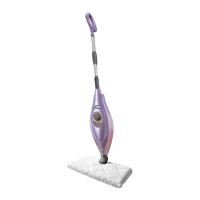
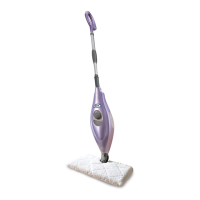
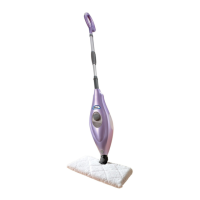
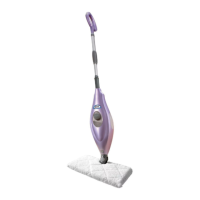
Shark S3501 Series - User Manual

Shark S3501 Series
20 pages
Print Icon
To Next Page IconTo Next Page
Loading...
OWNER’S GUIDE
S3501 series

Questions and Answers

  • J
    Jennifer WilliamsJul 26, 2025
    What to do if my Shark S3501 Steam Cleaner will not make steam?
    • M
      msandersJul 26, 2025
      If your Shark Steam Cleaner isn't producing steam, try priming the pump (refer to page 5 for instructions). Also, ensure the water tank has enough water; if not, refill it following the provided instructions.
  • A
    Alexandria MannJul 31, 2025
    What to do if Shark S3501 Steam Cleaner leaves water on the floor?
    • K
      Kyle SmithAug 1, 2025
      If your Shark Steam Cleaner is leaving water on the floor, the cleaning pocket might be too wet. Unplug the steam mop and replace the cleaning pocket. Ensure the steam pocket is correctly attached.
  • P
    pcannonAug 7, 2025
    How to fix Shark S3501 that will not turn on?
    • M
      Mr. Danny SullivanAug 7, 2025
      If your Shark Steam Cleaner won't turn on, ensure it's securely plugged into a functioning electrical outlet. Check your fuse or breaker.
  • S
    Sharon Smith MDAug 12, 2025
    Why are my floors cloudy after using Shark S3501 Steam Cleaner?
    • M
      Melissa SwansonAug 12, 2025
      Cloudy, streaky, or spotty floors after using your Shark Steam Cleaner can occur for several reasons. The cleaning pocket may be dirty, so try flipping or changing it. If you washed the pocket with powder detergent, it might be ruined. For kitchen areas with grease buildup, pretreat the area with a degreasing agent like an all-purpose cleaner or dish soap before steaming. Avoid leaving the mop in one spot for too long. If you have hard water, switch to distilled water.
  • S
    Steven ValenciaAug 19, 2025
    Why is my Shark Steam Cleaner hard to push?
    • K
      Kristen NelsonAug 19, 2025
      If your Shark Steam Cleaner is hard to push, make sure the steam pocket is attached correctly. Also, check if the pocket is excessively dirty. For better leverage, try increasing the pole height.

Summary

Important Safety Instructions

DANGER OF SCALDING

Use caution when using the steam mop. Steam emitted is very hot.

IMPORTANT: Appliance Use

Appliance not for use by persons with reduced capabilities without supervision; children shall not use.

WARNING: Fire, Shock, Injury Prevention

List of precautions for safe operation of the steam mop to prevent hazards.

Getting Started

Parts Identification

Diagram and list of all components included with the steam mop.

Assembly Instructions

Step-by-step guide on how to assemble the steam mop handle and mop head.

Filling Tank and Attaching Head

Instructions for filling the water tank and attaching the cleaning pad and mop head.

Using Your Steam Mop

Initial Setup and Steaming

Steps to plug in, heat up, and prime the steam mop for first use.

Adjusting Height and Flipping Mop Head

Guide to adjusting handle height and using both sides of the cleaning pocket.

Refilling and Usage Warnings

Instructions for refilling the water tank and crucial warnings about leaving the mop unattended.

Using Your Carpet Glider

Care of Your Steam Mop

After Use and Storage

Steps for cooling down, removing the cleaning pocket, emptying the tank, and storing the mop.

Ordering Replacement Parts

Keeping Cleaning Pockets Clean

Recommendations for washing and maintaining the cleaning pockets.

Troubleshooting Guide

Common Issues and Solutions

Lists common problems with the steam mop and their recommended solutions.

One Year Limited Warranty

Product Registration

Instructions and importance of registering the product for safety notifications.

Two Year Limited Warranty (Germany)

Product Registration (Germany)

Instructions and importance of registering the product for safety notifications in Germany.

Shark S3501 Series Specifications

General IconGeneral
TypeSteam Mop
Water Tank Capacity450 ml
Power1200 watts
Cord Length20 ft
AccessoriesMicrofiber Pads
Warranty1 year limited warranty

Related product manuals