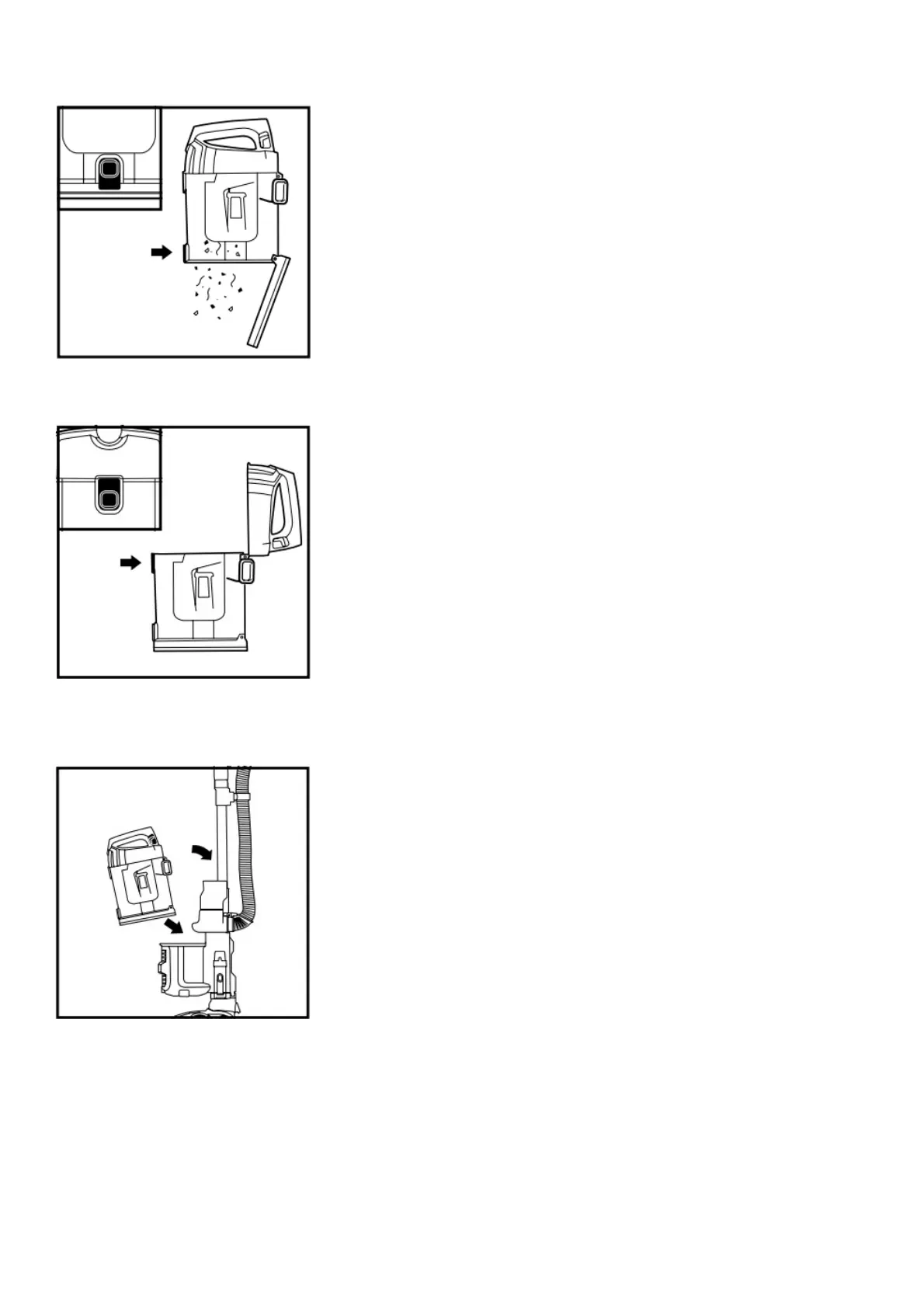
To remove Dust Cup, slide up release tabs on both sides of dust cup handle. Tilt dust cup forward,
then lift to remove.
Press lower release button to open bottom of dust cup.
To remove collected debris from Lint Screen, press top release button and lift handle to open. Gently
brush lint screen to clean.
To reinstall, place bottom of dust cup into pod and then tilt back until it clicks into place.
CLEANING THE FILTERS
CLEANING FILTERS
Regularly clean and replace the filters to keep your vacuum’s suction power optimal.
To clean filters, rinse with cold water only to prevent damage from cleaning chemicals. Allow all filters
to air-dry for at least 24 hours before reinstalling them to prevent liquid from being drawn into





 To Next Page