16
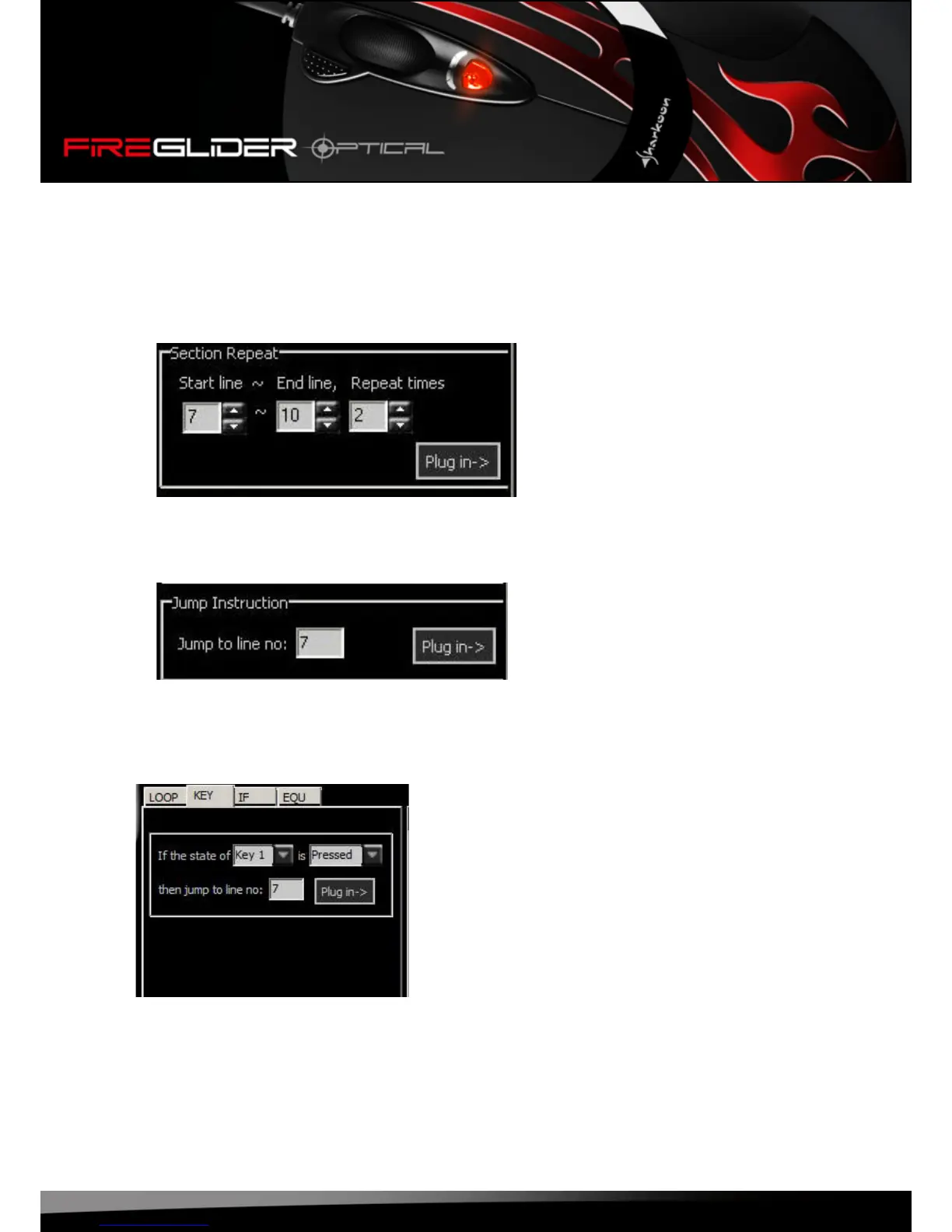
7.4.2 The tabs “Loop”, “Key”, “If” and “Equ”
Thetabs“Loop”,“Key”,“If”and“Equ”allowsyoutodenedifferentinstructionswhichwillbecopiedinto
thescriptbyclickingthe“Plugin”button.
1.Loop:
a)Insertsectionrepeat
Usetheinputareastoentertherespectivestartandendlineanddenehowoftenthisareashallbe
insertedintothescript.Pressingthe“Plugin”buttonwillcopythedenedsectionintothescript.
b)Insertjumpinstruction
Thisfunctionenablestodenejumpinstructionswhichwillbecopiedtothescriptusingthe“Plug
in”buttonafterwards.
2.Key:denetheeffectofpressing/releasingabuttonandcopythisconditionintothescriptusingthe
“Plugin”button.















 To Next Page