8
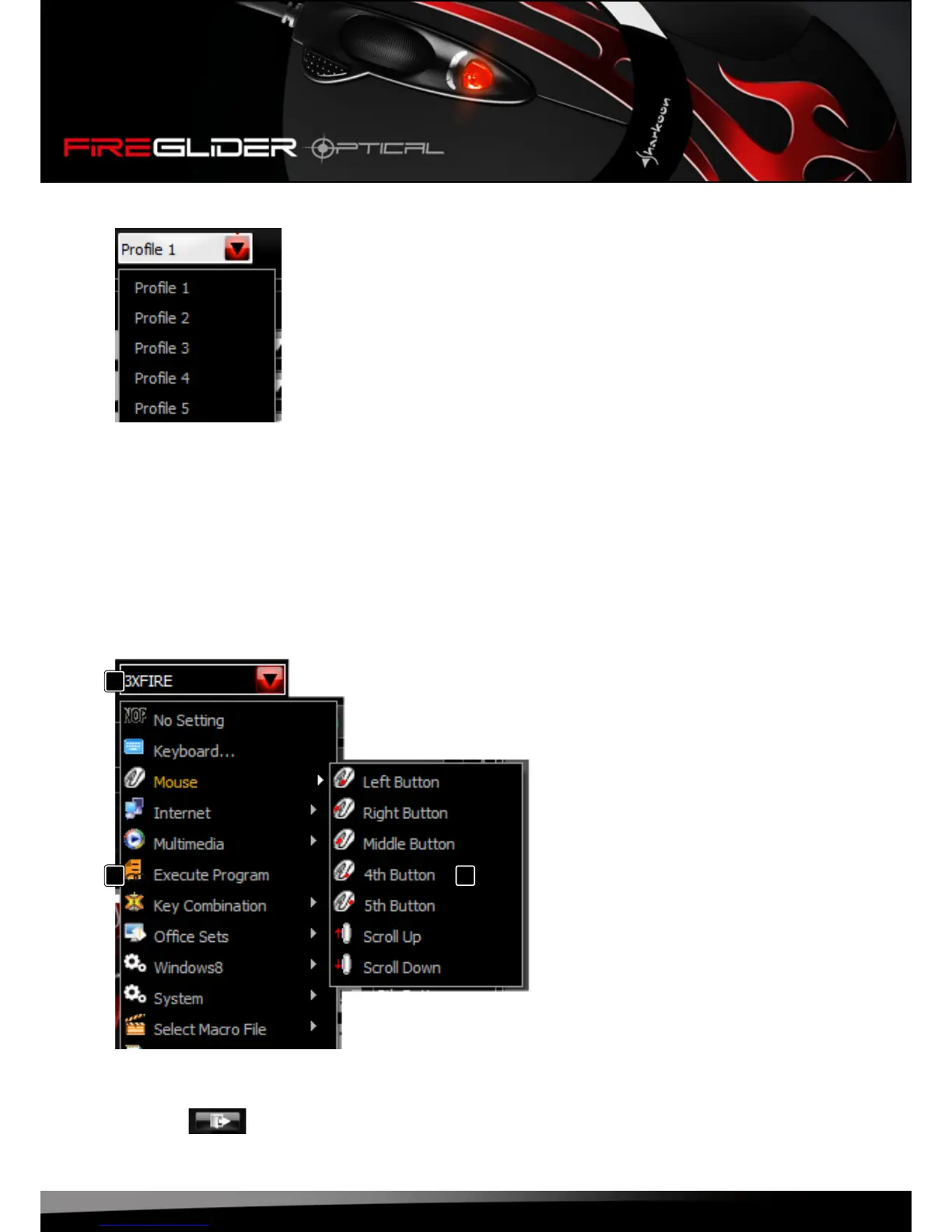
Fig.2(Prolemenu):
Openthelistbyclickingthearrow.Selectbetweenproles1through5.
Theseprolesallowdeningvedifferentbuttonassignmentswithinoneconguration.Example:Youcan
createdifferentbuttonassignmentsfordifferentcharactersinonegame.
7.3 The pulldown menus
7.3.1 General info
Thepulldownmenuswillopenupwhenthebuttonispressed.Thepulldownmenusaresimilarforall
mousebuttons(g.3).
A – Button
B – Menu items
C – Flyoutmenuswithfurtherfunctions/
options
Fig.3
Byclickingthe“OK”buttonallchangesfromtheeditorwillbetransferredtothemouse.
Pressing“”willdiscardallchangesandexittheprogram.
A
B C







 To Next Page