15
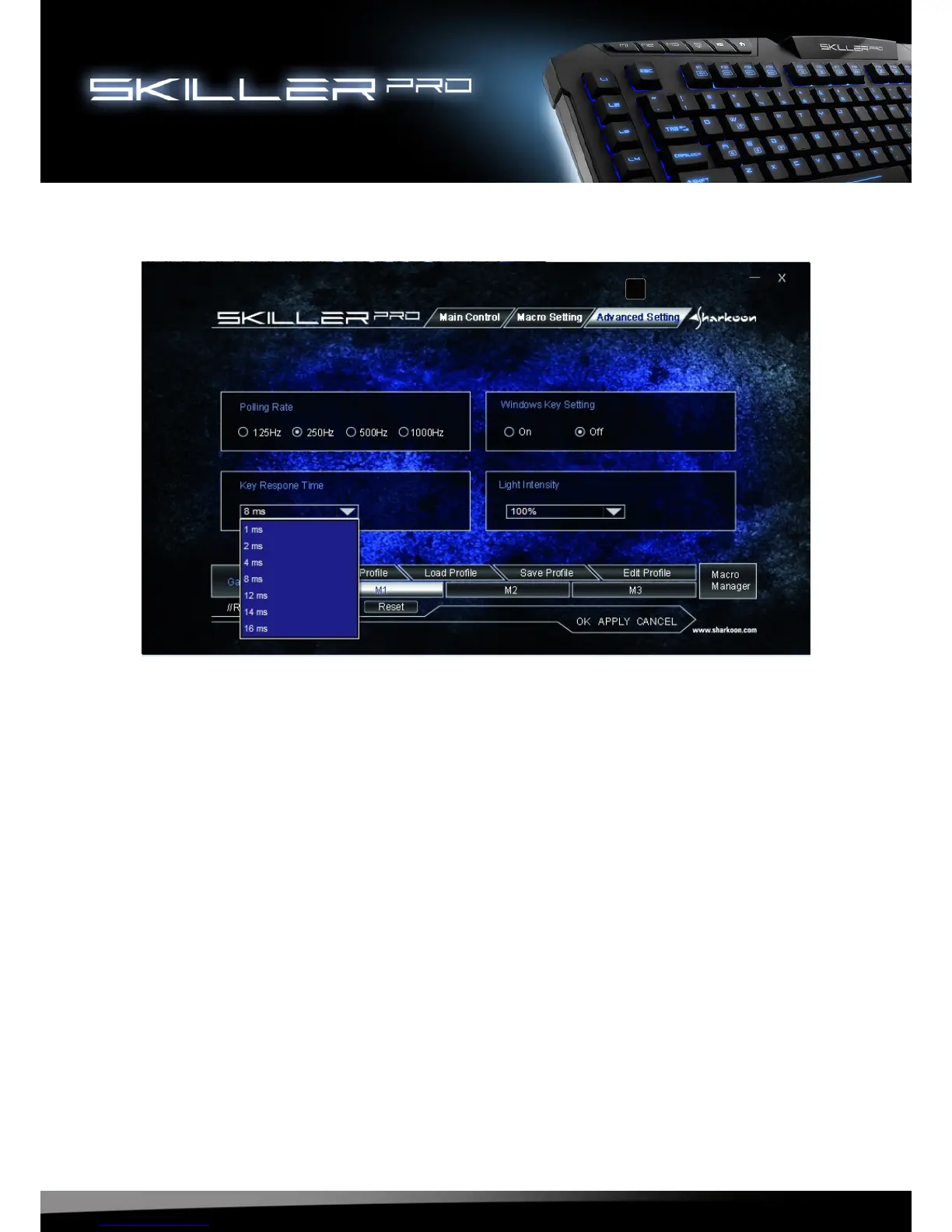
8.6 Advanced Settings
F - Here the following adjustments can be made:
• Polling Rate settings: 125Hz, 250Hz, 500Hz or 1000Hz
• Turn Windows key on or off
• Set Key Response time (1ms – 16ms)
• Illuminating the keyboard (The Illumination can also be changed without
the software by pressing the FN + Scroll keys.)
F




 To Next Page