9
8.3 Profiles
The M1, M2 and M3 keys can be assigned different profiles. The profiles are independent from each
other, therefore, each profile can be assigned different profiles.
(If a profile is active, the Windows key is automatically disabled)
8.4 Key Programming
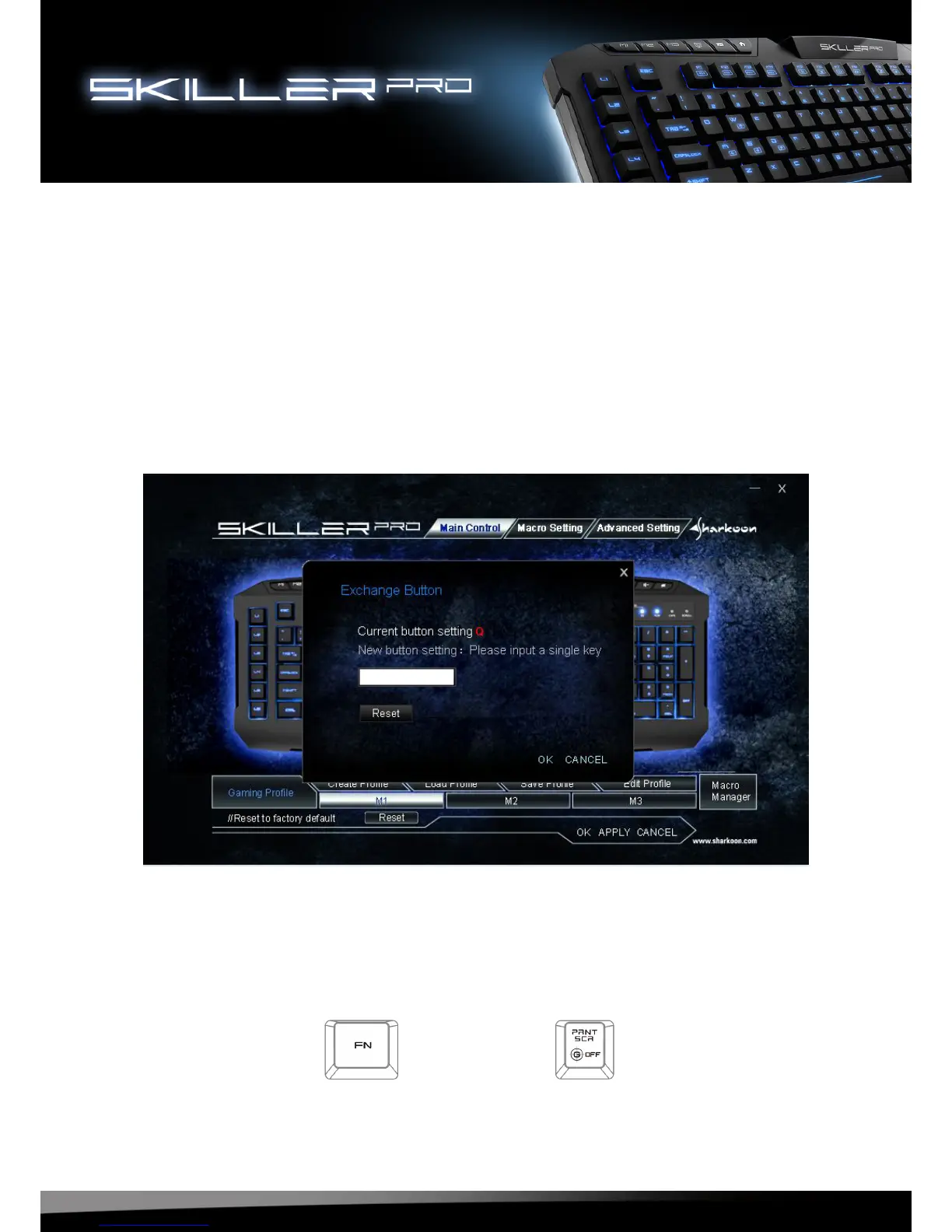
Each key can be individually programmed, for this, proceed as follows:
Choose the key you wish to program by selecting it in the configuration using the
left-click on the mouse. The configurator will appear:
You can now customize the keys to your wishes and save the changes.
8.4.1 Keyboard in the basic function
Use key combination FN + Print Screen key to disable gaming mode and the return
the keyboard to its basic functions.
+




 To Next Page