7.2.3.2 Without SCU via G6 adapter cable
Application:
You have connected the SCU to your console and now want to use the X-Tatic SR with your PC/laptop.
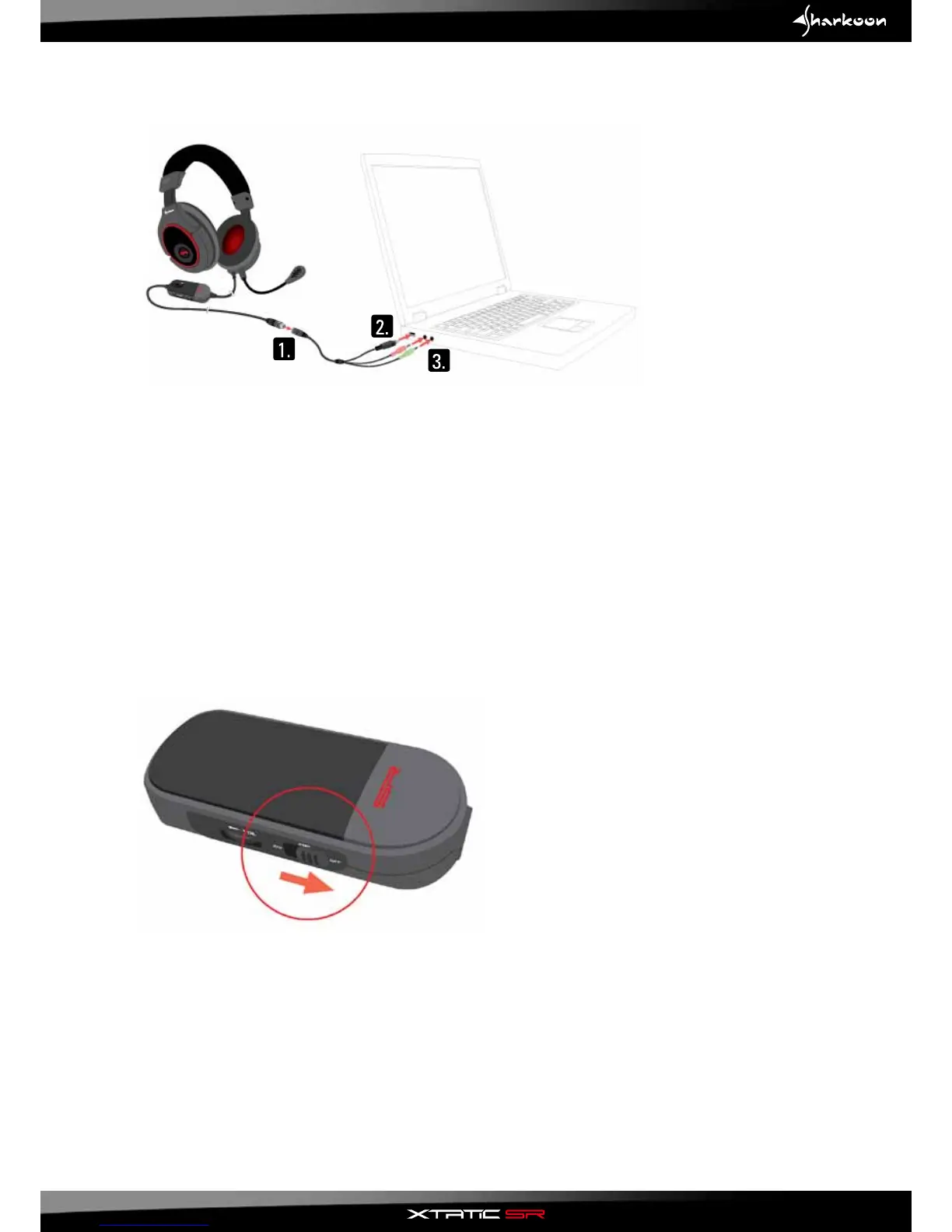
1.ConnecttheG6adaptercable(G6>USB2.0Aand2x3.5mmconnectors)totheG6connectorofthe
X-Tatic SR.
2.ConnecttheUSBcabletothePC(powersupplyoftheheadsetamplier).
Note:
Occasionally USB ports do not deliver as much current as specified.
This may cause your X-Tatic SR not to work as its included amplifier is not powered sufficiently.
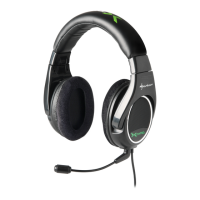
In this case disable the amplifier of the X-Tatic SR:
After disabling the amplifier the maximum volume of the headset will be reduced.
3. Connect the audio connectors of the adapter cable to the analog audio input connectors of your
PC/laptop.
18



 To Next Page