10
SET UP
TIMER
VIDEO ADJUST
CAPT I ONCLOSED
PARENT CONTROL
ENERGY SAVE
ON T I MER
SETCLOCK
SLEEP T IMER
Sleep Timer
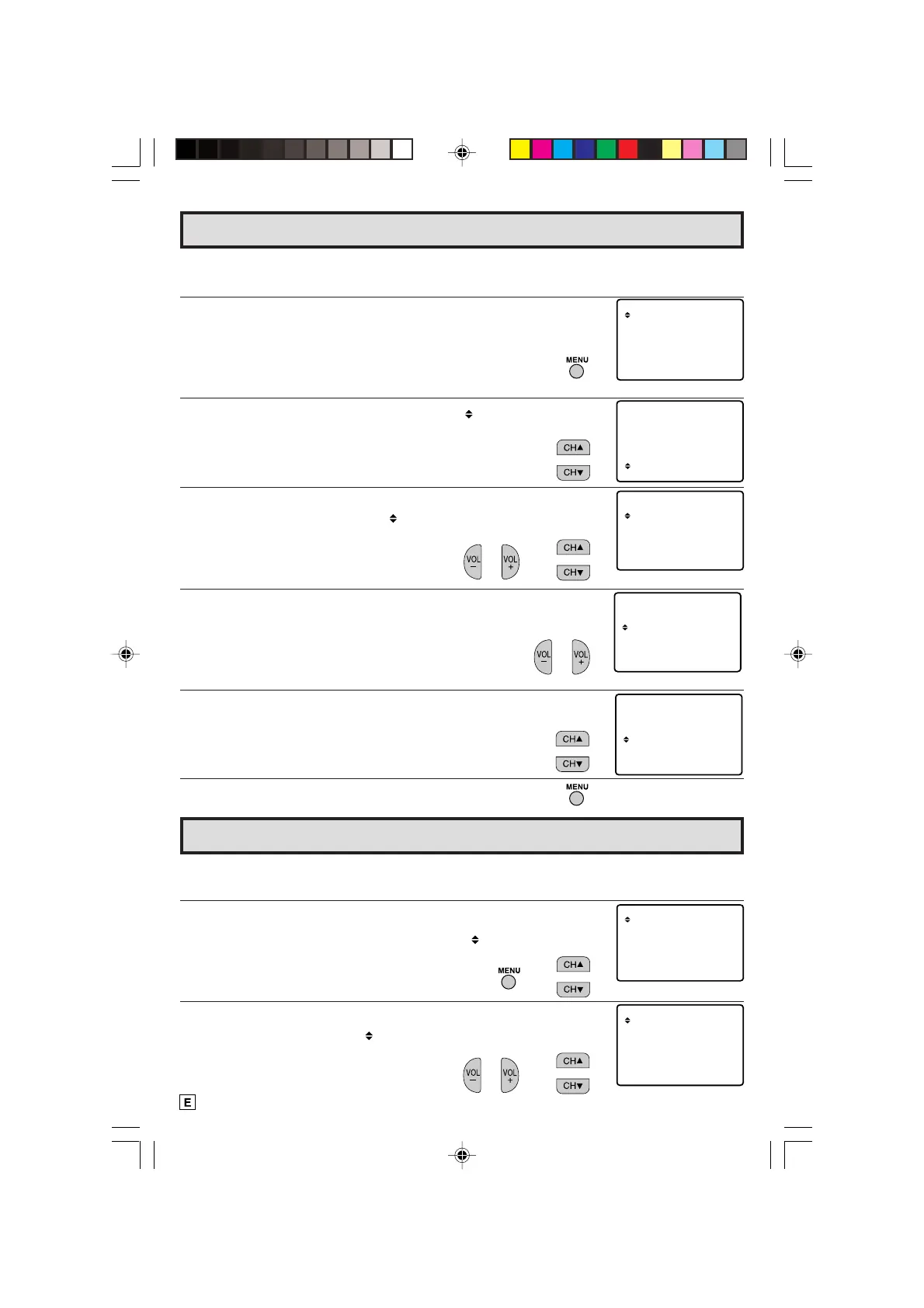
L You can preset your television to turn off automatically in increments of 30, 60, 90 or 120
minutes.
1 Press
MENU
to access the MAIN MENU screen.
2 Press
CH UP (
8
)
or
DOWN (
9
)
to move the “ ” mark to “TIMER”.
3 Press
VOL (+)
or
(–)
to access TIMER mode, then press
CH UP (
8
)
or
DOWN (
9
)
to move the “ ” mark to “SLEEP TIMER”.
(MAIN MENU screen)
→
Language
(TIMER select mode)
→
SET UP
TIMER
VIDEO ADJUST
CAPT I ONCLOSED
PARENT CONTROL
ENERGY SAVE
SET UP
VIDEO ADJUST
CAPT I ONCLOSED
PARENT CONTROL
ENERGY SAVE
TIMER
BL E SCREENU
AGE
TINGCH SET
LANGU
ENGL I SH
ESPAÑOL
IDIOMA
(LANGUAGE change mode)
(MAIN MENU screen)
L The language for the ON SCREEN DISPLAY can be set to ENGLISH or SPANISH.
L Setting the ON SCREEN DISPLAY Language.
1 Press
MENU
to access the MAIN MENU screen.
2 Press
CH UP (
8
)
or
DOWN (
9
)
to move the “ ” mark to “SET UP”.
3 Press
VOL (+)
or
(–)
to access SET UP mode, then press
CH UP
(
8
)
or
DOWN (
9
)
to move the “ ” mark to “LANGUAGE”.
4 Press
VOL (+)
or
(–)
to access LANGUAGE change mode.
5 Press
CH UP (
8
)
or
DOWN (
9
)
to select “ENGLISH” or “SPANISH
(ESPAÑOL)”.
6 Press
MENU
to exit.
(SET UP mode)
→
10-14 14LK22 [E].p65e 28/5/01, 10:47 AM10
Downloaded from: http://www.usersmanualguide.com/



 To Next Page