13
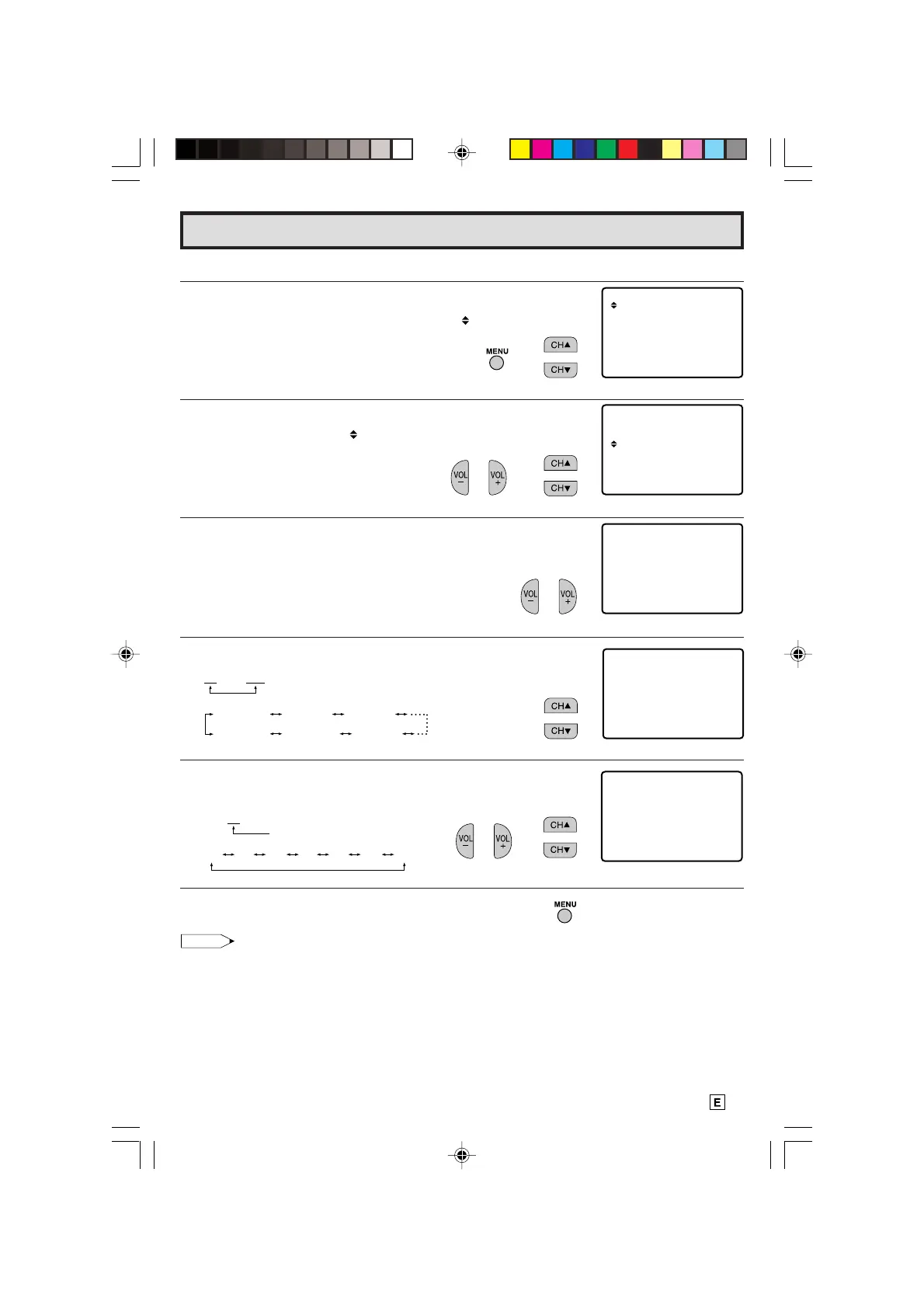
L How to set the time.
1 Press
MENU
to access the MAIN MENU screen.
2 Press
CH UP (
8
)
or
DOWN (
9
)
to move the “ ” mark to “TIMER”.
3 Press
VOL (+)
or
(–)
to access “TIMER”, then press
CH UP (
8
)
or
DOWN (
9
)
to move the “ ” mark to “CLOCK SET”.
4 Press
VOL (+)
or
(–)
to access “CLOCK SET”.
5 Press
CH UP (
8
)
or
DOWN (
9
)
to set the hour-digit.
6 Press
VOL (+)
or
(–)
to select the minute-digit and adjust by
pressing
CH UP (
8
)
or
DOWN (
9
)
.
7 Press
MENU
to exit.
• The clock settings may become incorrect due to power failure etc.
SET UP
TIMER
V IDEO ADJUST
CAPT I ONCLOSED
PARENT CONTROL
ENERGY SAVE
ON T I MER
SETCLOCK
SLEEP T IMER
Clock Set
(MAIN MENU screen)
→
SETCLOCK
5:00AM
→
Note:
(TIMER Select mode)
→
(CLOCK SET mode)
The indicator color changes to red.
The indicator color changes to red.
12 : 00 AM
12:00AM 1:00AM 2:00AM
11:00PM 10:00PM 9:00PM
12 : 00 AM
00 01 02
...
57 58 59
10-14 14LK22 [E].p65e 9/5/01, 6:25 PM13
Downloaded from: http://www.usersmanualguide.com/



 To Next Page