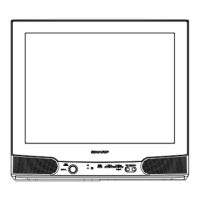
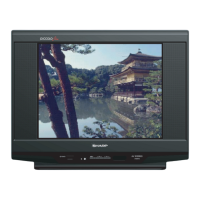
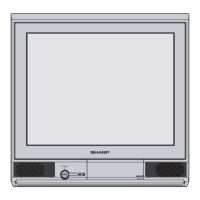
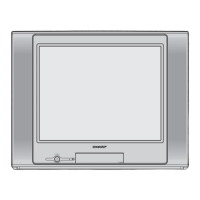
This document is an operation manual for the SHARP 21AG1-SMK3 Colour Television. It provides comprehensive instructions for setup, operation, and maintenance of the device.
Function Description
The SHARP 21AG1-SMK3 is a colour television designed for receiving TV broadcasts and displaying video content from external sources. It allows users to watch TV programmes, connect various video equipment such as camcorders, video game consoles, VCRs, DVD players, and laserdisc players, and adjust picture and sound settings. The television features an on-screen display (OSD) for easy navigation and adjustment of settings, available in multiple languages including English, Chinese, French, Russian, Malay, and Arabic.
Important Technical Specifications
- Model: 21AG1-SMK3
- Receiving System: World multi 18 system
- TV Broadcasts/VCR Playback: PAL-I, PAL-B/G, PAL-D/K, SECAM-B/G, SECAM D/K, K1
- VCR Playback (NTSC): NTSC 4.43/5.5 MHz/60 Hz, NTSC 4.43/6.0 MHz/60 Hz, NTSC 4.43/6.5 MHz/60 Hz, NTSC 4.43/5.5 MHz/50 Hz, NTSC 4.43/6.0 MHz/50 Hz, NTSC 4.43/6.5 MHz/50 Hz, SECAM-I (6.0 MHz)
- VCR Playback (Using Video-in terminals): SECAM-L (French SECAM), PAL 60Hz, NTSC 3.58 MHz
- Laserdisc Player Playback (Using RF-in terminals): PAL 5.5 MHz/60 Hz, PAL 6.0 MHz/60 Hz, PAL 6.5 MHz/60 Hz
- Reception Channels:
- PAL-B/G, SECAM-B/G: VHF E2-E12 ch, UHF E21-E69 ch
- PAL-D/K, SECAM-D/K, K1: VHF C1-C12 ch, R1-R12 ch, UHF C13-C57 ch, R21-R69 ch
- PAL-I: VHF B-J ch, UHF 21-69 ch (Hong Kong)
- CATV: S1-S20 ch, S21-S41 ch (Hyper)
- Receiving Frequency: 48.25 MHz - 863.25 MHz
- Channel Tuning: 100-Channel Electronic Tuner with Full Auto Tuning System
- Picture Tube: 21-Inch Tinted
- Terminals:
- Audio/video input × 2 (front × 1, rear × 1)
- Audio/video output × 1 (rear)
- Headphone jack × 1 (front)
- Sound Output: 3 W (RMS) × 1
- Power Source: AC 110 - 240V, 50/60 Hz
- Power Consumption: 79 W
- Dimensions: 499 (W) x 474 (H) x 486 (D) mm
- Weight: 20.5 kg (Approx.)
Usage Features
The SHARP 21AG1-SMK3 offers a range of features to enhance the user experience:
- Easy Setup: A quick guide for connecting the antenna, video equipment, inserting remote control batteries, plugging into power, and tuning channels.
- Remote Control: A full-function remote control with dedicated buttons for power, channel selection, volume adjustment, mute, TV/Video input switching, timer, feature, picture, and channel setting screens. It also includes number buttons for direct channel input and a "recall" button to switch back to the previously viewed channel.
- On-Screen Display (OSD): User-friendly menus for adjusting various settings. The OSD language can be selected from English, Chinese, French, Russian, Malay, or Arabic.
- Channel Tuning:
- Auto Channel Tuning: Automatically tunes in and presets all receivable TV stations (channels 1-99).
- Manual Channel Tuning: Allows users to manually tune to desired TV stations and preset them.
- Channel Setting: Individual channel settings can be adjusted, including position, colour system (AUTO, PAL, SECAM, N443), sound system (B/G, D/K), skip function (ON/OFF), and fine tuning.
- Picture Adjustment: Users can adjust picture settings such as contrast, colour, brightness, tint (for NTSC broadcasts only), sharpness, and white temperature. A "NORMAL" button allows resetting selected or all picture settings to factory defaults.
- Sound Control: Volume adjustment and a mute function to silence the sound temporarily.
- Blue Screen Feature: Automatically turns the screen blue if no broadcast signal is received, preventing static noise and visual interference. This feature can be turned ON or OFF.
- Timers:
- Off Timer: Automatically turns the power off after a preset length of time (up to 12 hours and 50 minutes).
- On Timer: Automatically turns the power on after a preset length of time (up to 12 hours and 50 minutes), allowing users to set a specific channel and volume level for power-on.
- Reminder On-Screen Timer: Displays a countdown timer on the screen for a preset duration (up to 12 hours and 50 minutes), useful for tasks like cooking.
- Headphone Jack: Allows private listening through headphones, automatically muting the TV speakers when connected.
- Video Inputs: Two audio/video input terminals (one front, one rear) for connecting external video equipment.
Maintenance Features
The manual emphasizes several safety precautions and troubleshooting steps to ensure the longevity and proper functioning of the television:
- Safety Precautions:
- Damage: Immediately unplug and call for service if unusual noises, smoke, or smell occur.
- Servicing: Do not remove the back cover due to dangerous voltage.
- Unstable Surface and Shocks: Place the TV on a stable surface to prevent falling and damage.
- Water/Moisture: Avoid placing the TV near water or in excessively damp places to prevent fire or electrical shock.
- Power-cord Protection: Protect the AC power cord from damage; unplug immediately if damaged and call for service.
- Liquid/Object Entry: Do not place liquids or insert metallic/inflammable objects into the TV to prevent electrical shock or fire.
- Ventilation: Ensure adequate space for proper ventilation; do not place in confined areas.
- TV Set Position: Place on an even stand larger than the TV to prevent distortion or overturning.
- Uneven Surface and Excessive Force: Move the TV and cart combination with care to prevent overturning.
- Fire Prevention: Do not place candles or naked flames near the TV.
- Troubleshooting Guide: A "Quick Service Check List" is provided to help users diagnose common problems (e.g., remote not working, picture distortion, no colour, poor reception, no picture/sound) and offers possible causes and remedies before calling for repair service.
- Microprocessor Resilience: The unit is equipped with a microprocessor; if performance is affected by external electrical noise, unplug and replug the unit after a few minutes to reset.
- Battery Care: Instructions for installing and replacing remote control batteries, including warnings about matching terminals, removing weak batteries, and not mixing old and new batteries.
- Power Management: Advised to turn off the main power and unplug the cord if the TV will not be used for a considerable length of time.


 To Next Page
 Need help?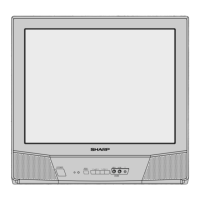

 General