SX-68JF200
17
HORIZONTAL/VERTICAL CIRCUIT ADJUSTMENT
NO. Adjustment part Adjusting procedure and conditions Waveform and others
V-AMPLITUDE 50
V-LINEARITY 50Hz
V-SCORRECTION 50Hz
V-RHASE(50)
(V-CENTER)
H-RHASE(50)
(H-CENTER)
H-SIZE
E/W-PARABOLA
(SIDE-PIN)
V-BIAS
V-∫CORRECTION
EW-CORNER
(SUB-SIDEPIN)
TRAPEZIUM
V-COMPENSATION
H-COMPENSATION
OTHER
Adjust the overscan to 8.5% ± 0.5%. (E-5)
Adjust the linearity to the best.
Already preset (**). (Adjust this unless the linear-
ity is achieved.)
Align the center of the screen to the geometric
center of CRT. (E-5)
Align the center of the screen to the geometric
center of CRT. (E-5)
Adjust the overscan to 8.5% ± 0.5%. (E-5)
Adjust the 1st vertical line from the left and right
ends of the crosshatch to be straight. (E-2)
Already preset.
Already preset.
Adjust the end of the line of the crosshatch to be
straight.
Already preset. (Adjust if the quality is specially
poor.)
Already preset. (Adjust if the quality is specially
poor.)
Already preset. (Adjust if the quality is specially
poor.)
On the items of V-AMPLITUDE60, V-LINEARITY60,
V-SCORRECTION60, V-RHASE60, H-RHASE60
and H-SIZE60, the compensation data is automati-
cally input if the 50Hz mode adjustment is
done.
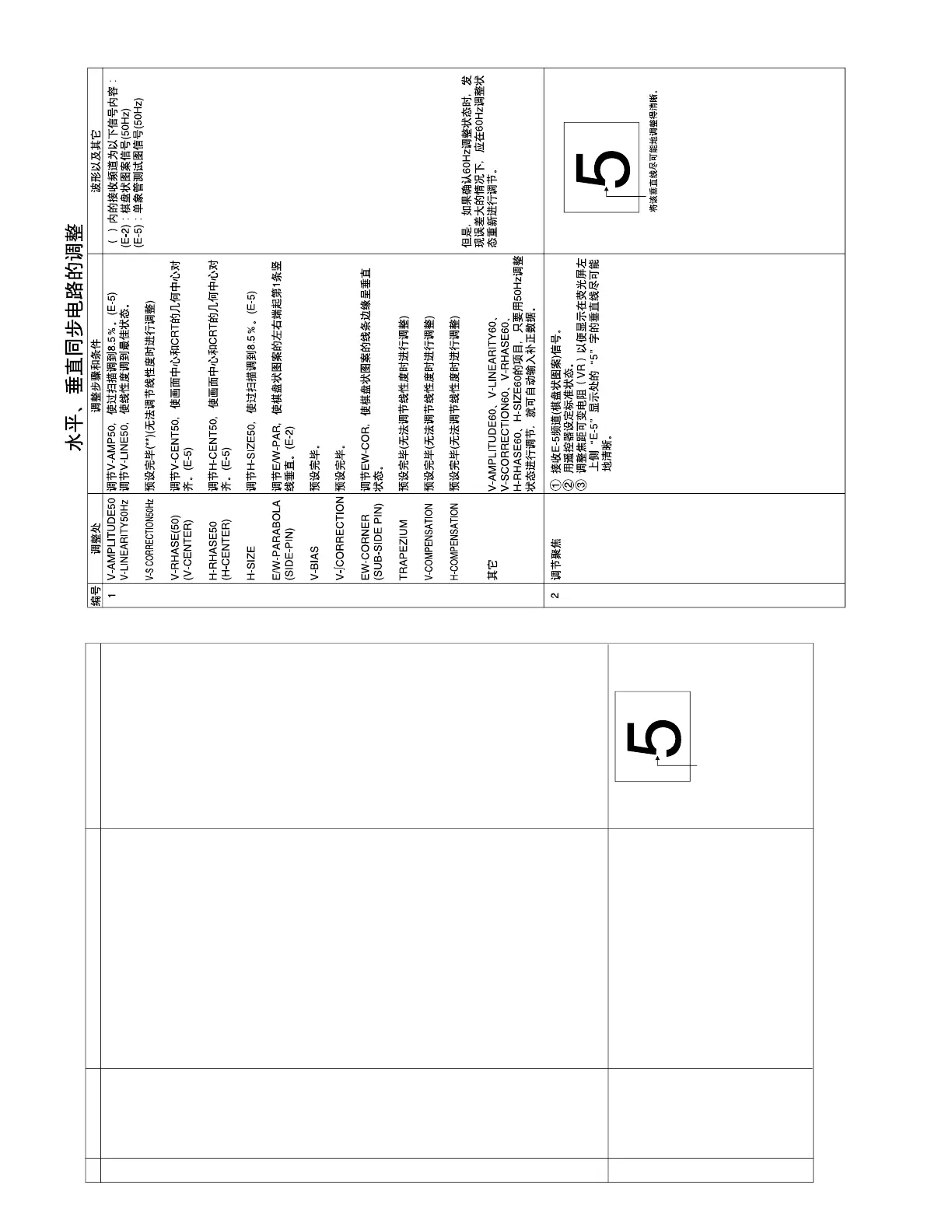
1 Receive E-5CH (crosshatch pattern).
2 With the remote controller, make the image
normal.
3 Adjust the focus VR to make the vertical line of
"5" in "E-5" display upper left part of screen as
fine as possible.
Focus adjust-
ment
The receiving channel in ( ) are the
following signals.
(E-2): Crosshatch (50Hz)
(E-5): Monoscope (50Hz)
1
2
However, if it is largely deviated when
it is checked in the 60Hz mode,
readjust it in the 60Hz mode.



 To Next Page