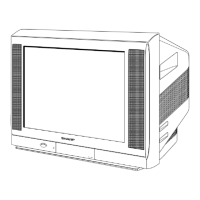
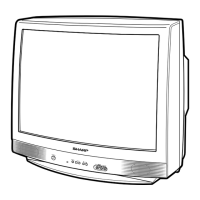
29L-FG1L
3 – 1
TV29L-FG1LService Manual29L-FG1LMarketE
CHAPTER 3. ADJUSTMENT PRECAUTIONS
[1] ADJUSTMENT PRECAUTIONS
ADJUSTMENT PRECAUTIONS
This model's setting are adjusted in two different ways: through the I2C bus control and in the
conventional analog manner. The adjustments via the I2C bus control include preset-only items and
variable data.
1. Setting the service mode by the microprocessor.
(1). Press and hold the local key "VOL DOWN" & "CH UP" when power on the main switch,
TV will enter into the SERVICE MODE.(The initial value of EEPROM are automatically
preset when new EEPROM is used)
(2). Press the CH DOWN / UP key on the remote controller to get ready to select the mode
one by one.
(3). Press the CH DOWN / UP key on the remote controller to select the modes reversibly
one by one.
(4). Using the VOLUME UP/ DOWN key on the remote controller, the data can be modified.
(5). When press the local key "VOL DOWN" & "CH UP" at the same time,
it will be released from the service mode.
2. Factory Presetting.
(1). After enter into the SERVICE MODE, at "INIT EEPROM" service item (which is under
"CHECK MODE" section) press remote controller key of code "ED", the initial
values are automatically preset.
(2). The initial data are preset as listed in page 4 to 12.
(3). Make sure whether the data need to modify or not (Initial data).
Note: Once the chassis has been assembly together and in ready condition, please make
sure it's go through initialize process (see sect 2-(1) above)
Precaution
: If haven't done this initialization, malfunction might be happen.



 To Next Page