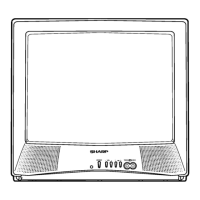
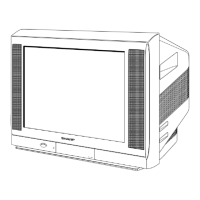
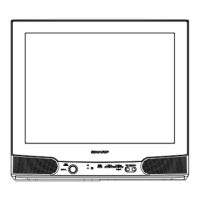
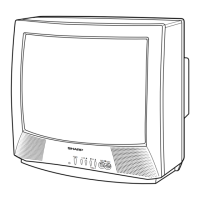
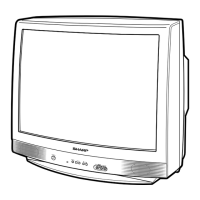
This document is a service manual for the SHARP 29F-PE550 and 29F-PD570 Colour Televisions, identified by Chassis No. GB-7. It provides comprehensive information for qualified service personnel to maintain and repair these television models.
Function Description
The SHARP 29F-PE550 and 29F-PD570 are colour televisions designed with a range of features to enhance viewing and audio experience. They incorporate a "World Multi 21 System" for broad compatibility and a 100-channel program memory for extensive channel storage. Users can select from various AV modes, including Movie, Music, and News, to optimize picture and sound settings for different content types. The televisions are CATV Hyper Band Ready, allowing for reception of a wide range of cable channels.
Picture quality is enhanced through features such as a Blue/White Stretch Circuit, Picture Noise Reduction, White Temperature Select, and Gamma Correction. For audio, the televisions support Nicam & A2 Stereo, offering improved sound fidelity. Additional audio features include Surround sound, an Equalizer for custom sound profiles, and AVL (Automatic Volume Limiter) for consistent volume levels, along with a Loudness function.
Convenience features include a Multi-Language OSD (On-Screen Display) in English and Thai, an Off Timer for automatic shutdown, and a Hotel Mode for controlled usage in hospitality environments. Connectivity options include Rear AV-IN 1, AV Output (Monitor Out), Front AV-IN 2 (with auto-select), a Headphone jack (front), and Component & Audio Input Terminals.
Important Technical Specifications
Convergence: Self Convergence System
Focus: Bi-Potential, Uni-Potential Electrostatic
Sweep Deflection: Magnetic
Intermediate Frequencies:
- Picture IF Carrier: 38.9MHz
- Sound IF Carrier:
- 6.5MHz: 32.4MHz
- 6.0MHz: 32.9MHz
- 5.74MHz: 33.16MHz
- 5.5MHz: 33.4MHz
- 4.5MHz: 34.4MHz
Colour Sub-Carrier:
- PAL: 34.47MHz
- SECAM: 34.494/34.65MHz
- NTSC: 35.32MHz
Power Input: 110~240V AC 50/60 Hz
Power Consumption: 123W
Audio Power Output Rating: 7.5 W x 2 (Rated)
Speaker Size:
- 29F-PE550: 8 cm x 12 cm (oval) x 2
- 29F-PD570: 8 cm Round x 2
Aerial Input Impedance: 75 ohms Unbalanced
Receiving Channels:
- PAL-B/G, SECAM-B/G:
- VHF: E2 thru E12
- UHF: E21 thru E69
- CATV: X thru Z + 2, S1 thru S41
- PAL-D/K, SECAM-D/K, K1:
- VHF: R1 thru R12, C1 thru C12
- UHF: 21 thru 69, C13 thru C57
- PAL-I, SECAM-I:
- VHF (IRELAND): B thru J
- UHF (U.K., H.K.): 21 thru 69
- NTSC-M:
- VHF (U.S.): 2 thru 13, (Japan): 1 thru 12
- UHF (U.S.): 14 thru 69, (Japan): 13 thru 62
- CATV (U.S.): A-6 thru A-1, A thru W+29 (Japan): C13 thru C63
Receiving Frequency: 44.25 MHz thru 863.25 MHz
Dimensions:
- 29F-PE550:
- Width: 810mm
- Height: 618mm
- Depth: 531.5mm
- Weight (approx): 42 kg
- 29F-PD570:
- Width: 810mm
- Height: 618mm
- Depth: 516.5mm
- Weight (approx): 41 kg
Cabinet material: All Plastics
Usage Features
The televisions offer a user-friendly experience with several adjustable settings. The "AV Mode" allows users to quickly switch between optimized settings for movies, music, or news content. The "White Temp. Select" feature enables adjustment of the white balance to suit personal preferences or ambient lighting conditions. "Gamma Correction" further refines picture contrast and brightness.
For sound, the "Equalizer" provides granular control over audio frequencies, allowing users to customize the sound profile. The "Surround" feature enhances the spatial audio experience, while "AVL" prevents sudden volume changes, ensuring a comfortable listening experience. The "Loudness" function boosts bass and treble at low volumes.
The "Off Timer" is a convenient feature for users who wish to set a specific time for the television to automatically turn off. The "Hotel Mode" is a specialized setting that allows administrators to restrict certain functions, such as volume limits or channel access, making it suitable for commercial or hospitality environments.
The "Multi Language OSD" (English / Thai) ensures that users can navigate the television's menus and settings in their preferred language. The "Child Lock" feature provides parental control over channel access and other settings.
Maintenance Features
This service manual outlines critical maintenance and adjustment procedures for the SHARP 29F-PE550 and 29F-PD570 televisions.
Important Service Notes:
- User Safety: For user safety and to comply with safety regulations, the set must be restored to its original condition, and only identical parts specified in the manual should be used.
- X-RAY Radiation: The receiver is designed to keep X-ray radiation to an absolute minimum. Service personnel are warned about potential hazardous radiation from prolonged exposure to high voltage and are instructed on how to check and adjust the high voltage. Regular checks of the high voltage at 30.0kV ± 1.5kV (at beam 1700 µA) are crucial.
- Returning the Receiver: Before returning the receiver to the user, service personnel must inspect all lead dress to ensure no leads are pinched or hardware is not lodged between the chassis and other metal parts. All protective devices such as non-metal control knobs, insulating fishpapers, cabinet backs, adjustment compartment covers or shields, isolation resistor-capacity networks, and mechanical insulators must be inspected and correctly installed.
- Hot Chassis Warning: The chassis in this receiver is partially hot. An isolation transformer must be used between the line cord plug and power receptacle when servicing to prevent electric shock.
Adjustment Precautions:
- Service Mode Access: Adjustments are made via the I2C bus control and conventional analog manner. The I2C bus control includes preset-only items and variable data. To enter service mode, press and hold "VOL DOWN" & "CH UP" on the main switch. Initial EEPROM values are automatically preset when a new EEPROM is used.
- Factory Presetting: The manual details how to perform a factory preset using a specific remote controller key ("ED") for 4 seconds, which automatically presets initial values. It also specifies checking and modifying preset data as needed.
- Adjustment Modes: The service mode includes distinct adjustment categories: RF AGC, 50Hz/60Hz Geometric Adjustment, Picture/Sound Sub Adjustment, and Cut Off/White Balance Adjustment. Each mode has a sequence of items that can be adjusted using the CH UP and CH DOWN keys.
- EEPROM Settings: A detailed table lists EEPROM settings, data ranges, ICs involved, OSD labels, initial data, and setting data for various parameters, including geometric adjustments (V-SLOPE, V-SHI, V-AMP, V-LIN, S-COR, H-SHI, EW-W, E/W-PAR, UPCOR-PAR, LOCOR-PAR, H-BOW, H-PAR, E/W-TRAP), white point adjustments (DRI-RS, DRI-GS, DRI-BS, CUT-RS, CUT-GS, CUT-BS, DRI-RC, and DVD-specific variants), and picture sub adjustments (SUB-BRI, SUB-COL, SUB-CON, SUB-TINT, SUB-SHARP, and DVD-specific variants).
- Initial Setting: Specific MCL (170:AAh) values and corresponding S-SYSTEMs are provided for various TV channels (Thai Local, SMTL Factory, etc.) to ensure correct initial setup.
- Shipping Setting & Checking: The manual provides default settings for "MODEL-SET KEY," "OSD LANGUAGE," and "SOUND SYSTEM" (B/G NICAM). It also lists default settings for general items (Last power, Last TV/AV mode, Last position-TV, Flashback Program-TV, Favorite Programs A-D, T/V digit entry, Volume, AFT), picture menu items (Contrast, Colour, Brightness, Tint, Sharpness, Picture NR, White temp), equalizer menu items (100, 300, 1K, 3K, 8K), sound menu items (Surround, Balance, AVL, Loudness), and feature menu items (AV Mode, Off timer, Lock TV, Password, Blue back).
- PIF Adjustment: Detailed steps are provided for PIF adjustment, including receiving a "PAL COLOR BAR" signal, connecting an oscilloscope, adjusting the "RF-AGC" bus data, and ensuring proper signal levels.
- Focus Adjustment: Instructions for adjusting focus using an RF monoscope pattern and ensuring the picture is normal.
- Cut Off, BKGD, Sub-Cont Adjustment: Procedures for adjusting CRT cutoff, white balance background (for both AV-IN and DVD signals), sub-brightness, and sub-contrast. These adjustments involve using specific test patterns, remote control, and measurement tools like a beam ammeter and Minolta color analyzer.
- Horizontal/Vertical Deflection Loop Adjustment: Detailed steps for adjusting V-SLOPE, V-SHI, V-AMP, V-LIN, S-COR, H-SHI, EW-W, E/W-PAR, UPCOR-PAR, LOCOR-PAR, H-BOW, H-PAR, and EW-TRAP for both 50Hz and 60Hz frequencies, with corresponding waveform diagrams.
- Function Operation Checking (Video & Audio): Procedures for checking Contrast, Colour, Brightness, Tint, Sharpness, Normal Setting, White Temp, Colour System (PAL, SECAM, NTSC), Headphone Output, and Noise Mute.
- Protector Operation Check: Instructions for checking the H.V Protector by verifying the voltage at the bias box.
- Sound Output Checking: Steps to check sound output by connecting a voltmeter to the right speaker terminal and ensuring the reading is 7.5 ± 1.0 Vrms.
Troubleshooting Flowcharts:
The manual includes flowcharts for common issues:
- NO RASTER: Guides service personnel through checking LED colour (Green/Red), power on by R/C, horizontal circuit oscillation, R,G,B input/output, heater voltage, and various IC supplies.
- NO LED LIGHT: Directs checks of fuse F701, STBY+5V at IC752, and power circuit components.
- NO NORMAL SOUND: Guides checks of sound output from IC1100, sound input at IC301, and speaker connection.
- NO PICTURE: Directs checks for snow noise, 5V/31V at TU251, and +120V line.
- NO SPECIFIC COLOUR: Guides checks of RF signal's colour, colour control, channel setting, PAL colour bar signal, and ICs 1100 and 851.
- B/W Broadcast Reception Colour Issues: Guides checks for white balance adjustment and identifies specific colour casts (cyan, magenta, yellow) by checking R, G, B output pins of IC 851.
Solid State Device Base Diagram: Provides diagrams and part numbers for various solid-state devices used in the television, including ICs, transistors, diodes, and other components.
Chassis Layout: Includes diagrams of the PWB-A (Main Unit) and PWB-B (CRT Unit) layouts, showing component placement for easier identification during service.
Block Diagram: Provides a detailed block diagram of the main unit, illustrating the interconnections and signal flow between major components like IC1100 (UOC-TV HERCULES) and other modules.
Schematic Diagram: Detailed schematic diagrams for the main unit and CRT unit are provided, including important safety notes regarding components marked with "A" (X-ray related parts) and "!" (important for safety).
Waveform Diagrams: A series of waveform diagrams are included for various test points, illustrating expected voltage peak-to-peak (Vp-p) values and rates for horizontal and vertical deflection, crucial for diagnosing display issues.
Parts Guide: A comprehensive list of parts, including picture tube, printed wiring board assemblies, main unit components, CRT unit components, accessories, cabinet parts, and packing parts, with their respective part codes and descriptions. Parts marked with "A" are critical for safety and performance.

 Need help?

 To Next Page
 General