Getting Started 11
Inserting the SIM Card and the
Battery
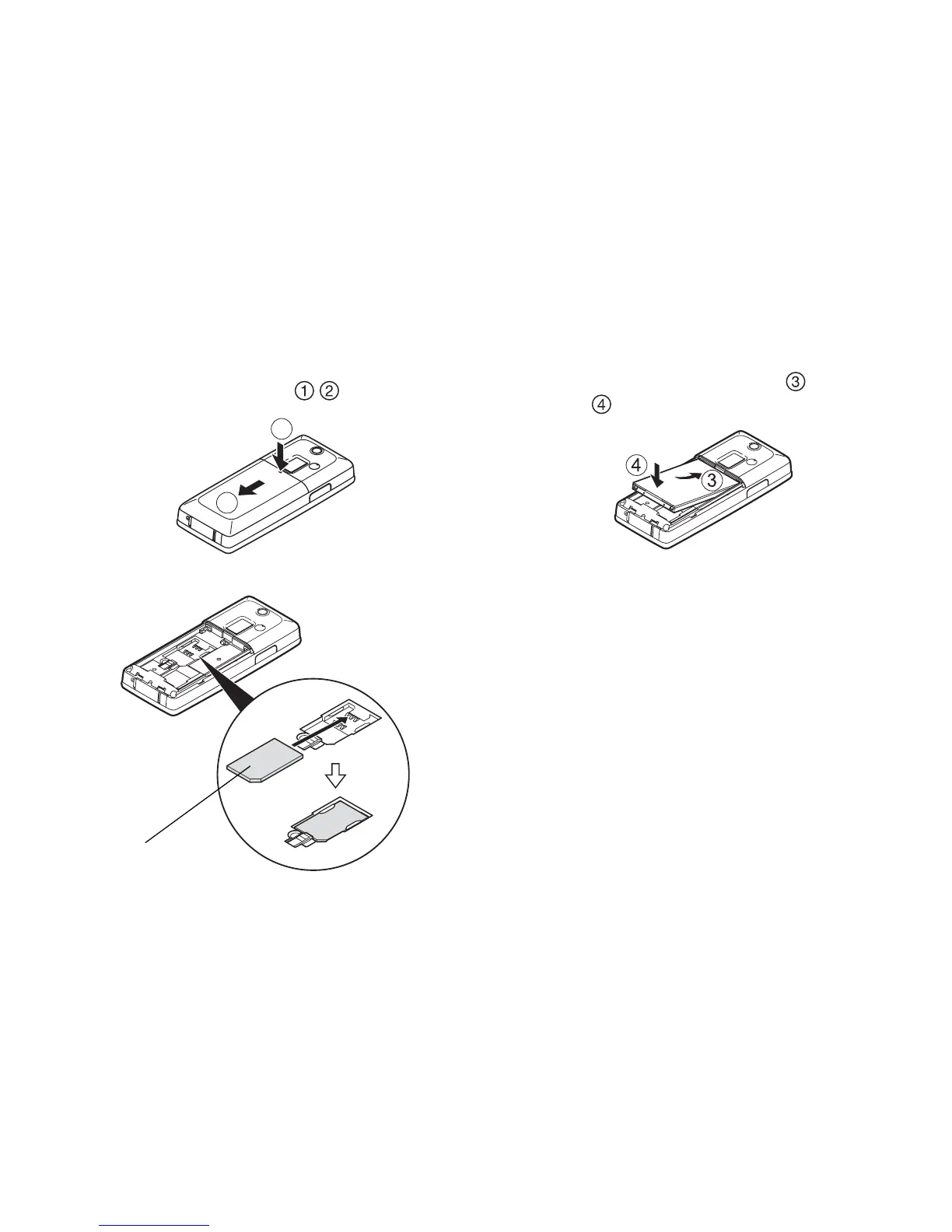
1. Slide off the battery cover ( ).
2. Slide the SIM card into the SIM holder.
3. Hold the battery so that the metal contacts of the
battery are facing down, slide the guides on the top
of the battery into the battery slots , and then
insert it .
4. Replace the battery cover.
Note
• Make sure that only 3V SIM cards are used.
• Make sure that the standard accessory battery is
used.
2
1
SIM card


 To Next Page