AEXM24HR
5 – 2
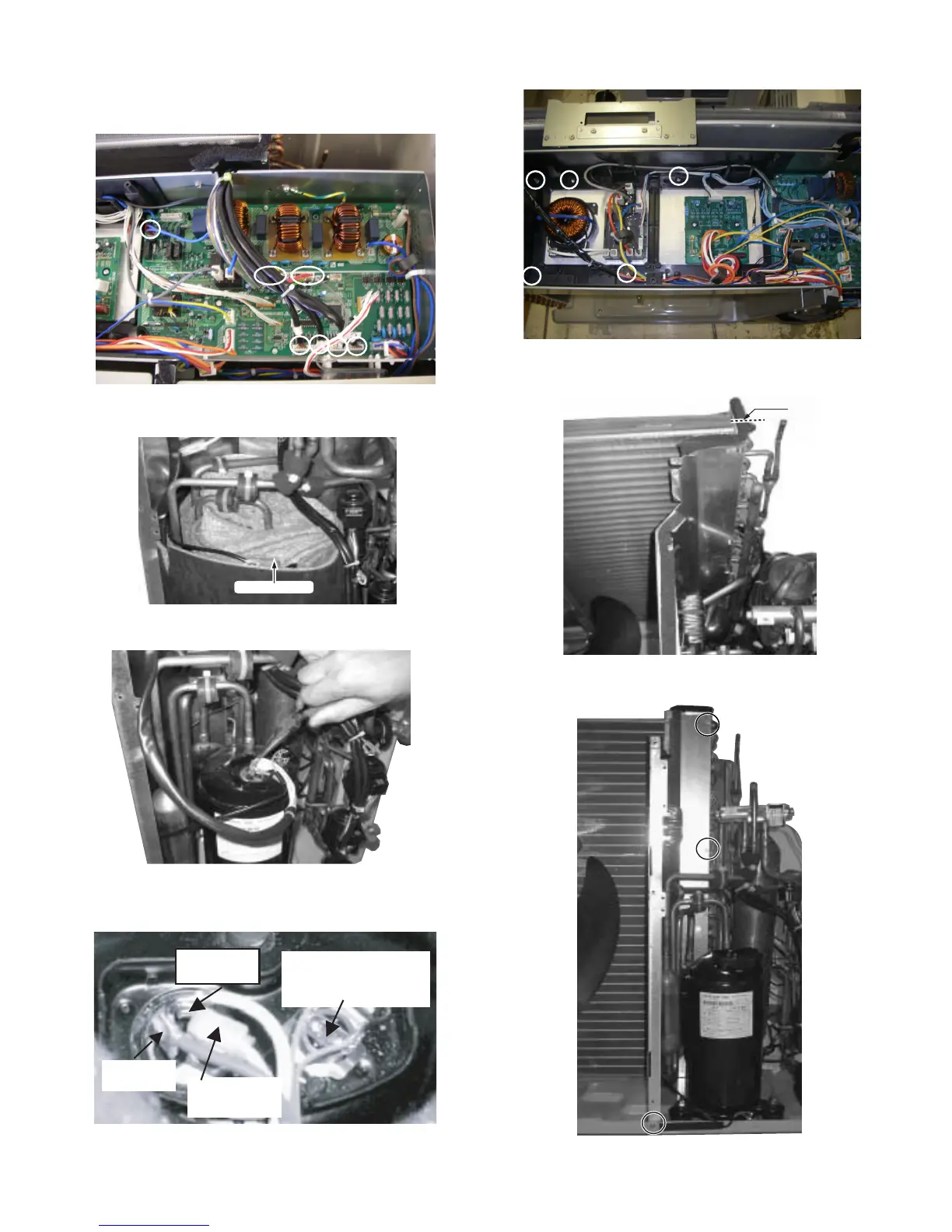
9) Disconnect the 7 connectors.
Fan motor / Reverse valve
Thermistor/ Expansion valve
10)Remove the compressor cover.
11)Remove the terminal cover and disconnect 3 terminals.
note: Caution to the connectors‘ position when reinstalling.
12)Remove the 5 screws fixing the controlbox assembly.
13).Cut the2 insulators.
14)Remove the 3 screws fixing the bulkhead.
Compressor cover
White(C)
thermistor(Red)
Compressor
Red(s)
Orenge(R)
Cut


 To Next Page