PREPARATIONS
13
1
2
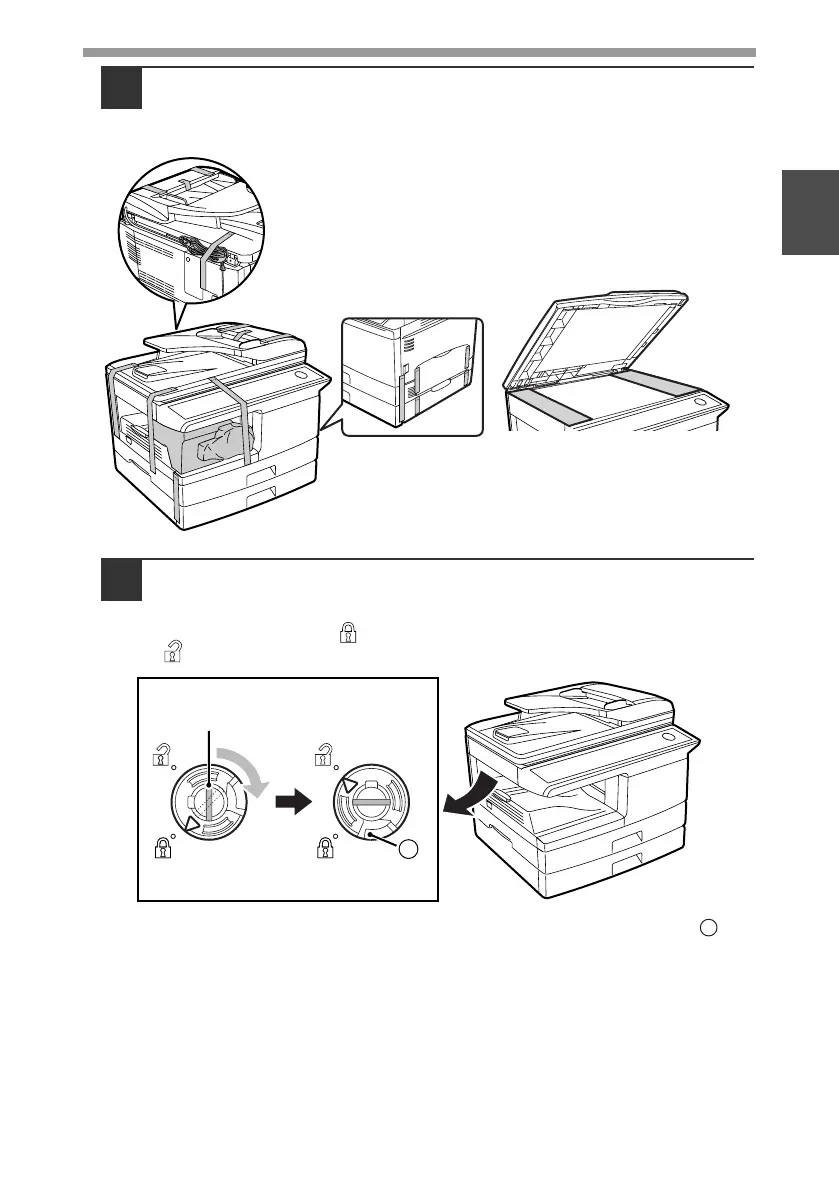
Remove all pieces of tape shown in the illustration below and
then open the RSPF and remove protective materials. Take out
the bag containing the TD (Toner/Developer) cartridge.
3
Release the scan head locking switch.
The scan head locking switch is under the document glass.
If the switch is locked ( ), the machine will not operate. Unlock the switch
( ) as shown below.
To lock the scan head locking switch, hold up the catch in illustration
and
turn the center knob counter-clockwise 90 degrees until you hear a click.
Lock Unlock
Grasp here and turn in
the direction of the arrow.
A
A
!AL-2050CS.book 13 ページ 2008年1月7日 月曜日 午後8時10分



 To Next Page