PREPARATIONS
15
1
5
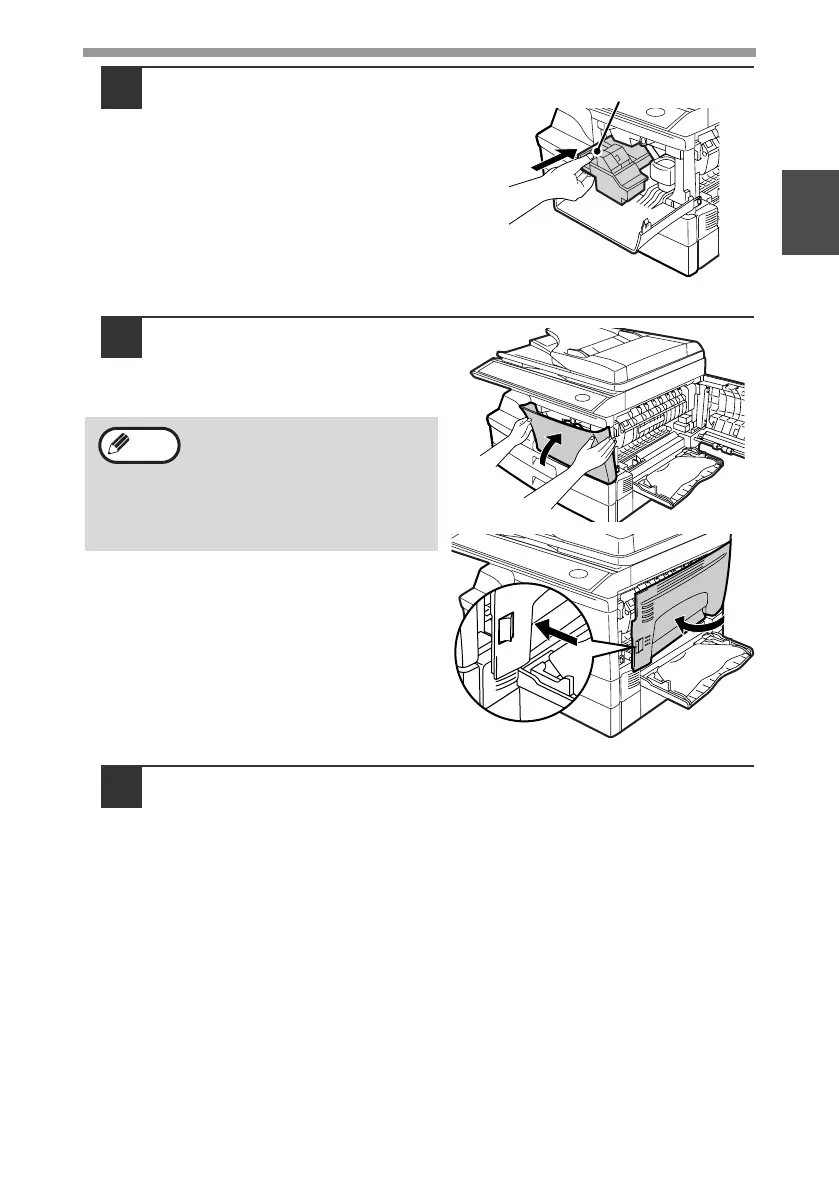
While pushing the lock release
button, gently insert the TD
(Toner/Developer) cartridge until
it locks into place.
6
Close the front cover and then
the side cover by pressing the
round projections near the
side cover open button.
7
Ensure that the power switch of the machine is in the OFF
position. Plug the other end of the power cord into the nearest
outlet.
When closing the covers, be
sure to close the front cover
securely and then close the side
cover. If the covers are closed in
the wrong order, the covers may
be damaged.
Lock release button
Note
!AL-2050CS.book 15 ページ 2008年1月7日 月曜日 午後8時10分



 To Next Page