CONVENIENT COPY FUNCTIONS
36
4
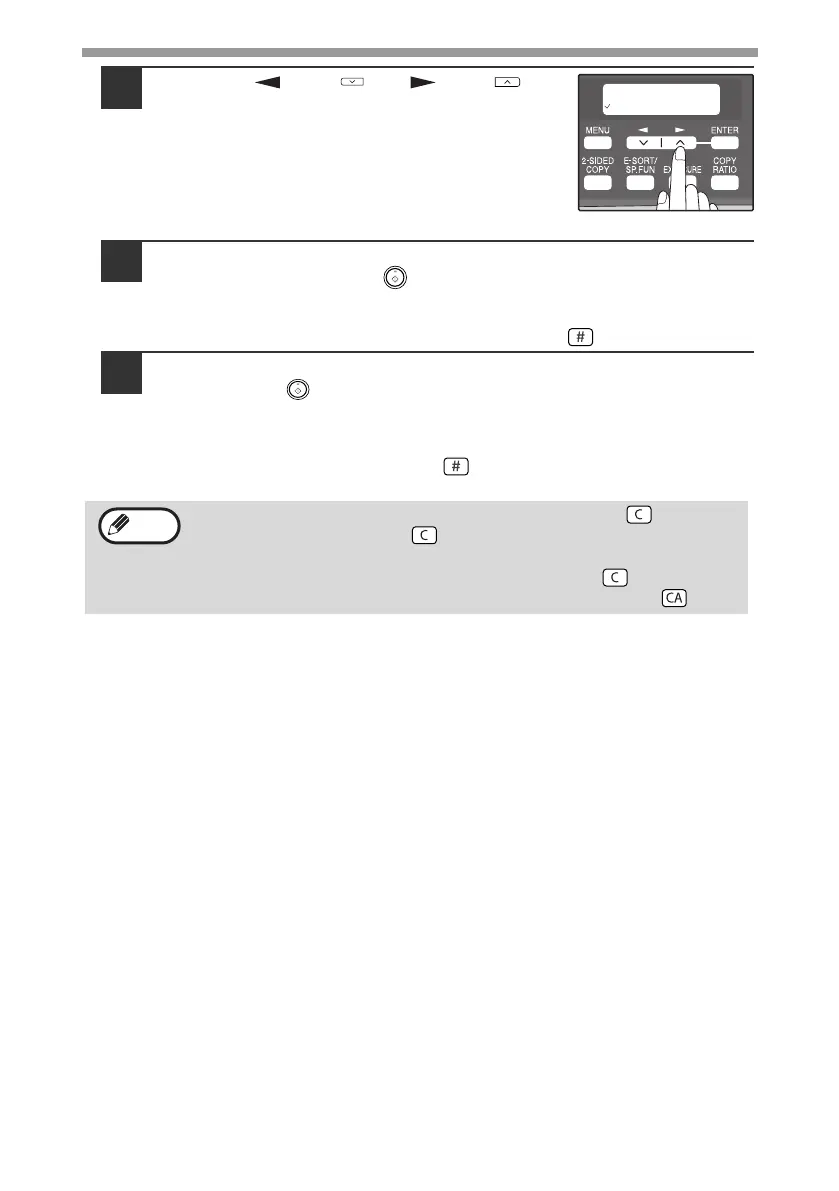
Press the [ ] key ( ) or [ ] key ( ) to
select the original size and then press the
[ENTER] key.
The following original sizes can be selected:
"8.5x14", "8.5x13", "8.5x11", "5.5x8.5", "A4", "B5",
"A5"
5
Select the number of copies and any other settings, and then
press the [START] key ( ).
"[START] : NEXT SCAN [#] : START PRINT" appears and the original is
scanned into memory.
To immediately print the scanned image, press the [ ] key.
6
Replace the original with the next original, and then press the
[START] key ( ).
Repeat step 6 until all originals have been scanned.
Copies will be output each time two originals have been scanned.
When the number of original pages is odd and "[START] : NEXT SCAN [#] :
START PRINT" appears, press the [ ] key after all pages have been
scanned.
• To clear the data in memory, press the [CLEAR] key ( ).
When the [CLEAR] key ( ) is pressed, the number of copies
setting is also cleared.
• To cancel 2 IN 1 copying, press the [CLEAR] key ( ).
• To cancel 2 IN 1 copy mode, press the [CLEAR ALL] key ( ).
Note
!AL-2050CS.book 36 ページ 2008年1月7日 月曜日 午後8時10分



 To Next Page