E-7
ENGLISH
Adjusting the Angle of Main bracket unit A
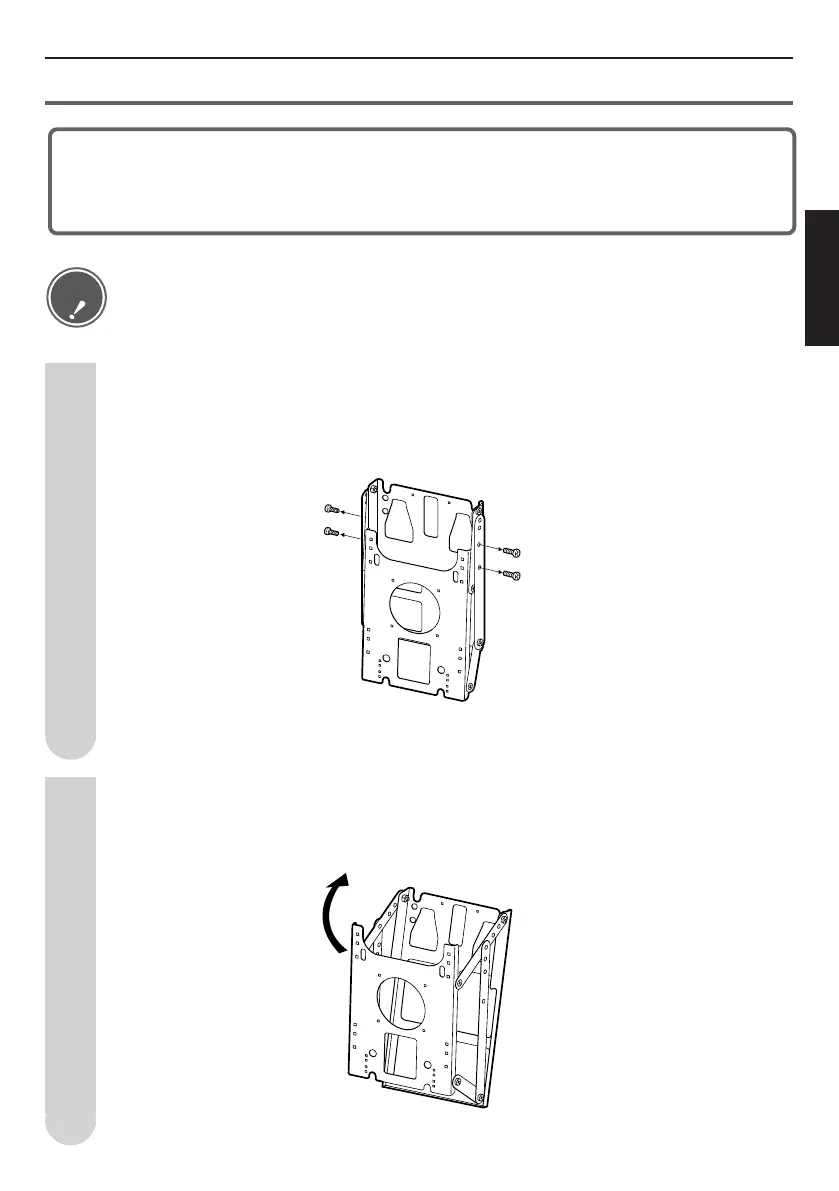
Remove the vertical installation position screws.
Remove the 4 vertical installation position screws. Of 2 of these 4 screws are used to set
the angle (Step 4). Put the screws in a safe place so as not to lose them.
The wall-mount bracket unit is preassembled in the vertical (0°) position setting when
packed, so the following procedure must be used to install the TV at an angle.
(5 angles are possible: 0°, 5°, 10°, 15°, 20°)
1
Open main bracket unit A.
Orient the LCD television set side bracket in the arrow direction as shown in the figure.
2
Caution
• When setting the angle of the wall-mount bracket, be careful not to pinch your fingers, etc.


 To Next Page