E-12
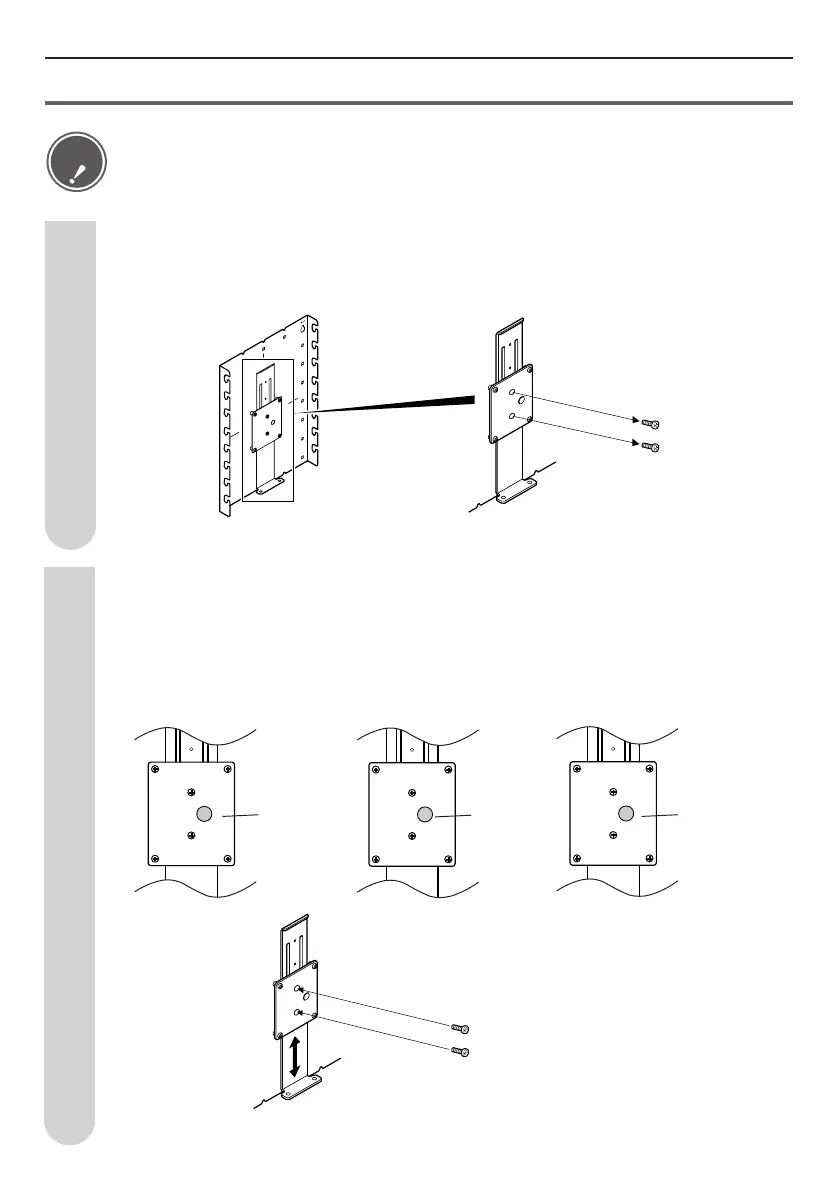
Set the wall-mount bracket connection lever
Remove the 2 screws (M4, 6mm length) from the wall-mount bracket
connection lever.
1
Adjust the height of the wall-mount bracket connection lever to align
it with the height to be set and then use the 2 screws (M4, 6mm
length) removed in Step 1 to fasten it in place.
(Up 5 cm) (Down 5 cm)(0 setting)
+5 mark
(Green)
-5 mark
(Blue)
0 mark
(Yellow)
2
• Be sure to perform Steps 1 and 2 below. If the wall-mount bracket connection lever is not
fastened, the LCD television could fall down and injure someone.
• The wall-mount bracket connection lever screws are installed in the +5cm holes at shipment.
Caution
+5
0
-5


 To Next Page