E-10
Mount main bracket unit A to the LCD television (Continued)
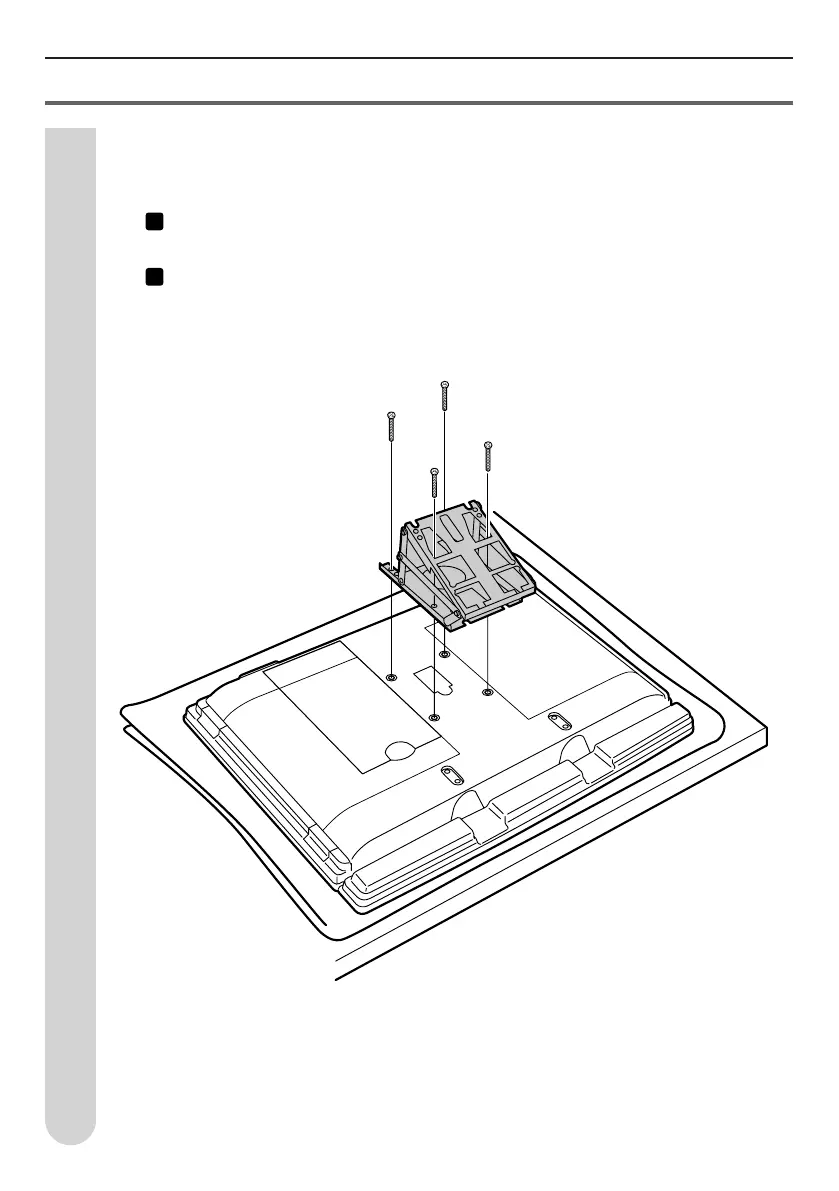
Install the main bracket unit A.
Install the wall-mount bracket (with the angle set) to the back of the LCD color TV.
1
Align the main bracket unit A screw holes (4 locations) to the LCD color TV back
holes. (Stamped “A”)
2
Use the 4 TV installation screws B (M6, 12mm length) that came with the TV to
mount the bracket on the TV.
* When there are caps in the 4 holes on the back of the LCD color TV, remove
these ahead of time.
3


 To Next Page