33
Basic adjustment settings (Analogue)
Sort menus
Sort
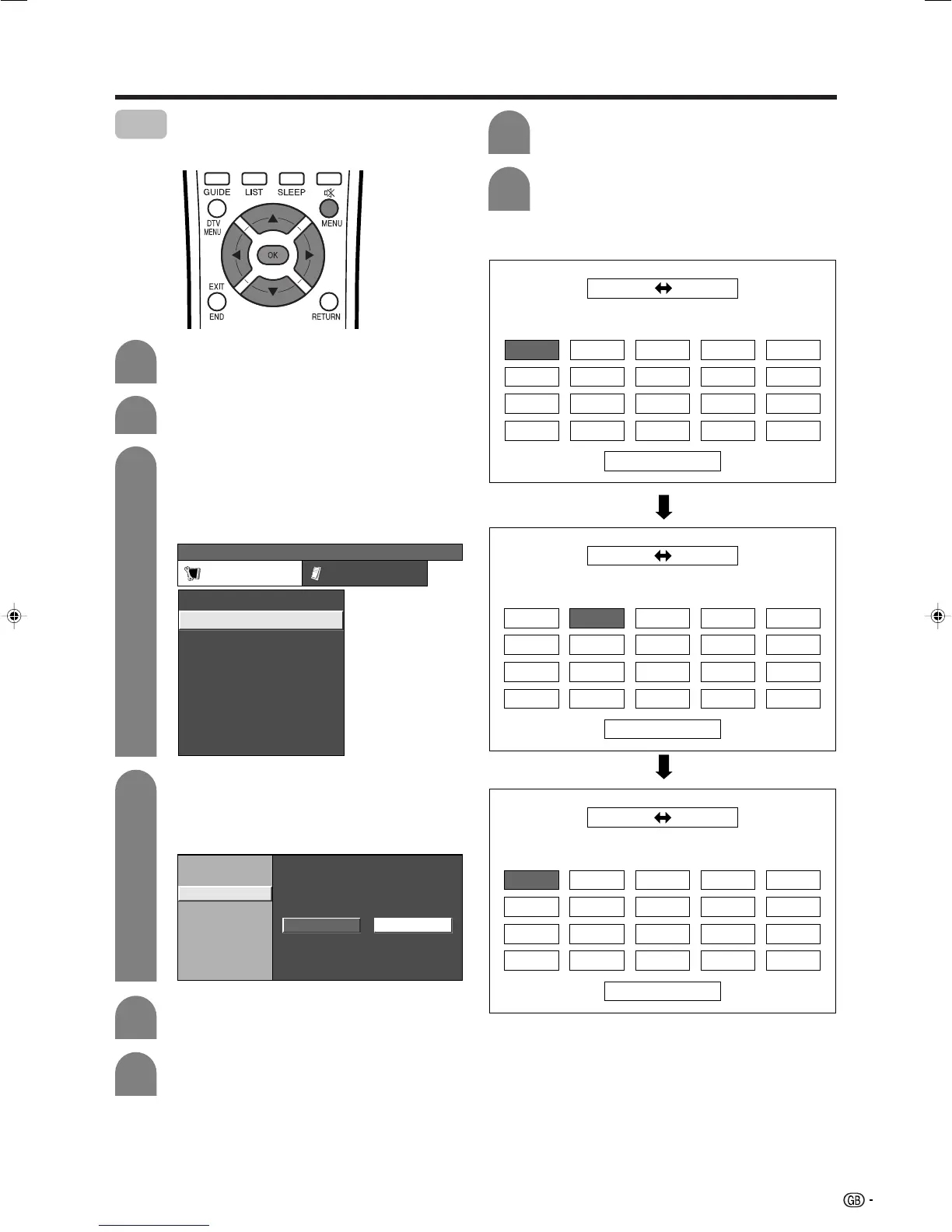
Channel positions can be sorted freely.
01
06
SAT.1 KABEL
01 SAT.1
02 03 04 05
Next
01 SAT.1 02 KABEL
Next
01 SAT.1 KABEL02
01 KABEL
Next
01 KABEL SAT.102
Press MENU and the MENU screen displays.
Press c/d to select “Setup”.
1
2
3
MENU
[
Setup
...
Programme Setup
]
Setup Option
Child Lock
Auto Installation
Programme Setup
Position
WSS
4:3 Mode [Panorama]
[On]
[English]
[Normal]
Language
Rotate
Press a/b to select “Sort”, and then press
OK.
• The channels are listed. Black ones are set
“Skip” to “Off” and blue are set “Skip” to “On”.
4
6
7
Press c/d to select “Yes”, and then press
OK.
Press a/b/c/d to select the channel you
want to move, and then press OK.
Auto Search
Manual Adjust
Sort
Yes No
5
8
Move it to the desired position by pressing
a/b/c/d, and then press OK.
Repeat the steps 6 and 7 until all desired
channels are sorted.
Press a/b to select “Programme Setup”,
and then press OK.
If you already set the PIN, enter it here. If
not, enter the factory preset PIN “1234”.
• See page 83 for setting PIN.
LC-37AD1E(E)-c 03.11.28, 8:20 AM33











 To Next Page