EasyManua.ls Logo

Sharp Aquos LC-60LE857U - User Manual

Sharp Aquos LC-60LE857U
3 pages
Print Icon
To Next Page IconTo Next Page
Loading...
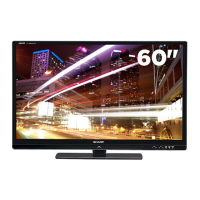
LC-60LE857U
60” CLASS (DIAGONAL) LED TV
LC-60LE857U
60” CLASS (DIAGONAL) LED TV
8 SERIES LED SMART TV
QUATTRON
Color technology
SMART TV
With Dual-Core Processor
and built-in Wi-Fi
SUPER BRIGHT™
Ultimate contrast & brightness
ACTIVE 3D
Two 3D glasses included in box
AQUOS 1080p LED DISPLAY
240Hz REFRESH RATE
AquoMotion 960
SLIM DESIGN
Ultra Slim Aluminum Frame
with Diamond-cut edges
THUNDEROUS 35W AUDIO
Built-in subwoofer
Brace yourself for an all out visual thrill ride. The LC-60LE857U is an ultra-premium LED Smart
TV that features Sharps proprietary Quattron color technology for a billion more colors, so
images explode with vibrant detail and brighter yellows, deeper blues, and richer golds.
The LC-60LE857U features Sharps Super Bright technology, to create a brighter picture with
extraordinary contrast. It features an incredible 12 million: 1 dynamic contrast ratio, as well
as a 240Hz refresh rate and AquoMotion 960 to virtually eliminate blur during fast-motion
scenes. A Smart TV with Dual-Core processor and built in WiFi, the LC-60LE857U lets you
quickly access apps streaming movies, music, games, and websites.
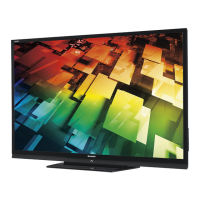
Exclusive Quattron™ color technology
delivers a billion more colors, so you get
a more powerful picture with brighter
yellows, deeper blues, and richer golds.
Unlimited content, control, and
instant connectivity. AQUOS® TVs with
SmartCentral™ give you more of what
you crave. From the best streaming apps,
to the easiest way to channel surf and
connect your devices, it’s that easy.
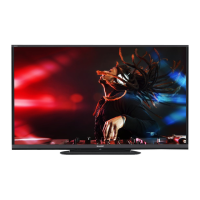
Super Bright, a new high-brightness panel
combined with an intelligent contrast engine,
constantly analyzes the signal and enhances
the brightness of the bright objects on the
screen while maintaining the black levels on
the rest of the screen. The result is a more
brilliant, more contrasted picture


Questions and Answers

  • L
    Lawrence VargasAug 17, 2025
    How to troubleshoot no power on my Sharp LCD TV?
    • L
      Lisa WilliamsAug 17, 2025
      If your Sharp LCD TV has no power, first ensure that you have pressed the POWER button on the remote. Check to make sure the AC cord is properly connected. Finally, verify that the main power switch on the TV is turned on.
  • K
    Katherine JacobsAug 20, 2025
    Why is my Sharp LCD TV remote control not working?
    • R
      roseangelaAug 20, 2025
      If your Sharp LCD TV remote control isn't working, ensure the equipment to be operated is set correctly by pressing TV to set the remote control unit to the setting for operating the TV. Check that the batteries are inserted with the correct polarity (+/-). Replace the batteries if they are worn out. Strong or fluorescent lighting may interfere with the remote; also check if a fluorescent light is near the remote sensor. Finally, make sure "RC Control Lock" is not selected in "Operation Lock Out".
  • V
    Vanessa RobinsonAug 25, 2025
    What to do if my Sharp Aquos LC-60LE857U power is suddenly turned off?
    • R
      Robert HowardAug 26, 2025
      If your Sharp LCD TV suddenly turns off, check if the sleep timer is set. Review the power control settings. If the unit's internal temperature has increased, remove any objects blocking the vents or clean them to improve ventilation.
  • W
    William HaasAug 27, 2025
    Why is there no picture on my Sharp Aquos LC-60LE857U LCD TV?
    • B
      Brian AndersonAug 28, 2025
      If your Sharp LCD TV has no picture, check that the connection to other components is correct. Ensure the correct input is selected. Verify that "On" is not selected in "Audio Only". If connecting a laptop PC, confirm that the PC's display output mode is set to external monitor and check the resolution setting. Also, ensure a compatible signal is being input.
  • D
    David ReyesAug 30, 2025
    What to do if my Sharp Aquos LC-60LE857U LCD TV cannot be operated?
    • D
      Donna MartinAug 30, 2025
      If your Sharp LCD TV unit cannot be operated, external influences such as lightning or static electricity may cause improper operation. Turn off the power of the TV or unplug the AC cord, wait 1 or 2 minutes, and then replug it in to restore operation.
  • T
    Thomas SantiagoSep 1, 2025
    Why are some internet functions not available from the TV on my Sharp Aquos LC-60LE857U LCD TV?
    • K
      Kimberly SmithSep 2, 2025
      The TV has only limited functions compared with regular PC browsers.
  • A
    Amy HamiltonSep 4, 2025
    Why is the picture quality of HD programs poor on my Sharp Aquos LC-60LE857U?
    • W
      wellsmauriceSep 4, 2025
      To enjoy HD images from external equipment on your Sharp LCD TV, set up an HDMI connection or component connection. If the program content is not of HD quality, HD images cannot be displayed. The HD cable/satellite set-top box may need to be configured to output HD images via cable/satellite. The cable/satellite broadcast may not support a signal resolution of 1080p.
  • C
    Crystal ShannonSep 6, 2025
    Why is the picture cut off or with sidebar screen on my Sharp LCD TV?
    • D
      Daniel AllenSep 7, 2025
      If the picture on your Sharp LCD TV is cut off or has a sidebar screen, first check if the image position is correct. Then, ensure that screen mode adjustments, such as picture size, are made correctly.
  • D
    David JamesSep 9, 2025
    Why does my Sharp LCD TV have strange color or color misalignment?
    • K
      Keith OrtizSep 9, 2025
      If the color on your Sharp LCD TV looks strange, light, or misaligned, try adjusting the picture tone. Also, consider whether the room is too bright, as a bright room can make the picture appear dark.
  • D
    dillonknightSep 12, 2025
    How do I fix AQUOS ADVANTAGE LIVE not displayed on my Sharp Aquos LC-60LE857U?
    • M
      Michelle WhiteSep 12, 2025
      To resolve the issue of the AQUOS ADVANTAGE LIVE not being displayed on your Sharp LCD TV, ensure the ETHERNET cable is correctly connected. Also, check the settings of "Internet Setup".

Sharp Aquos LC-60LE857U Specifications

General IconGeneral
Screen Size60 inches
Display TechnologyLCD
Backlight TypeLED
Refresh Rate120 Hz
Smart TVYes
3D CapableYes
HDMI Ports4
USB Ports2
Built-in Wi-FiYes
Display TypeLED
Resolution1920 x 1080
Audio Output20W

Related product manuals