EasyManua.ls Logo

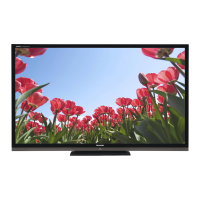
Sharp AQUOS LC-70LE734U - User Manual

Sharp AQUOS LC-70LE734U
84 pages
Print Icon
To Next Page IconTo Next Page
Loading...
LC-70LE734U OPERATION MANUAL MODE D'EMPLOI MANUAL DE OPERACIÓN
ENGLISHFRANÇAISESPAÑOL
IMPORTANT : Please read this operation manual before starting operating the equipment.
IMPORTANT : Veuillez lire ce mode d'emploi avant de commencer à utiliser l'appareil.
IMPORTANTE : Lea este manual de operación antes de comenzar a operar el equipo.
LC-70LE734U
LIQUID CRYSTAL TELEVISION
TÉLÉVISEUR ACL
TELEVISOR CON PANTALLA
DE CRISTAL LÍQUIDO
OPERATION MANUAL
MODE D'EMPLOI
MANUAL DE OPERACIÓN
ENGLISHFRANÇAISESPAÑOL ENGLISHFRANÇAISESPAÑOL
SHARP ELECTRONICS CORPORATION
Sharp Plaza, Mahwah, New Jersey 07495-1163
SHARP CORPORATION
Printed in Mexico
Imprimé au Mexique
Impreso en México
TINS-F206WJZZ
11P06-MX-NM
LC-70LE734UECover.indd1LC-70LE734UECover.indd1 2011/05/2310:40:352011/05/2310:40:35

Table of Contents

Questions and Answers

  • U
    ujonesAug 9, 2025
    How to troubleshoot no power on Sharp LCD TV?
    • R
      Robert DoyleAug 9, 2025
      First, ensure that you have pressed the POWER button on the remote control. Next, check if the AC cord is properly connected. Finally, verify that the main power switch on your Sharp LCD TV is turned on.
  • H
    hpattonAug 18, 2025
    Why does the remote control not operate my Sharp AQUOS LC-70LE734U LCD TV?
    • B
      Brandon BushAug 18, 2025
      First, ensure the equipment to be operated by the remote is set correctly by pressing TV to set the remote control unit to operate the TV. Make sure the batteries are inserted with the correct polarity (e, f). If the batteries are worn out, replace them with new ones. Avoid using the remote under strong or fluorescent lighting or near a fluorescent light that is illuminated near the remote control sensor. Finally, check if "RC Control Lock" is selected in "Operation Lock Out".
  • N
    Nicholas GarciaAug 25, 2025
    Why does my Sharp LCD TV power off suddenly?
    • S
      Sandra MitchellAug 25, 2025
      Your Sharp LCD TV might be turning off suddenly because the sleep timer is set. Check your sleep timer settings. Also, review the power control settings. If the unit's internal temperature has increased, remove any objects blocking the vents or clean the vents to improve airflow.
  • S
    Stephanie GonzalezAug 29, 2025
    What to do if picture is cut off/with sidebar screen on Sharp LCD TV?
    • V
      Valerie ScottAug 29, 2025
      Ensure that the image position is correct. Also, check that the screen mode adjustments, such as picture size, are made correctly on your Sharp LCD TV.
  • S
    Sean BallardSep 2, 2025
    Why does my Sharp AQUOS LC-70LE734U have strange color, light color, or color misalignment?
    • E
      Edward MarshallSep 2, 2025
      Try adjusting the picture tone settings on your Sharp LCD TV. Also, consider whether the room is too bright, as this can make the picture appear dark.
  • D
    Danielle HoffmanNov 13, 2025
    Why is there no sound on my Sharp AQUOS LC-70LE734U LCD TV?
    • J
      Jeffrey AlvaradoNov 13, 2025
      First, ensure that the connections to other components are correct and that the volume isn't set too low. Check if 'Variable' is selected in 'Output Select'. Also, verify that you haven't accidentally pressed the MUTE button on the remote. Check the audio output of any connected external equipment to ensure its volume isn't too low or muted. If connected via HDMI, ensure the audio is configured to output through the HDMI cable. For PC IN or HDMI 1 connections, check the 'Audio Select' setting. If using a DVI-HDMI conversion cable, remember it's for video only, so connect a Ø 3.5 mm stereo minijack cable for audio. If using HDMI 1, note that audio and video might not output together with a Ø 3.5 mm stereo minijack cable connected to the shared AUDIO IN terminal; check the 'Audio Select' set...

Sharp AQUOS LC-70LE734U Specifications

General IconGeneral
Screen Size70 inches
Display TechnologyLCD
Backlight TypeLED
Refresh Rate120 Hz
HDMI Ports4
USB Ports2
Smart TV PlatformAQUOS Net
Built-in Wi-FiYes
3D CapableYes
Resolution1920 x 1080
Audio Output20W
ConnectivityHDMI, USB, Ethernet, Component, Composite

Related product manuals