BD/DVD/CD Playback
C,,ii,,,,ii,C,IIIII)C,DCIIIIIIII_
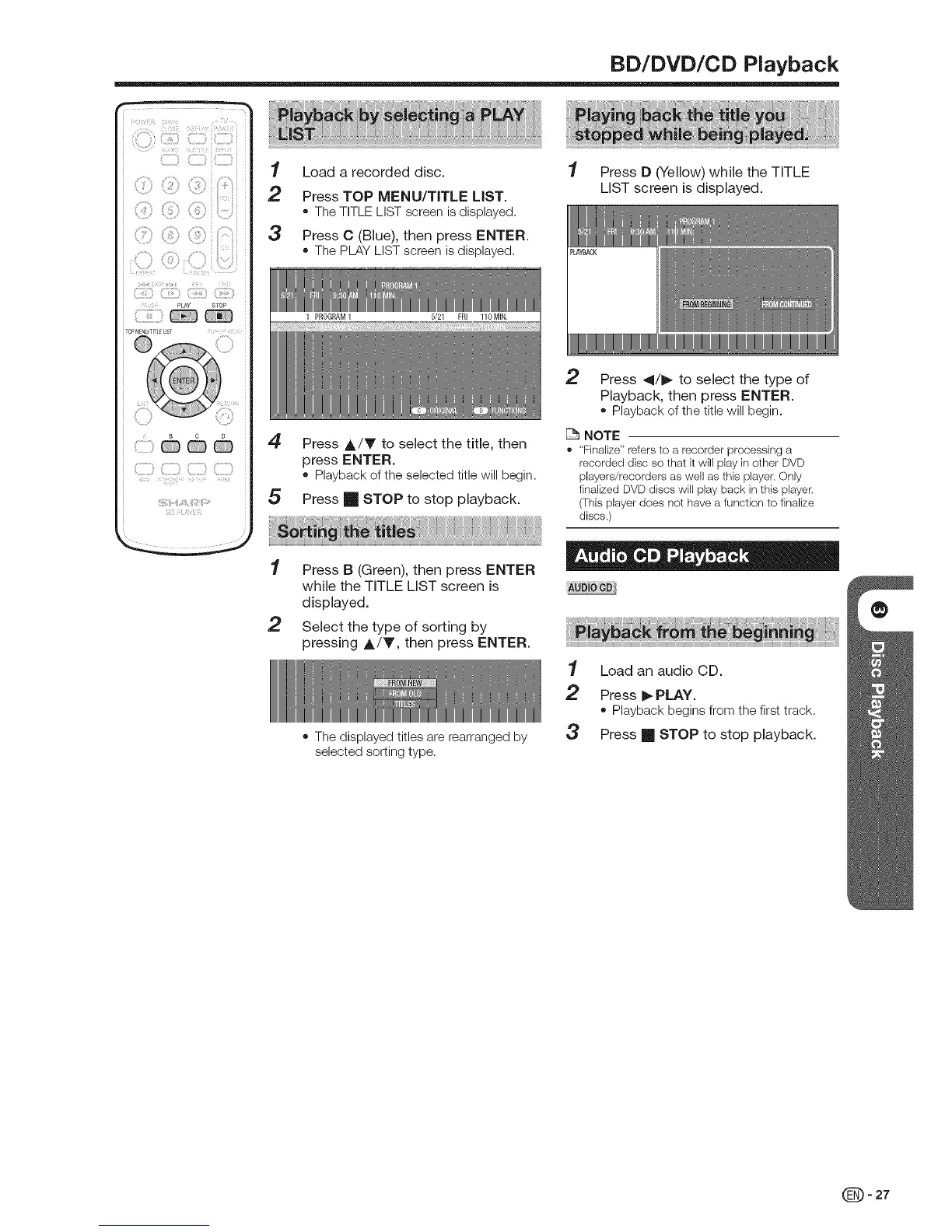
"1 Load a recorded disc.
2 Press TOP MENU/TITLE LIST.
• The TITLE LIST screen is displayed.
3 Press C (Blue), then press ENTER.
• The PLAY LIST screen is displayed.
4
5
Press A/V to select the title, then
press ENTER.
• Playbackof the selectedtitle willbegin.
Press [] STOP to stop playback.
1 Press D (Yellow) while the TITLE
LIST screen is displayed.
2 Press 41/_- to select the type of
Playback, then press ENTER.
• Playback of the title will begin.
NOTE
,' "Finalize" refers to a recorder processing a
recorded disc so that k will play in other DVD
players/recorders as well as this player. Only
finalized DVD discs will play back in this player.
(This player does not have a function to finalize
discs.)
2
Press B (Green), then press ENTER
while the TITLE LIST screen is
displayed.
Select the type of sorting by
pressing &/T, then press ENTER.
• The displayed titles are rearranged by
selected sorting type.
1 Load an audio CD.
2 Press _ PLAY.
• Playback begins from the first track.
3 Press m STOP to stop playback.
_-27


 To Next Page