EasyManua.ls Logo

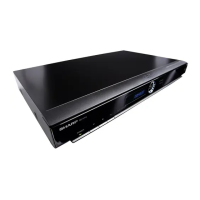
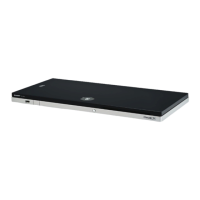
Sharp BD-HP22S - User Manual

Sharp BD-HP22S
56 pages
Print Icon
To Next Page IconTo Next Page
Loading...
BLU-RAY-DISK PLAYER
LECTEUR DE DISQUES BLU-RAY
LETTORE DI DISCHI BLU-RAY
REPRODUCTOR DE DISCO BLU-RAY
LEITOR DE DISCOS BLU-RAY
BLU-RAY DISC-SPELER
SKIVSPELARE BLU-RAY
BLU-RAY DISC PLAYER
BEDIENUNGSANLEITUNG
MODE D’EMPLOI
MANUALE DI INSTRUZIONI
MANUAL DE MANEJO
MANUAL DE UTILIZAÇÃO
GEBRUIKSAANWIJZING
BRUKSANVISNING
OPERATION MANUAL
BD-HP22S
Gedruckt in Malaysia
Imprimé en Malaisie
Stampato in Malesia
Impreso en Malasia
Impresso na Malásia
Gedrukt in Maleisië
Tryckt i Malaysia
Printed in Malaysia
TINS-E077WJQZ
09P03-MA-NG
BD-HP22S
BEDIENUNGSANLEITUNG / MODE D’EMPLOI / MANUALE DI INSTRUZIONI / MANUAL DE MANEJO /
MANUAL DE UTILIZAÇÃO / GEBRUIKSAANWIJZING / BRUKSANVISNING / OPERATION MANUAL
SHARP CORPORATION
SHARP ELECTRONICS (EUROPE) GmbH
Sonninstraße 3, 20097 Hamburg, Germany
DEUTSCH
FRANÇAIS
ITALIANO
ESPAÑOL
PORTUGUÊS
NEDERLANDS
SVENSKA
ENGLISH

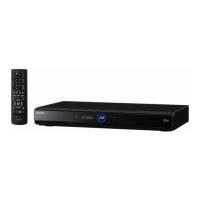
Table of Contents

Questions and Answers

  • P
    Pamela PowersSep 12, 2025
    Why does square noise (mosaic) appear on the screen of my Sharp BD-HP22S?
    • W
      wendy47Sep 12, 2025
      Blocks in images may be visible in scenes with rapid movement on your Sharp Blu-ray Player due to the characteristics of digital image compression technology.
  • M
    Michael TaylorAug 23, 2025
    How to fix Sharp Blu-ray Player power cannot be turned on?
    • J
      juantorresAug 23, 2025
      If your Sharp Blu-ray Player won't turn on, ensure the power cord is securely plugged into the AC outlet. If it's plugged in, press and hold the B button on the player until “ ” appears on the front panel display. After the B (Standby/ On) indicator lights up, try turning on the power. You can also try pressing B after the B (Standby/On) indicator turns on.
  • R
    robertburkeAug 26, 2025
    Why does my Sharp Blu-ray Player power keep turning off?
    • A
      Abigail KelleyAug 27, 2025
      If the Sharp Blu-ray Player automatically turns off, check if “Auto Power Off” is set to “Yes”. When “Auto Power Off” is set to “Yes”, the power will automatically turn off after 10 continuous minutes of inactivity (no playback).
  • M
    Molly BriggsAug 28, 2025
    What to do if Sharp Blu-ray Player disc is automatically ejected?
    • S
      Stacy RothAug 28, 2025
      If your Sharp Blu-ray Player's disc is automatically ejected after closing the disc tray, make sure that the disc is loaded properly (aligned in disc tray and label-side up). Also, take out the disc and clean it. Verify that the region code on the disc matches that of the player and that the disc is playable.
  • M
    morganmartinAug 29, 2025
    What to do if Sharp Blu-ray Player screen freezes?
    • S
      snyderannaAug 29, 2025
      If the screen freezes and the operation buttons do not work on your Sharp Blu-ray Player, press H STOP, then restart playback. If that doesn't work, turn the power off and then on again. If the power is not turned off, perform a reset. Also, check the condition of the disc to ensure it is not damaged or dirty.
  • T
    Tom CabreraAug 30, 2025
    Why is there just audio with no video on my Sharp Blu-ray Player?
    • H
      Harold ShepherdAug 30, 2025
      If there is just audio with no video on your Sharp Blu-ray Player, check if the connection cable for video output is connected properly.
  • E
    Erica MaddoxSep 18, 2025
    Why does B (Standby/On) indicator will remain lit on Sharp Blu-ray Player?
    • M
      Melanie JohnsonSep 22, 2025
      When the AC cord is removed from the outlet, the B (Standby/On) indicator will remain lit for a short period on your Sharp Blu-ray Player. This is normal and is not a malfunction.
  • A
    Ann GrayNov 23, 2025
    What to do if Sharp BD-HP22S cannot play a disc?
    • N
      Nathan WoodsNov 24, 2025
      If your Sharp Blu-ray Player is not playing a disc, try the following: First, take out the disc and clean it. Then, make sure the disc is loaded properly with the label-side up and aligned in the disc tray. Ensure the region code on the disc matches that of the player. Allow any condensation in or near the player to dry. Check that the disc is recorded in a compatible TV system (PAL or NTSC). Keep in mind that the player cannot play back video which was not recorded normally. Proper playback may be impossible due to the condition of the disc recording, a scratched, warped, or dirty disc, the state of the pick-up, or compatibility issues between this player and the disc being used. Playback may also be impossible if the recorded time of a disc is unusually short or if BD-RE/R discs are reco...
  • D
    David RoblesSep 9, 2025
    What to do if cannot operate Sharp BD-HP22S Blu-ray Player?
    • R
      rriveraSep 9, 2025
      Ensure you are operating the Sharp Blu-ray Player within the specified operating temperature range.
  • T
    teresaarnoldSep 6, 2025
    How to troubleshoot Sharp BD-HP22S cannot connect to the internet?
    • E
      Edward MitchellSep 6, 2025
      If you cannot connect to the Internet with your Sharp Blu-ray Player, ensure the LAN cable is connected properly. Verify that you are not using the wrong cable, such as a modular cable; connect a LAN cable to the ETHERNET terminal. Check if the power for the connected equipment, such as a broadband router or modem, is turned on and if the broadband router and/or modem is properly connected. Finally, ensure the proper value(s) are set in the network setting by checking “Communication Setup.”

Sharp BD-HP22S Specifications

General IconGeneral
TypeBlu-ray Player
Resolution1080p
Network ConnectivityEthernet
BD-LiveYes
HDMI Output1
USB Port1
Ethernet Port1
Disc PlaybackBD, DVD, CD
Video OutputHDMI
Audio OutputHDMI, Coaxial
Supported FormatsMPEG2, MPEG4 AVC, VC-1, AVCHD, JPEG, MP3

Related product manuals