SETTINGS
The following instructions explain how to delete
data such as the Virtual Package data copied
to a USB memory device.
'_/! CAUTION
" Do not remove the USB memory device or unplug
the AC cord while the erase is being performed.
2
3
4
Insert the USB memory device
into the BD STORAGE/SERVICE
terminal on rear of this player.
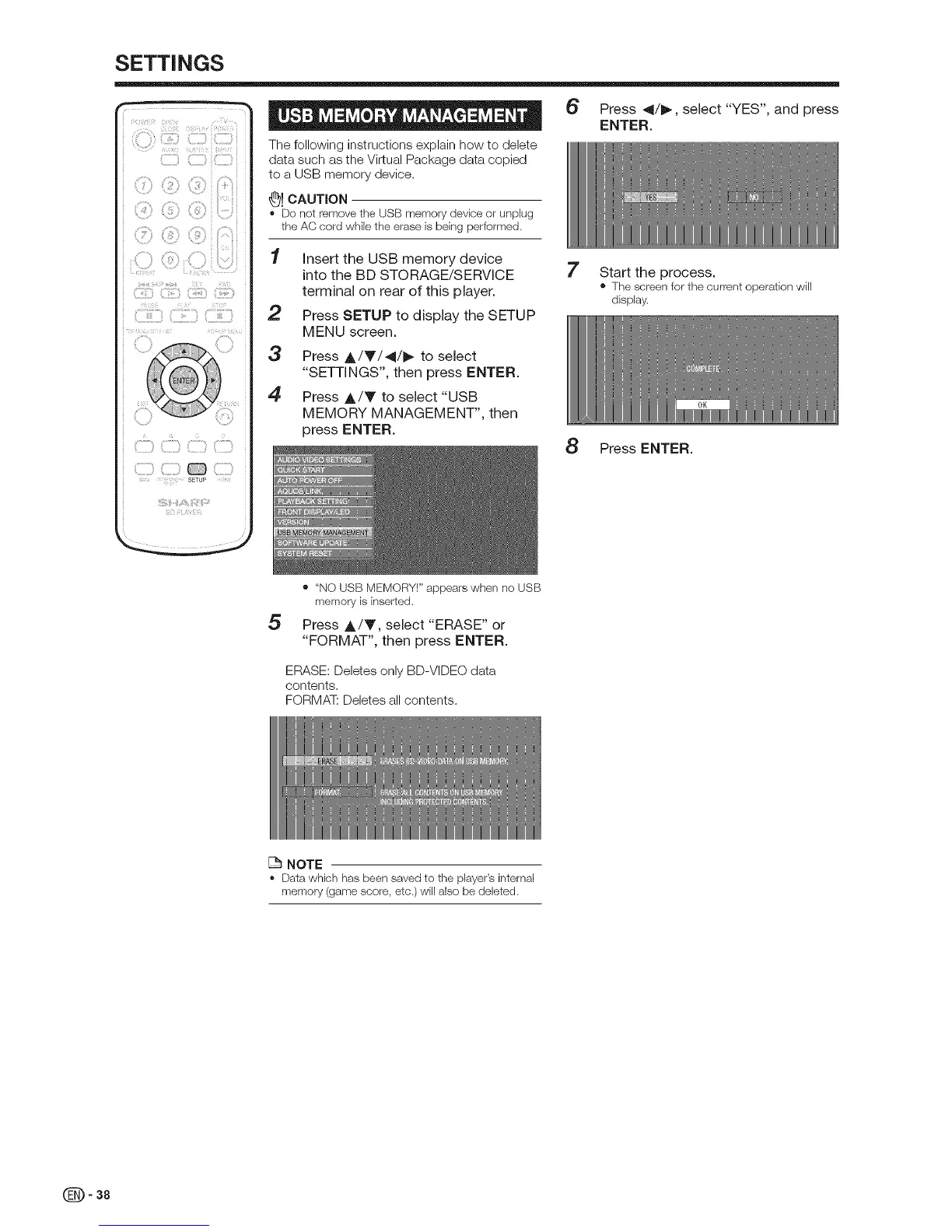
Press SETUP to display the SETUP
MENU screen.
Press A/Y/41/_ to select
"SETTINGS", then press ENTER.
Press A/V to select "USB
MEMORY MANAGEMENT", then
press ENTER.
6 Press 41/_, select "YES", and press
ENTER.
7 Start the process.
• The screen for the current operation will
display.
8 Press ENTER.
5
• "NO USB MEMORY!" appears when no USB
memory is inserted.
Press A/T, select "ERASE" or
"FORMAT", then press ENTER.
ERASE: Deletes only BD-VIDEO data
contents.
FORMAT: Deletes all contents.
NOTE
, Data which has been saved to the player's internal
memory (game score, etc.) will also be deleted.
(_ - 38


 To Next Page