02/12/6 CD-E700H(H)E3.fm
E-27
ENGLISH
CD-E700H
Advanced Features
Timer and sleep operation (continued)
! Sleep operation
To cancel the sleep operation:
Press the ON/STAND-BY button whilst the sleep timer is set.
To confirm the remaining sleep time:
Press the TIMER/SLEEP button whilst the sleep timer is set.
The remaining sleep time is displayed for about 5 seconds.
! To use timer and sleep operation together
Example: To fall asleep and wake to the same radio station
You can play back the same source only (the function cannot be
switched).
Caution:
When using the cassette deck, be sure the tape length is long
enough to perform both functions. If you want to sleep and wake up
listening to a tape, and the length of the tape is shorter than the
sleep timer setting, timer playback will not be possible.
1
Play back the desired sound source.
2
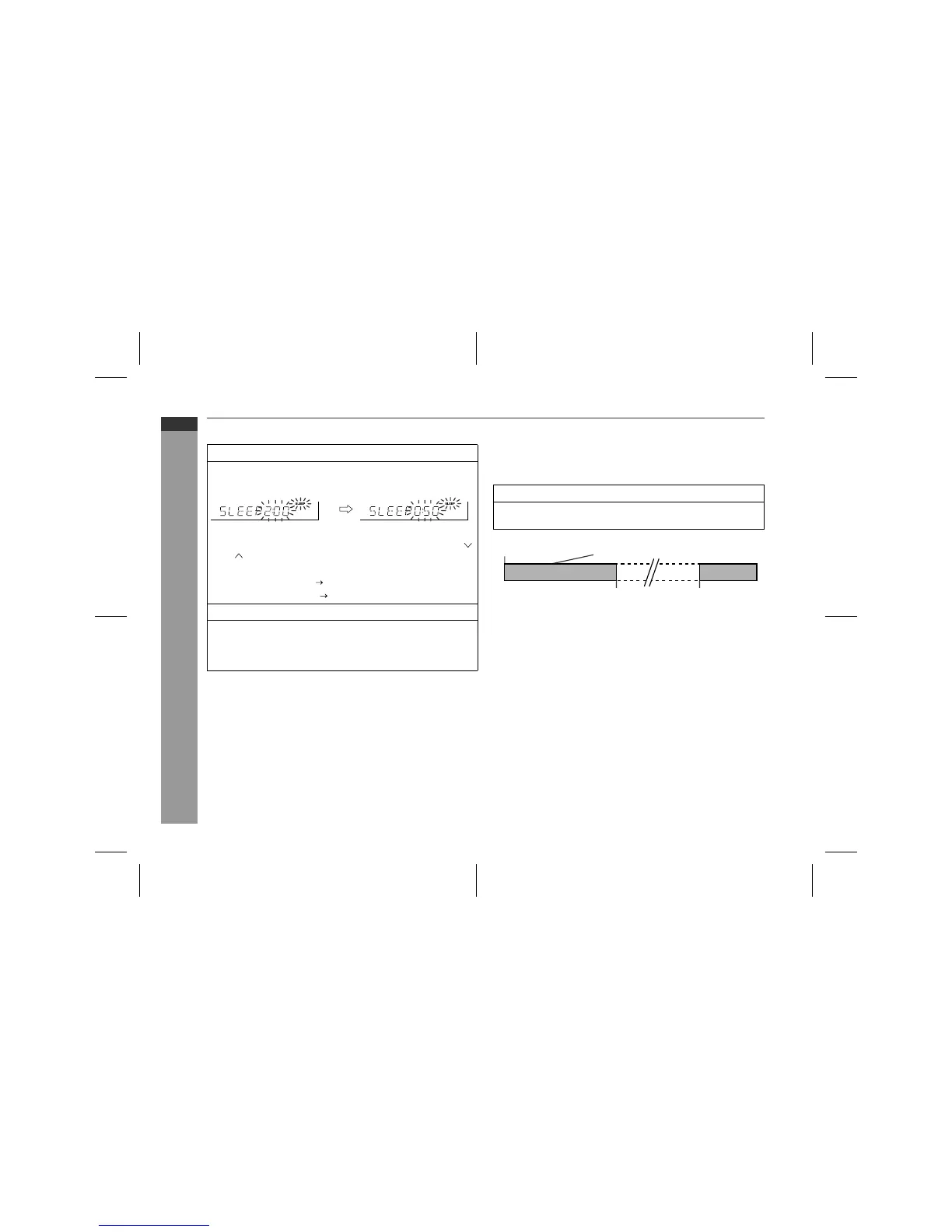
Press the TIMER/SLEEP button repeatedly until "SLEEP" is
displayed.
To change the sleep time:
Whilst the sleep time is displayed, press the TUNING/TIME (
or ) button.
(Maximum: 3 hours - Minimum: 1 minute)
"
3 hours - 5 minutes 5-minute intervals
"
5 minutes - 1 minute 1-minute intervals
3
Press the MEMORY/SET button.
4
Your system will enter the power stand-by mode automat-
ically after the preset time has elapsed.
The volume will be turned down 1 minute before the sleep op-
eration finishes.
1
Set the sleep time (see left, steps 1 - 3).
2
Whilst the sleep timer is set, set the desired playback time
(steps 4 - 6, pages 25 - 26).
Sleep timer setting Timer playback setting
Sleep operation will
automatically stop.
Timer playback
start time
1 minute - 3 hours


 To Next Page