15
06/1/5 CD-G15000_E2.fm
TINSEA128AWZZ
Preparation for Use
CP-G15000
CD-G15000
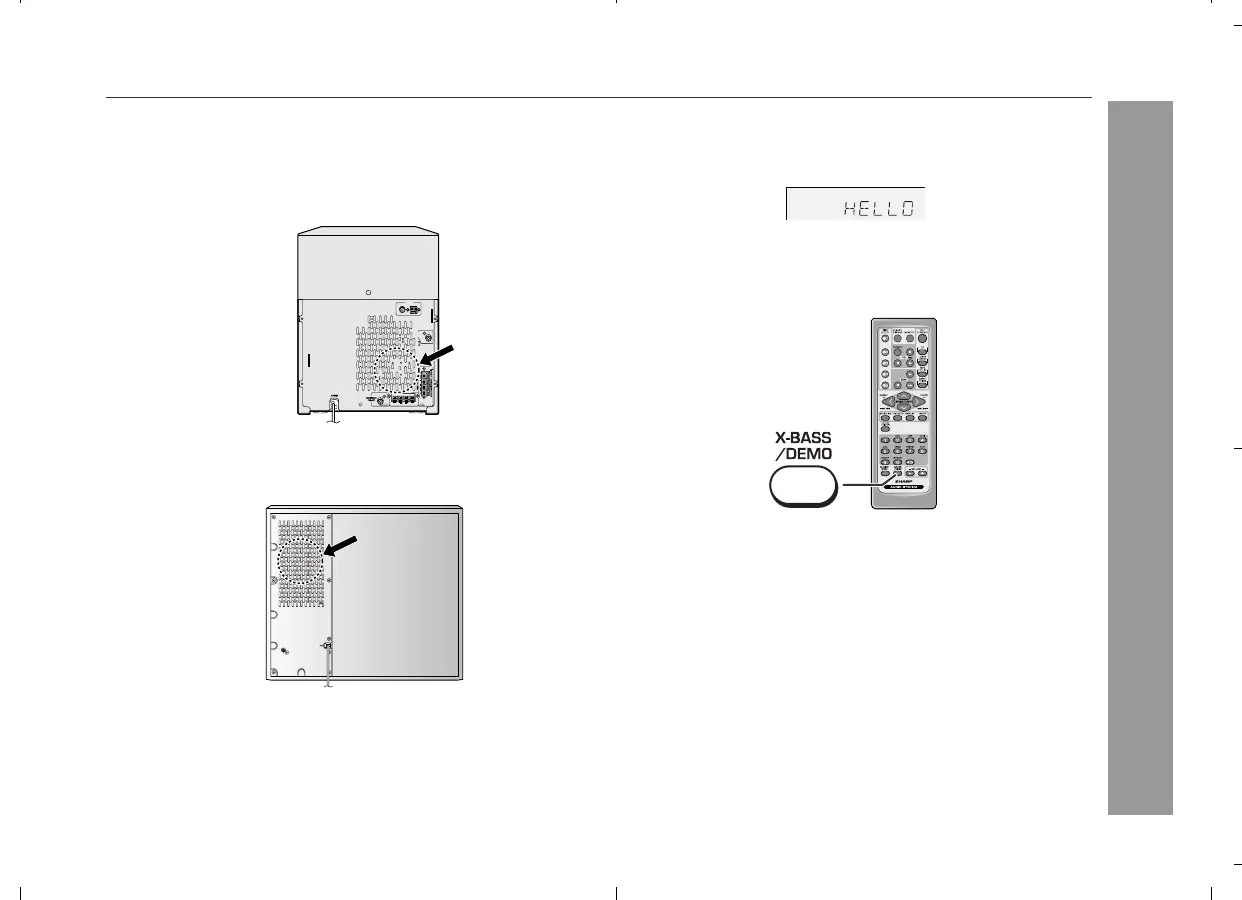
Cooling fan:
The main unit and the active subwoofer are built with a cooling fan
at the rear of the units for improved cooling. Please do not cover the
opening of the fan with any obstacles, as this will block proper venti-
lation.
Demonstration mode
When you plug the unit in for the first time, the unit will enter the
demonstration mode. You will see words scroll.
To cancel the demonstration mode:
When the unit is in the power stand-by mode (demonstration mode),
press the X-BASS/DEMO button. The unit will enter the low power
consumption mode.
75 OHMS
FM GND AM
ANTENNA
VIDEO
OUT
RIGHT
RATED SPEAKER IMPEDANCE : 16 OHMS MIN.
LEFT
REAR SPEAKERS
Active subwoofer
Main unit
To return to the demonstration mode:
When the unit is in the power stand-by mode, press the X-BASS/
DEMO button again.
Note:
When the power is on, the X-BASS/DEMO button can be used to se-
lect the extra bass mode.


 To Next Page