33
06/1/5
Tape Playback
CD-G15000_E3.fm
TINSEA128AWZZ
CP-G15000
CD-G15000
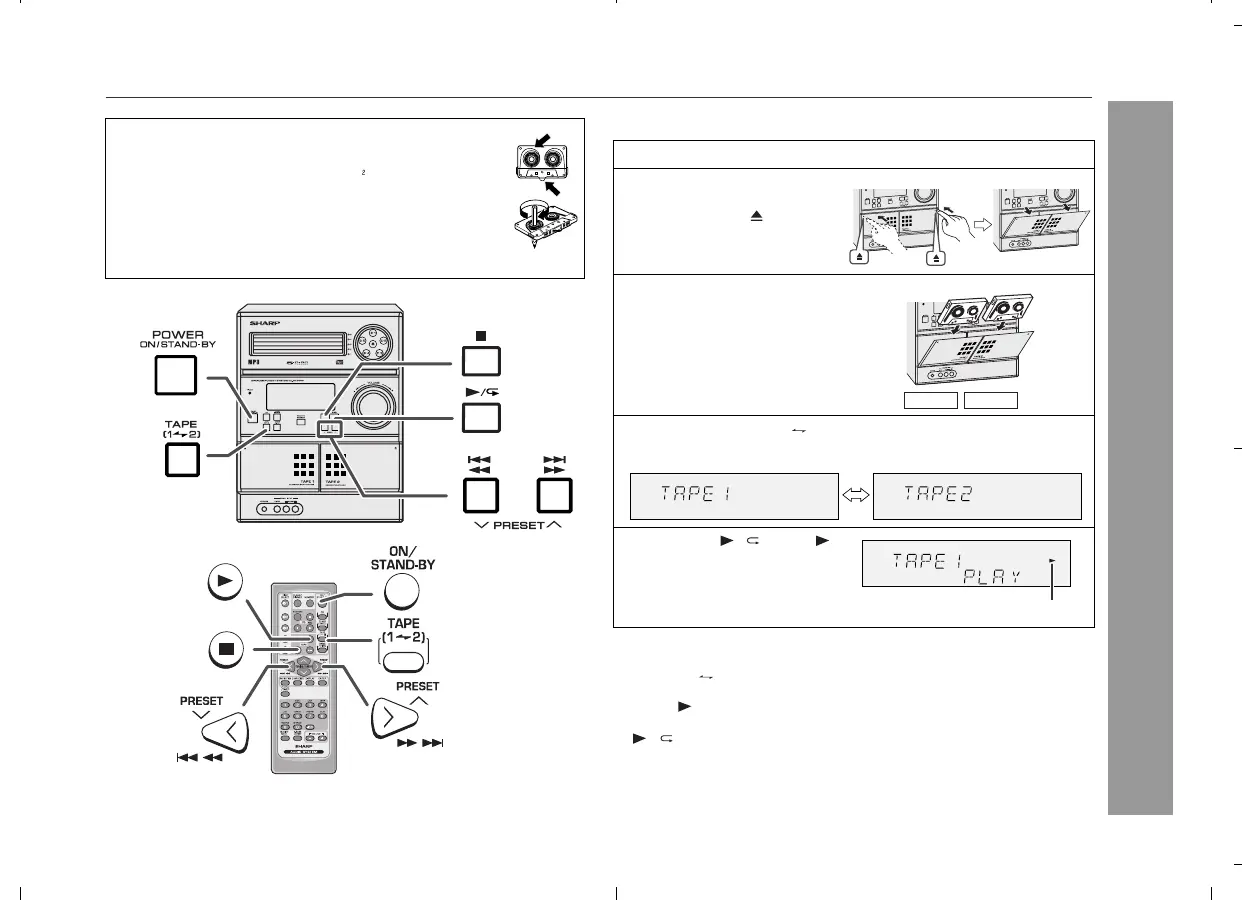
Listening to a cassette tape (TAPE 1 or TAPE 2)
Tape playback
Auto power on function:
When you press any of the following buttons, the unit turns on.
TAPE (1 2) button (main unit and remote control): The unit
turns on and the "TAPE" function is activated.
TAPE button on the remote control: The unit turns on and the
"TAPE" function is activated.
/ button on the main unit: The unit turns on and playback of
the last function starts (CD, TAPE, TUNER, GAME/VIDEO).
Auto power off function:
In the stop mode of tape operation, the main unit enters the stand-
by mode after 15 minutes of inactivity.
Before playback:
For playback, use normal or low-noise tapes for the
best sound. (Metal or CrO tapes are not
recommended.)
Do not use C-120 tapes or poor-quality tapes, as
they may cause malfunctions.
Before loading a tape into the cassette compartment,
tighten the slack with a pen or a pencil.
1
Press the ON/STAND-BY button to turn the power on.
2
Open the cassette com-
partment by pushing the
area marked " ".
3
Load a cassette into the
TAPE 1 compartment or
TAPE 2 compartment
with the side to be played
facing toward you.
4
Press the TAPE (1 2) button to select the cassette you
want to listen to.
5
Press the / (TAPE )
to start playback.
Tape play indicator
TAPE 1 TAPE 2


 To Next Page