EasyManua.ls Logo

Sharp CD-G7500DVD - User Manual

Sharp CD-G7500DVD
79 pages
Print Icon
To Next Page IconTo Next Page
Loading...
CD-G7500DVD (S)
TINSZA159AWZZ
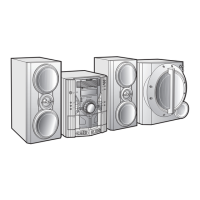
DVD MINI SYSTEM
MODEL
CD-G7500DVD
SPEAKER SYSTEM
MODEL
CP-G7500
OPERATION MANUAL
NTSC/PAL
VIDEO CD MINI SYSTEM
CD-VC656
V
I
D
E
O
C
D
C
D
/
P.B.C
OSD
DIGEST
5
-DISC
GHANGER
AUTO REVERSE
MIC LEVEL
MIN MAX
MIC
1
2
DVD MINI SYSTEM
CD-G7500DVD
D
V
D
/
C
D
5
-DISC
GHANGER
AUTO REVERSE
MIC LEVEL
MIN
MAX
MIC
1
2
Thank you for purchasing this SHARP product.
To obtain the best performance from this product, please read this
manual carefully. It will guide you in operating your SHARP product.
CD-G7500DVD
CD-G7500DVD DVD Mini System consisting of CD-G7500DVD (main unit).
CP-G7500
CP-G7500 Speaker System consisting of CP-G7500 (front speaker system) and CP-
SW7500 (active subwoofer).
SHARP CORPORATION
Please refer to pages E-1 to E-77.
ENGLISH
*CD-G7500DVD(EN)Cover 05.1.13, 14:461

Questions and Answers

  • J
    John ShermanSep 18, 2025
    How to stop unusual noises from Sharp Stereo System radio?
    • K
      kellyhallSep 22, 2025
      If your Sharp Stereo System radio is making unusual noises continuously, move the aerial away from the AC power lead if it's located nearby.
  • W
    Whitney GarciaAug 25, 2025
    What to do if Sharp Stereo System remote control does not operate?
    • E
      Eric RobinsonAug 25, 2025
      If the Sharp Stereo System remote control isn't working, check a few things: * Ensure the unit's AC power cord is plugged in. * Verify the battery polarity in the remote is correct. * Replace dead batteries. * Make sure the distance and angle to the unit are correct. * Check if the remote control sensor is exposed to strong light.
  • D
    Dominique GarciaAug 25, 2025
    Why is there no sound coming from my Sharp CD-G7500DVD Stereo System?
    • R
      Rachel MartinAug 26, 2025
      If you're not hearing any sound, there are a few things to check: First, make sure the volume isn't set to “0”. If it is, increase the volume. Also, ensure headphones are disconnected. Finally, verify that the speaker wires are properly reconnected.
  • D
    davisscottAug 27, 2025
    Why does my Sharp CD-G7500DVD radio make constant unusual noise or static?
    • L
      Laura BallardAug 27, 2025
      Constant noise or static from the radio may be due to the unit's placement near a TV or computer; try repositioning it. Also, ensure the FM aerial or AM loop aerial is placed properly and adjust if necessary.
  • J
    Jessica SullivanSep 23, 2025
    What to do if vocal part of multiplexed disc is not heard on Sharp CD-G7500DVD Stereo System?
    • P
      paul68Sep 23, 2025
      If the vocal part of a multiplexed disc is not heard on your Sharp Stereo System, check if the karaoke mode is set to "L- CH", "R-CH" or "V-CANCEL".
  • H
    Heather MillerSep 23, 2025
    What to do if I cannot remove the tape from Sharp CD-G7500DVD Stereo System?
    • K
      Kristen HeathSep 23, 2025
      If you cannot remove the tape from your Sharp Stereo System, and a power failure occurred during playback, do not open the compartment with great force, as the heads may still be engaged with the tape.
  • A
    Alan PooleSep 10, 2025
    What to do if there is condensation on Sharp CD-G7500DVD?
    • J
      Jared ThompsonSep 10, 2025
      If condensation has formed, leave the power on with no disc (or cassette) in the unit until normal playback is possible, which should take about 1 hour. Wipe off any condensation on the transmitter with a soft cloth before operating the unit.
  • D
    Daniel WilliamsSep 12, 2025
    What to do if playback does not start on Sharp CD-G7500DVD Stereo System?
    • R
      Robert MyersSep 12, 2025
      If playback on your Sharp Stereo System doesn't start, check if the disc is loaded upside down, if the disc meets the required standards, and if the disc is distorted or scratched.
  • L
    Linda ParsonsSep 4, 2025
    Why is the balance between left and right channels bad on Sharp Stereo System?
    • N
      Norman RoySep 4, 2025
      If the balance between the left and right channels is off, check the speaker connections to ensure they are not connected to the wrong channels. If an external unit is connected, verify its left and right channel connections as well.
  • S
    Stephanie MartinezSep 1, 2025
    Why are sounds skipped during playback on my Sharp Stereo System?
    • N
      Nicole BrownSep 2, 2025
      Skipping or stopping during playback can occur if the unit is near excessive vibrations, so reposition it away from these sources. Clean the disc if it is very dirty. If condensation has formed inside the unit, allow it to dry out.

Sharp CD-G7500DVD Specifications

General IconGeneral
BrandSharp
ModelCD-G7500DVD
CategoryStereo System
LanguageEnglish

Related product manuals