EasyManua.ls Logo

Sharp CD-G7500DVD - User Manual

Sharp CD-G7500DVD
79 pages
Print Icon
To Next Page IconTo Next Page
Loading...
CD-G7500DVD (S)
TINSZA159AWZZ
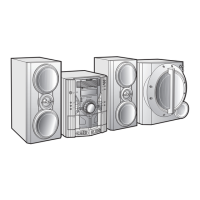
DVD MINI SYSTEM
MODEL
CD-G7500DVD
SPEAKER SYSTEM
MODEL
CP-G7500
OPERATION MANUAL
NTSC/PAL
VIDEO CD MINI SYSTEM
CD-VC656
V
I
D
E
O
C
D
C
D
/
P.B.C
OSD
DIGEST
5
-DISC
GHANGER
AUTO REVERSE
MIC LEVEL
MIN MAX
MIC
1
2
DVD MINI SYSTEM
CD-G7500DVD
D
V
D
/
C
D
5
-DISC
GHANGER
AUTO REVERSE
MIC LEVEL
MIN
MAX
MIC
1
2
Thank you for purchasing this SHARP product.
To obtain the best performance from this product, please read this
manual carefully. It will guide you in operating your SHARP product.
CD-G7500DVD
CD-G7500DVD DVD Mini System consisting of CD-G7500DVD (main unit).
CP-G7500
CP-G7500 Speaker System consisting of CP-G7500 (front speaker system) and CP-
SW7500 (active subwoofer).
SHARP CORPORATION
Please refer to pages E-1 to E-77.
ENGLISH
*CD-G7500DVD(EN)Cover 05.1.13, 14:461

Questions and Answers

  • K
    Karen JeffersonAug 31, 2025
    What to do if the Sharp Stereo System timer indicator is flashing?
    • G
      Gary MaysAug 31, 2025
      If the timer indicator is flashing, check for shorts in the speaker wires. If the unit was used at high volume for many hours, allow the unit to cool down.
  • J
    John SinghAug 30, 2025
    What to do if Sharp Stereo System button doesn't respond?
    • C
      Charles HurstAug 30, 2025
      If the unit does not respond when a button is pressed, set the unit to the power stand-by mode and then turn it back on. If the unit still malfunctions, reset it.
  • G
    greenjaneAug 29, 2025
    Why is there no image from DVD video on Sharp CD-G7500DVD Stereo System?
    • R
      Robert PetersonAug 29, 2025
      If you're not seeing a DVD video image, ensure the connected TV is set to the correct VIDEO or AV channel. Also, double-check that the video cables are connected correctly.
  • C
    curtischristopherAug 28, 2025
    Why does my Sharp CD-G7500DVD Stereo System have hum or excessive noise?
    • J
      John WalkerAug 28, 2025
      Hum or excessive noise can occur if the speaker lead is plugged in incorrectly; ensure it is correctly plugged in. Reposition the speaker lead away from other electronic devices, as they may cause interference. Also, clean the plugs or terminals if they are dirty. Increasing the volume may also reduce the noise if it's too low.
  • V
    Victor SalinasAug 27, 2025
    What to do if playback stops or doesn't start on my Sharp CD-G7500DVD?
    • D
      deansarahAug 27, 2025
      If playback is not working correctly, check the disc orientation to ensure it's not loaded upside down. Make sure the disc meets the required standards and check the disc's condition for any distortion or scratches.
  • D
    davisscottAug 27, 2025
    Why does my Sharp CD-G7500DVD radio make constant unusual noise or static?
    • L
      Laura BallardAug 27, 2025
      Constant noise or static from the radio may be due to the unit's placement near a TV or computer; try repositioning it. Also, ensure the FM aerial or AM loop aerial is placed properly and adjust if necessary.
  • D
    Dominique GarciaAug 25, 2025
    Why is there no sound coming from my Sharp CD-G7500DVD Stereo System?
    • R
      Rachel MartinAug 26, 2025
      If you're not hearing any sound, there are a few things to check: First, make sure the volume isn't set to “0”. If it is, increase the volume. Also, ensure headphones are disconnected. Finally, verify that the speaker wires are properly reconnected.
  • W
    Whitney GarciaAug 25, 2025
    What to do if Sharp Stereo System remote control does not operate?
    • E
      Eric RobinsonAug 25, 2025
      If the Sharp Stereo System remote control isn't working, check a few things: * Ensure the unit's AC power cord is plugged in. * Verify the battery polarity in the remote is correct. * Replace dead batteries. * Make sure the distance and angle to the unit are correct. * Check if the remote control sensor is exposed to strong light.

Sharp CD-G7500DVD Specifications

General IconGeneral
BrandSharp
ModelCD-G7500DVD
CategoryStereo System
LanguageEnglish

Related product manuals