EasyManua.ls Logo

Sharp CD-SW300 - User Manual

Sharp CD-SW300
44 pages
Print Icon
To Next Page IconTo Next Page
Loading...
03/12/17 CD-SW300 FRONT.fm
Thank you for purchasing this SHARP product.
To obtain the best performance from this product, please read this
manual carefully. It will guide you in operating your SHARP product.
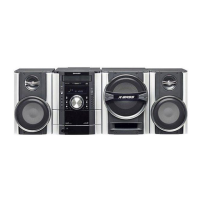
XL-MP130
MINI COMPONENT SYSTEM
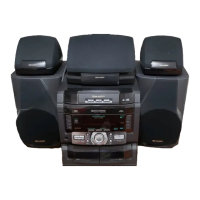
CD-SW300 Mini Component System consisting of CD-SW300 (main
unit), CP-S300 (front speaker) and CP-SW300 (Subwoofer).
Accessories
Please confirm that the following accessories are included.
MODEL
OPERATION MANUAL
CD-SW300
Note:
Only the above accessories are included.
Remote control 1
(RRMCGA083AWSA)
AM loop antenna 1
(QANTL0010A
WZZ)
FM antenna 1
(92LFANT1535A)

Questions and Answers

  • A
    Ashley BergJul 30, 2025
    Why does my Sharp Stereo System radio make unusual noises continuously?
    • R
      Regina CortezJul 30, 2025
      If the Sharp Stereo System radio is making unusual noises continuously, it might be due to its proximity to a TV or computer. Another cause could be the improper placement of the FM or AM loop antenna. Try moving the antenna away from the AC power cord if it's located nearby.
  • R
    Ronnie GordonAug 9, 2025
    What to do if my Sharp CD-SW300 playback does not start or stops in the middle?
    • T
      Toni MasonAug 9, 2025
      If the Sharp Stereo System isn't starting playback, or if playback stops or isn't performing correctly, make sure the disc isn't loaded upside down. Also, check if the disc meets the required standards and isn't distorted or scratched.
  • J
    James DonovanAug 19, 2025
    What to do if my Sharp CD-SW300 Stereo System does not respond when a button is pressed?
    • L
      leslie03Aug 19, 2025
      If your Sharp Stereo System doesn't respond when you press a button, try setting the unit to power stand-by mode and then turning it back on. If the unit still malfunctions, reset it. (Refer to page 41.)

Summary

Important Safety Instructions

General Safety Guidelines

Instructions on reading, retaining, heeding warnings, and general safety.

Environmental and Electrical Safety

Guidance on water, moisture, ventilation, power sources, grounding, and electrical hazards.

Hazard Prevention and Servicing

Instructions on lightning, power lines, overloading, objects, liquids, and servicing.

Preparation for Use

System Connections

Steps for connecting antennas, speakers, and power.

CD or MP3;WMA Disc Playback

Playing Discs

How to play standard CDs, CD-Rs/RWs, MP3, and WMA discs.

Advanced Playback Features

Direct track search, repeat, random, and programmed playback.

Radio Operations

Tape Operations

References

Troubleshooting Guide

Common problems and solutions for the unit, CD player, cassette deck, and remote.

Specifications

Sharp CD-SW300 Specifications

General IconGeneral
CD PlayerYes
FM RadioYes
BluetoothNo
USB PortNo
Playable MediaCD, CD-R, CD-RW
RadioYes
TypeMini Stereo System
Weight4.5 kg
Tuner BandsFM
Cassette DeckYes
Speakers2
Number of Discs5-Disc Changer

Related product manuals