EasyManua.ls Logo

Sharp CD SW340 - User Manual

Sharp CD SW340
40 pages
Print Icon
To Next Page IconTo Next Page
Loading...
06/10/06 CD-SW340 FRONT.fm
Thank you for purchasing this SHARP product.
To obtain the best performance from this product, please read this
manual carefully. It will guide you in operating your SHARP product.
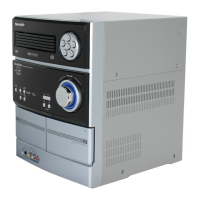
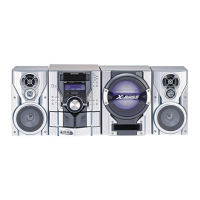
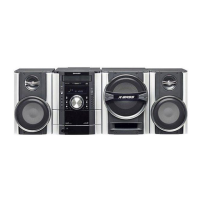
MINI COMPONENT SYSTEM
CD-SW340 Mini Component System consisting of CD-SW340 (main
unit), CP-S340 (front speaker) and CP-SW340 (Subwoofer).
Accessories
Please confirm that the following accessories are included.
MODEL
OPERATION MANUAL
CD-SW340
Note:
Only the above accessories are included.
Remote control 1
(RRMCGA161AWSA)
AM loop antenna 1
(QANTL0010AWZZ)
FM antenna 1
(92LFANT1535A)

Questions and Answers

  • S
    Scott MurrayJul 31, 2025
    Why is my Sharp CD SW340 remote control not working?
    • M
      Mary RushJul 31, 2025
      If the Sharp Stereo System's remote control isn't working, check the following: * Ensure the AC power cord of the unit is plugged in. * Verify the batteries are inserted with the correct polarity. * Replace the batteries if they are dead. * Make sure you are within the correct distance and angle. * Check if strong light is interfering with the remote control sensor.
  • J
    Joshua WrightAug 7, 2025
    What to do if Sharp Stereo System sound is skipping?
    • L
      Lisa ShermanAug 7, 2025
      If you are experiencing sound skipping, a lack of treble, or sound fluctuation with your Sharp Stereo System, consider the following: * Check for any slack in the tape. * See if the tape is stretched. * Examine the capstans, pinch rollers, or heads for dirt.
  • M
    Michelle GriffithAug 14, 2025
    Why Sharp Stereo System cannot record with proper sound quality?
    • J
      Jake SchneiderAug 14, 2025
      If you cannot record tracks with proper sound quality or cannot erase completely on your Sharp Stereo System, check if you are using a normal tape. Note that you cannot record on a metal or CrO tape.
  • C
    Christian GarciaAug 21, 2025
    What to do if I cannot remove the tape from my Sharp CD SW340 Stereo System?
    • S
      Shaun EvansAug 22, 2025
      If you cannot remove the tape from your Sharp Stereo System, it may be because a power failure occurred during playback, leaving the heads engaged with the tape. Do not open the compartment with great force.

Summary

Important Safety Instructions

Preparation for Use

Basic Operation

Setting the Clock (Remote Control)

CD and MP3;WMA Disc Playback

Advanced Disc Playback Features

MP3;WMA File Navigation

Radio Tuning and Reception

Tuning Radio Stations

Instructions for manual and auto tuning of AM and FM stations.

Managing Preset Radio Stations

Tape Playback

Cassette Tape Recording

Timer and Sleep Operation (Remote Control)

Timer Playback and Recording

Setting timers for automatic playback or recording of audio sources.

References and Maintenance

Product Specifications

Sharp CD SW340 Specifications

General IconGeneral
CD PlayerYes
Radio TunerYes
BluetoothNo
USB PortNo
Playable MediaCD, CD-R, CD-RW
Cassette DeckYes
Tuner BandsFM
Speakers2-way speakers
TypeMini Component System

Related product manuals