EasyManua.ls Logo

Sharp CE-515P - Page 11

Sharp CE-515P
34 pages
Print Icon
To Next Page IconTo Next Page
To Previous Page IconTo Previous Page
Loading...
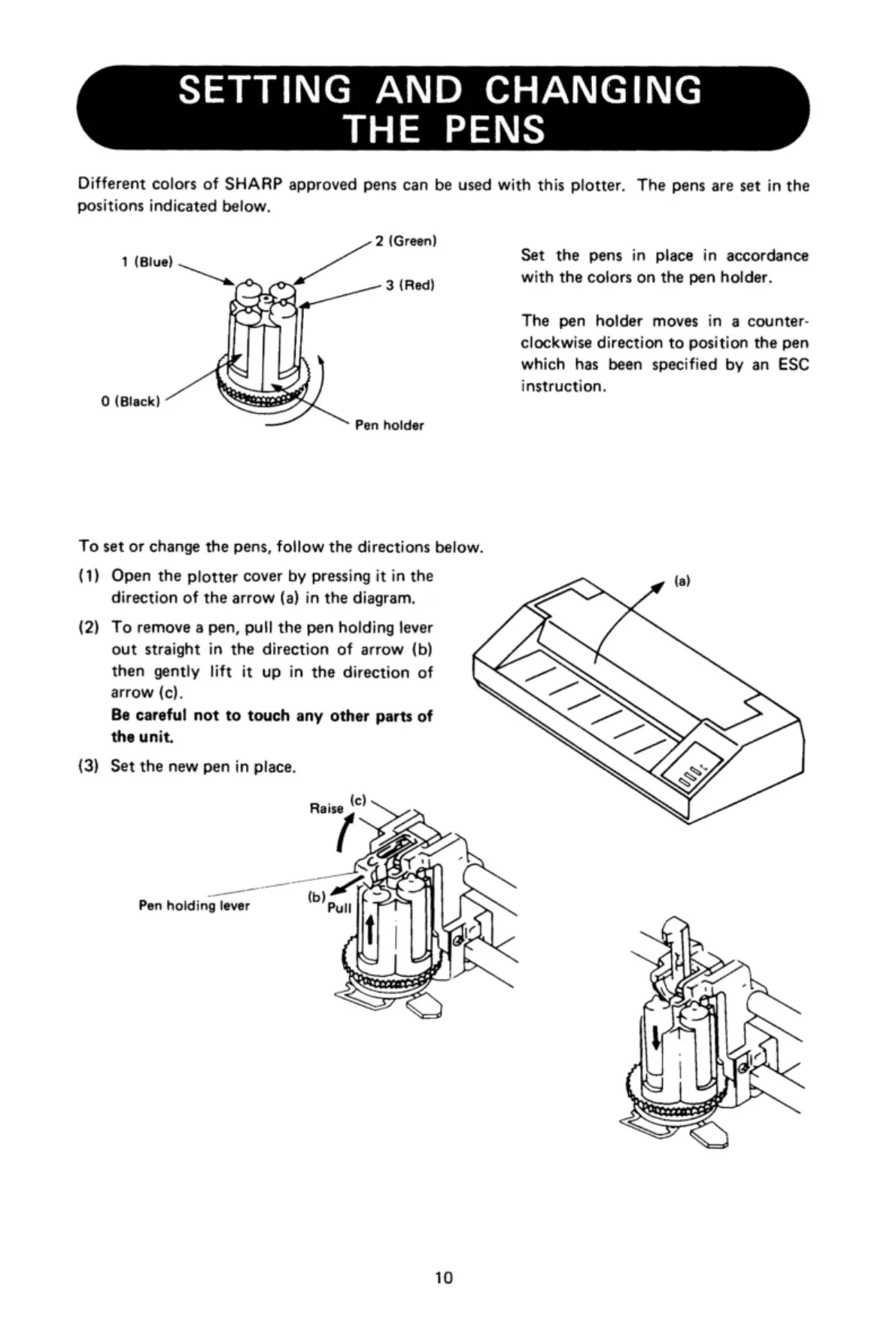
SETTING
AND
CHANGING
THE
PENS
Different
colors
of
SHARP
approved
pens
can
be
used with
this
plotter.
The
pens
are
set
in
the
positions
indicated
below.
2
(Green)
'
1
(Blue)
Set
the
pens
in
place
in
accordance
\
o
3
(Red)
with
the
colors
on
the
pen
holder.
The
pen
holder
moves
in
a
counter-
clockwise
direction
to
position
the
pen
which
has
been
specified
by
an
ESC
instruction.
0
(Black)
Pen
holder
To
set
or
change
the
pens,
follow
the
directions
below.
(1)
Open
the
plotter
cover
by
pressing
it
in
the
(a)
direction
of
the
arrow
(a)
in
the
diagram,
(‘
(2)
To
remove
a
pen,
pull
the
pen
holding
lever
out
straight
in
the
direction
of
arrow
(b)
then
gently
lift
it
up
in
the
direction
of
arrow
(c).
Be
careful
not
to
touch
any
other
parts
of
the
unit.
\
(3)
Set
the
new
pen
in
place.
[
Pen
holding
lever
(b)
‘L-Vj
.'h
‘:',
=
[y
-
N
-."‘-i..,-.»:?
<>
<N
10

Related product manuals