EasyManua.ls Logo

Sharp CE-515P - Page 12

Sharp CE-515P
34 pages
Print Icon
To Next Page IconTo Next Page
To Previous Page IconTo Previous Page
Loading...
(4)
To
replace
a
different
pen,
press
the
color
change
key.
The
pen
holder
will
rotate
and
a
different
pen
will
come
to
the
front.
Then
replace
the
pens
as
you
did
in
steps
(2)
and
(3).
(5)
When
the
new
pen
has
been
properly
set
in
place,
restore
the
pen
holding
lever
and
plotter
cover
to
their
original
positions
by
gently
bending
the
holding
lever
down
and
pushing
it
horizontally
until
latches
in
place.
Note:
If
the
pen
holder
does
not
rotate
properly
when
the
color
change
key
is
pressed,
press
the
reset
button
on
the
rear
of
the
unit.
Precautions
When
handling
the
plotter,
never
touch
the
pen
holder
or
the
gears.
If
they
are
touched,
the
plotter’s
high
precision
may
be
impaired.
It
could
also
cause
the
pens
to
slip
out
of
position,
Before
and
after
pens
are
used,
be
sure
to
keep
them
in
their
pen
case
with
the
caps
on.
If
not,
the
pens
may
dryout
and
become
useless.
Take
care
to
keep
the
paper
dry.
Otherwise,
the
water-soluble
ink
used
by
this
plotter
may
bleed
on
the
paper.
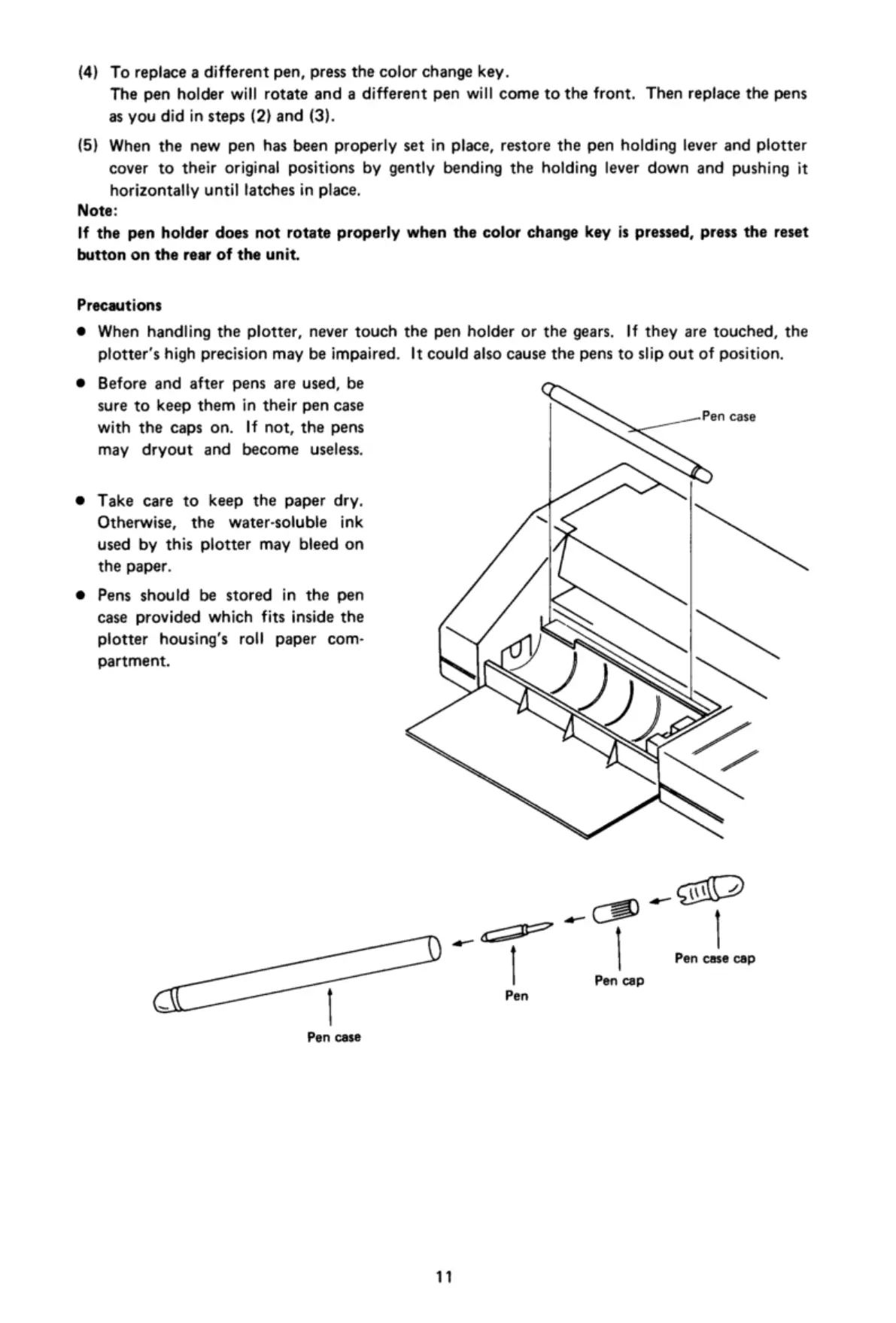
Pens
should
be
stored
in
the
pen
case
provided
which
fits
inside
the
plotter
housing’s
roll
paper
com-
partment.
Pen
case
11
X‘%
case
PN
e
I
Pen
case
cap

Related product manuals