EasyManua.ls Logo

Sharp CE-515P - Page 7

Sharp CE-515P
34 pages
Print Icon
To Next Page IconTo Next Page
To Previous Page IconTo Previous Page
Loading...
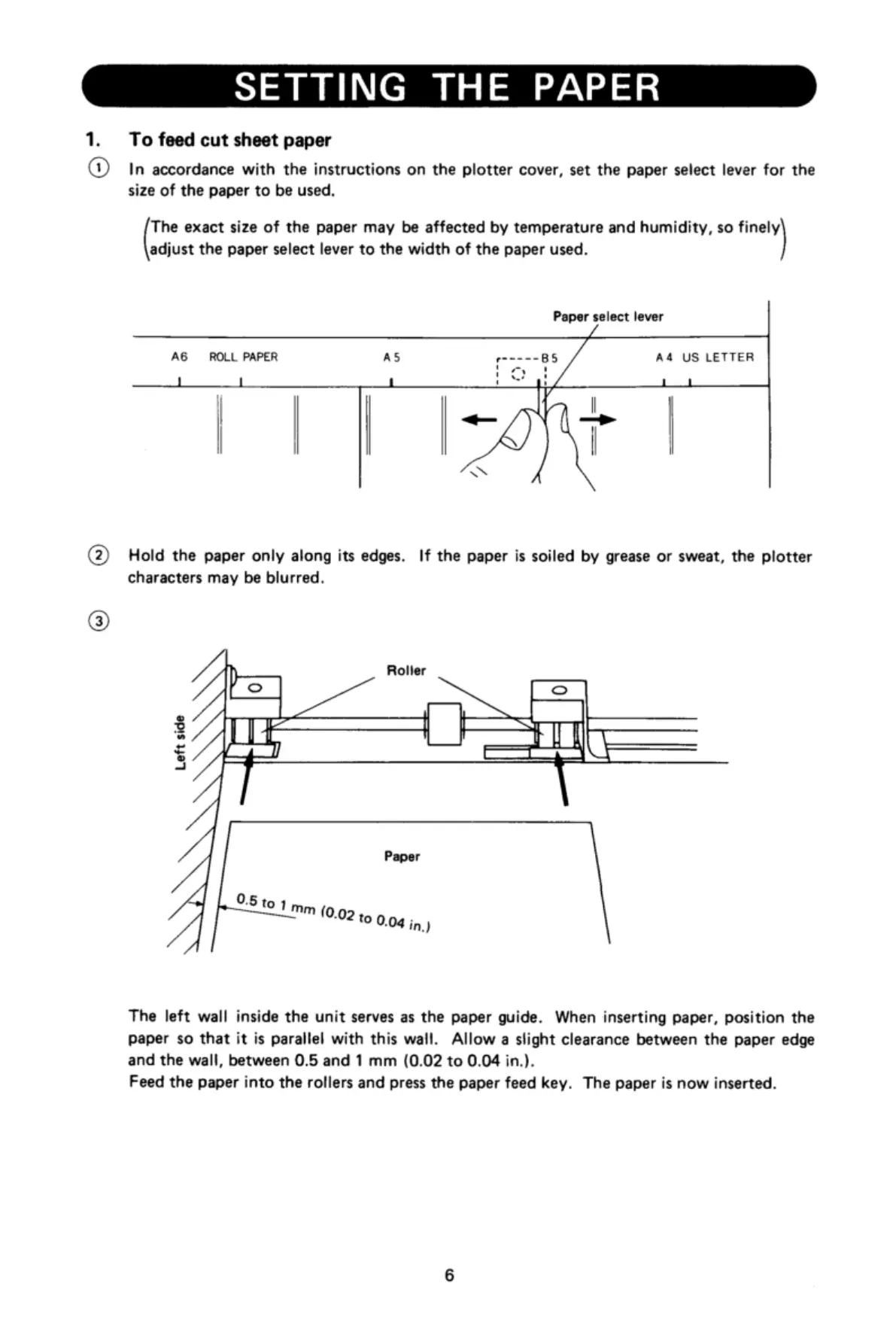
SETTING
THE
PAPER
1.
To
feed
cut
sheet
paper
@
In
accordance
with
the
instructions
on
the
plotter
cover,
set
the
paper
select
lever
for
the
size
of
the
paper
to
be
used.
The
exact
size
of
the
paper
may
be
affected
by
temperature
and
humidity,
so
finely
adjust
the
paper
select
lever
to
the
width
of
the
paper
used.
Paper
select
lever
A6
ROLL
PAPER
AS
pm———=
B5
A4
US
LETTER
1]
1
1
,
1
T
L
11
|~y
|
@
Hold
the
paper
only
along
its
edges.
If
the
paper
is
soiled
by
grease
or
sweat,
the
plotter
characters
may
be
blurred.
/
Roller
%E
Ny
==
®
R
I
A
i=
The
left
wall
inside
the
unit
serves
as
the
paper
guide.
When
inserting
paper,
position
the
paper
so
that
it
is
parallel
with
this
wall.
Allow
a
slight
clearance
between
the
paper
edge
and
the
wall,
between
0.5
and
1
mm
(0.02
to
0.04
in.).
Feed
the
paper
into the
rollers
and
press
the
paper
feed
key.
The
paper
is
now
inserted.

Related product manuals