E-7
Listening to the iPod, iPhone or iPad
Made for:
●
iPod touch (4
th
generation)
●
iPod touch (3
rd
generation)
●
iPod touch (2
nd
generation)
●
iPod touch (1
st
generation)
●
iPod classic
●
iPod nano (6
th
generation)
●
iPod nano (5
th
generation)
●
iPod nano (4
th
generation)
●
iPod nano (3
rd
generation)
●
iPod nano (2
nd
generation)
●
iPhone 4
●
iPhone 3GS
●
iPhone 3G
●
iPhone
●
iPad 2
●
iPad
Caution:
Please update your iPod, iPhone and iPad unit to the latest
software version before using it. Please visit Apple’s
homepage to download the latest version for your iPod,
iPhone and iPad.
Notes:
●
Charging terminal for iPod, iPhone and iPad:
●
The message
“
This accessory is not made to work with
iPhone” or similar, mat appear on the iPhone screen
when:
- battery is low.
- the iPhone is not properly docked (eg. slanting).
If this occurs, remove and re-dock the iPhone.
●
This product is made for iPod, iPhone and iPad. To
prevent random interference when iPod, iPhone or
iPad is connected, the headphone output is disabled,
and “HP INVALID” will be displayed.
You may also experience brief audio interference
during incoming calls.
●
The headphone output is switched off during inserting
iPod, iPhone and iPad unit. This is an Apple product
specification.
1 Press the ON/STAND-BY button to turn the power on.
2 Press the USB button on the remote control or
FUNCTION button repeatedly on the main unit to select
USB function.
3 Connect iPod, iPhone or iPad to the unit. “USB/iPod” will
appear.
4 Press
the /
(USB
/ ) button to start playback.
Note:
Stop button ( ) is invalid during iPod, iPhone or iPad
playback
Condition DOCK USB
USB function NO YES
Other function YES NO
Stand-by YES NO
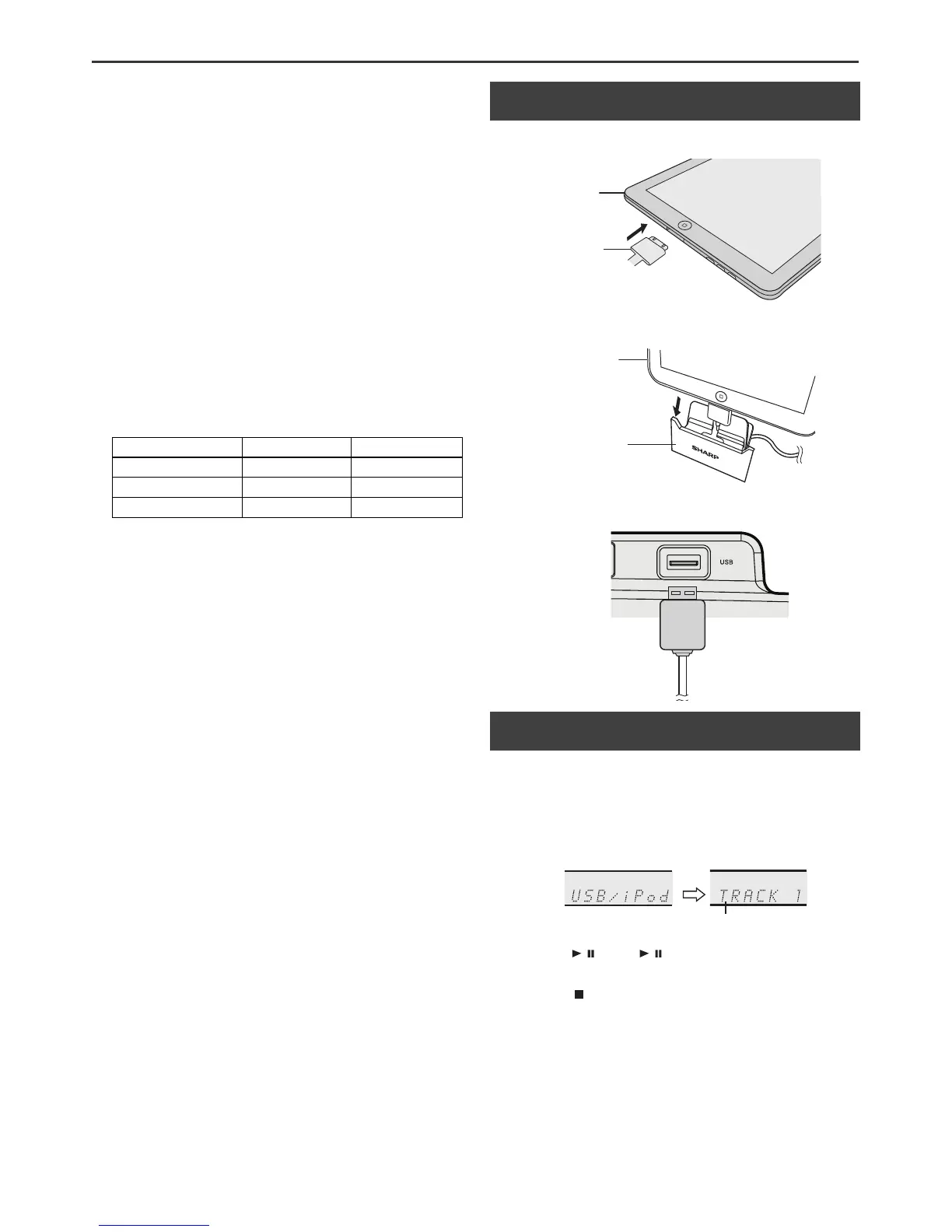
■ iPod, iPhone and iPad connection (USB
only)
1
Insert the connector to the iPod, iPhone or iPad.
2 Place the iPad to the stand for iPad.
3 Connect the iPod, iPhone or iPad to the unit via USB
connector.
■ iPod, iPhone or iPad playback via USB
terminal
iPad
Connector
iPad
Stand for iPad
USB
File name


 To Next Page