EasyManua.ls Logo

Sharp DV-NC200 - User Manual

Sharp DV-NC200
37 pages
Print Icon
To Next Page IconTo Next Page
Loading...
1
EN
VCR/DVD COMBINATION
OPERATION MANUAL
Please read this Operation Manual carefully before using
your VCR/DVD COMBINATION.
5
PULL OPEN
DV-NC200
OPERATE
OPEN/CLOSE
PLAYSTOP
DVDVCRCH
TIMER
RECPLAYREW FF
STOP/
EJECT
(TRACKING)
OUTPUT
The region number for this
VCR/DVD is 5.
MODEL
DV-NC200
(
RU
)
PAL
PREFACEDVD FUNCTIONS SETUPVCR FUNCTIONSINFORMATION PRECAUTIONS
Downloaded from: http://www.usersmanualguide.com/

Table of Contents

Question and Answer IconNeed help?

Do you have a question about the Sharp DV-NC200 and is the answer not in the manual?

Overview

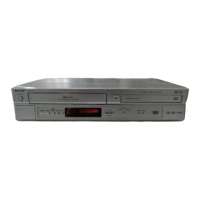
The SHARP DV-NC200(RU) is a VCR/DVD Combination unit, designed to offer both video cassette recording and playback, as well as DVD/CD playback capabilities. This versatile device allows users to enjoy a wide range of media formats through a single system.

Function Description:

The primary function of the DV-NC200(RU) is to serve as a dual-purpose entertainment hub.

  • VCR Functionality: It supports the recording and playback of VHS video cassette tapes. This includes standard playback, fast forward, rewind, still/pause, slow motion, and various search functions like Time Search and Index Search. It also features One Touch Recording (OTR) and Timer Recording for scheduled recordings, as well as an Assemble Function for continuous recording. The VCR supports both SP (Standard Play) and LP (Long Play) recording speeds, offering flexibility in tape usage.
  • DVD Functionality: The unit plays back a variety of disc formats including DVD-Video, DVD-RW/-R (Video mode only), DVD+RW/+R (Video mode only), Audio CD, Video CD, CD-RW/-R, MP3 discs, and JPEG discs. Playback features include disc menu navigation, resume playback, paused and step-by-step playback, fast forward/reverse search, slow forward/reverse, zoom, and rapid play. Special settings allow for subtitle language selection, audio language selection, camera angle changes, and digital gamma adjustment. It also supports repeat, random, and programmed playback for discs.
  • Combination Features: The device allows for switching between VCR and DVD modes, indicated by front panel indicators. It also supports direct dubbing from DVD to VHS, though this is subject to copy protection on the DVD disc.

Important Technical Specifications:

  • Product Type: DVD Player with Video Cassette Recorder
  • Number of Video Heads: 4 (for VCR)
  • Video Signal Standard: PAL/MESECAM colour system
  • Audio Recording System: One Stationary head for liner audio, Two Rotary heads for Hi-Fi stereo
  • Channel Coverage: E2~E69
  • Timer Backup: 60 minutes
  • Discs (Playback Compatibility): DVD Video, DVD-RW/-R, DVD+RW/+R, Audio CD, Video CD, CD-RW/-R
  • Frequency Response (DVD linear sound): 20 Hz to 20 kHz (sample rate: 48 kHz), 20 Hz to 44 kHz (sample rate: 96 kHz)
  • Frequency Response (CD): 20 Hz to 20 kHz
  • Signal-to-Noise Ratio (CD): 90 dB (JEITA)
  • Dynamic Range (DVD linear sound): 86 dB
  • Dynamic Range (CD): 86 dB (JEITA)
  • Total Distortion Factor (DVD/CD): 1 KHz, 0.008% (JEITA)
  • Wow and Flutter: Below the measurement limitation (+/-0.001% W PEAK) (JEITA)
  • Power Source: 220-240 V ~ +/- 10%, 50 Hz +/- 0.5%
  • Power Consumption: 25 W (standby: 5.5 W)
  • Operating Temperature: 5°C to 40°C
  • Dimensions (W x H x D): 435 mm x 94 mm x 233 mm
  • Weight: Approx. 3.2 kg
  • Laser Diode Properties: Material: GaAs; Wavelength: DVD: 655 nm, CD: 790 nm; Emission Duration: Continuous; Laser Output: Max. 0.8 mW (Class 1 Laser Product)
  • Region Code: 5 (for DVD playback)

Usage Features:

  • On-Screen Display: Provides visual information about current playback status, repeat settings, track/chapter numbers, elapsed time, and other relevant data for both VCR and DVD modes.
  • Remote Control: A comprehensive remote control is included, offering dedicated buttons for VCR and DVD functions, as well as common controls. It has an operable range of approximately 7 meters (23 feet) beeline.
  • Front Panel Controls: Essential controls for playback, recording, stop, eject, and mode switching are available on the front panel.
  • Connections:
    • Main (AC power cord): Standard AC plug.
    • Component Video Out Jacks (DVD only): For high-quality video output to compatible TVs.
    • Coaxial Digital Audio Out Jack (DVD only): For connecting to Dolby Digital, DTS, or MPEG decoders.
    • Audio Out Jacks (Analog Left/Right) (DVD only): For audio output to A/V-compatible TVs.
    • S-Video Out Jack (DVD only): For higher quality picture to compatible TVs.
    • EURO AV1 (TV) Terminal: 21-pin SCART terminal for best quality picture to A/V-compatible TVs.
    • EURO AV2 (DECODER) Terminal (VCR only): 21-pin SCART terminal for connecting to a decoder.
    • RF Out Jack: For connecting to the TV's AERIAL jack.
    • AERIAL Jack: For connecting antenna, cable box, or direct broadcast system.
    • Audio In Jacks (AV3 / VCR only) (Front Panel): For connecting audio from camcorders or other audio sources.
    • Video In Jack (AV3 / VCR only) (Front Panel): For connecting video from camcorders or other video sources.
  • First-Time Setup: Includes automatic channel preset, clock setup, and picture select options for initial configuration.
  • Customizable Settings: Extensive DVD setup menus (QUICK SETUP and CUSTOM) allow users to adjust language, display, audio, parental control, and other system settings.
  • Parental Control: Allows setting rating levels for DVD discs and password protection to restrict viewing of inappropriate content.
  • Marker Setup: Users can assign specific points on a disc to be called back later, with up to 10 markers.
  • Supported Formats: Compatible with various audio (Dolby Digital, DTS, MPEG) and video (PAL, MESECAM) systems.

Maintenance Features:

  • Cabinet Cleaning: Advised to use a soft cloth with mild detergent solution; avoid alcohol, spirits, ammonia, or abrasive cleaners.
  • Disc Cleaning: Clean discs with a soft cloth from the center outwards; avoid circular motions and harsh solvents.
  • Auto Head Cleaning: Automatically cleans video heads when a cassette is inserted or removed, helping to maintain clear picture quality.
  • Video Head Cleaner: In case of persistent streaky or snowy pictures, users are advised to purchase a VHS Video Head Cleaner.
  • Professional Servicing: For internal issues or if problems persist after basic troubleshooting, users are instructed to contact a SHARP Approved Service Centre. Disassembly by unauthorized personnel is discouraged due to potential electric shock and damage.
  • Dew Formation Warning: If moisture forms inside the unit (e.g., due to sudden temperature changes), it may not operate properly. Users are advised to turn on the power and wait for over 2 hours for the moisture to evaporate.
  • Power Cord Protection: Emphasizes handling the power cord carefully, keeping it away from heat, avoiding heavy objects on it, and not bundling it with other cables to prevent interference.
  • Location and Handling: Recommends installing the unit horizontally in a stable position, avoiding direct sunlight, heat sources, strong magnetic objects, and enclosed spaces to prevent overheating. Also, advises against placing objects containing liquids on the unit.

Sharp DV-NC200 Specifications

General IconGeneral
BrandSharp
ModelDV-NC200
CategoryTV DVD Combo
LanguageEnglish

Related product manuals