– E-16 –
Conversion to each system is performed by the following
keys:
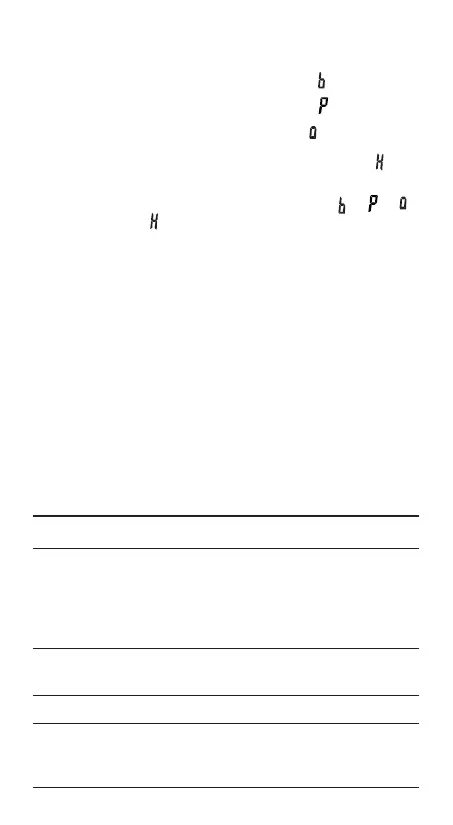
@ê: Converts to the binary system. “
” appears.
@û: Converts to the pental system. “
” appears.
@î: Converts to the octal system. “
” appears.
@ì: Converts to the hexadecimal system. “
” ap-
pears.
@í: Converts to the decimal system. “
”, “ ”, “ ”,
and “
” disappear from the display.
Conversion is performed on the displayed value when these
keys are pressed.
Note: In this calculator, the hexadecimal numbers A – F are
entered by pressing ™
A
, ⁄
B
, L
C
, ÷
D
, l
E
,
and I
F
, and displayed as follows:
A → ï, B → ∫, C → ó, D → ò, E → ô, F → ö
In the binary, pental, octal, and hexadecimal systems, frac-
tional parts cannot be entered. When a decimal number hav-
ing a fractional part is converted into a binary, pental, octal, or
hexadecimal number, the fractional part will be truncated.
Likewise, when the result of a binary, pental, octal, or hexa-
decimal calculation includes a fractional part, the fractional
part will be truncated. In the binary, pental, octal, and hexa-
decimal systems, negative numbers are displayed as a com-
plement.
DEC(25)→BIN ª@í 25 @ê
11001
b
HEX(1AC) @ì 1AC
→BIN @ê
110101100
b
→PEN @û
3203
P
→OCT @î
654
0
→DEC @í
428.
BIN(1010–100) @ê( 1010 - 100 )
×11 = * 11 =
10010
b
BIN(111)→NEG ã 111 =
1111111001
b
HEX(1FF)+ @ì 1FF @î+
OCT(512)= 512 =
1511
0
HEX(?) @ì
349
H
509E_en0610.p65 04.6.10, 2:52 PM16


 To Next Page