EasyManua.ls Logo

Sharp ER-A250 - MAINTENANCE; Batteries

Sharp ER-A250
56 pages
Print Icon
To Next Page IconTo Next Page
To Previous Page IconTo Previous Page
Loading...
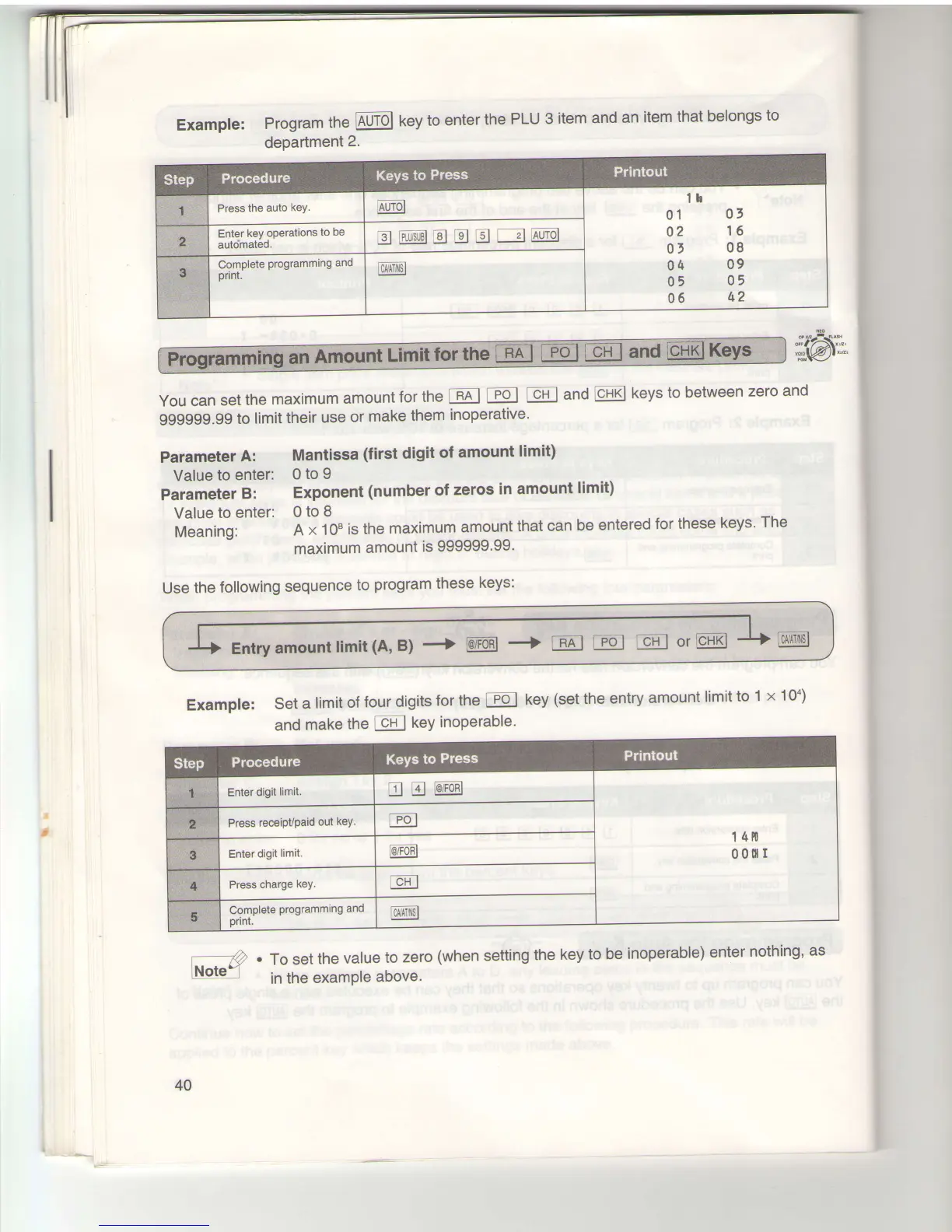
Example:
Program
the lAuTbl
key
to
enter
the
PLU
dePartment
2.
3
item
and
an
item
that
belongs
to
You
can
set
the
maximum
amount
for
the
-RAl
EJ
Icn
I
and
CHxl
keys
to between
zero
and
999999.99
to
limit
their
use
or
make
them
inoperative'
Parameter
A:
Mantissa
(first
digit
of
amount
limit)
Value
to enter:
0
to 9
parameter
B:
Exponent
(number
of
zeros
in amount
limit)
Value
to
enter:
0
to
8
Meaning:
A
x 10"
is the
maximum
amount
that can
be
entered
for these
keys'
The
maximum
amount
is
999999'99'
Use
the
following
sequence
to
program
these
keys:
Example:
set
a
limit
of
four
digits
for
169 i
po
I
key
(set the
entry
amount
limit
to
1
x 100)
and
make
the
cn
I
keY
inoPerable'
.)
.
To set
the
value
to
zero
(when
Note"
in
the
example
above.
setting
the
key
to
be
inoperable)
enter
nothing'
as
Enl
and
'cnxlKeYs
40
www.cashregisters.net

Related product manuals