EasyManua.ls Logo

Sharp ES-FW105SG - User Manual

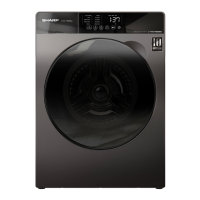
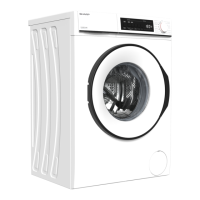
Sharp ES-FW105SG
34 pages
Print Icon
To Next Page IconTo Next Page
Loading...
Operation manual of front load washing machine
Operation manual
Thank you for purchasing our product.
Please read this manual carefully before use.
Please read "Safety precautions"carefully
before use.
Please keep this manual in a safe place.
Our product is specially designed for household
use only.
WASHING MACHINE
Table of contents Page
● Safety precautions
● Installation
Parts
Product specifications
Installation requirements
Unpacking the washing machine
Removing the shipping bolts
Adjusting the adjustable feet
Water inlet installation
Positioning the drain hose
● Before using the washing machine
I
nspection and preparation before washing
Using methods of detergents and additives
● Operations
Control panel
 Simple steps to start
 Program overview
 Available options list
 Function buttons
Icons
 Setting mode
● Maintaining the washing machine
Cleaning the detergent dispenser
Cleaning the enclosure
Drum clean
Cleaning the drain pump filter
Cleaning the water supply valve filter
Handling a frozen washing machine
Storing the washing machine
● Troubleshooting
Problems and solutions
Error messages description
1
6
6
7
8
10
11
12
13
14
15
15
17
18
18
19
19
21
22
22
23
24
24
24
25
25
27
28
28
29
29
32
ES-FW105SG
ES-FW85SG
ES-FW70EW
EC_2

Questions and Answers

  • A
    Amber MosesAug 21, 2025
    Why does my Sharp ES-FW105SG not start?
    • J
      John MorganAug 21, 2025
      If your Sharp Washer isn't starting, ensure it's properly plugged in and that you've pressed the Start/Pause button. Also, verify that the Child Lock is not activated and check the fuse or reset the circuit breaker.
  • R
    Richard SuarezSep 3, 2025
    Why is detergent left in the dispenser of my Sharp Washer?
    • A
      Andrew WallaceSep 3, 2025
      If detergent is left in the dispenser of your Sharp Washer after a program, check if the water pressure is sufficient during washing. Ensure detergents are placed in the injection port of the body drawer and that the washing powder isn't damp or caking.
  • C
    Charles DavisSep 1, 2025
    How to prevent excessive foam in my Sharp Washer?
    • A
      Albert AllenSep 1, 2025
      If there are excessive foams in your Sharp Washer, ensure you're using the recommended type of detergent. Use “low foam” detergent to prevent oversudsing. Reduce the detergent amount for soft water, small loads, or lightly soiled loads.
  • S
    Stanley BennettAug 31, 2025
    Why is the water supply insufficient in my Sharp ES-FW105SG Washer?
    • M
      Megan PhillipsAug 31, 2025
      If your Sharp Washer isn't supplying enough water or not starting the water supply, fully open the water tap. Ensure the door is properly closed. Check that the water supply hose isn't frozen, kinked, or clogged. Also, make sure there is sufficient water pressure.
  • K
    Kayla SimmonsAug 29, 2025
    Why is my Sharp Washer leaking water?
    • Y
      ywalkerAug 29, 2025
      If your Sharp Washer is leaking water, ensure the door is properly closed and all hose connections are tight. Make sure the end of the drain hose is correctly inserted and secured to the drain system. Avoid overloading the machine and use “low foam” detergent to prevent oversudsing.
  • L
    Lisa RomeroAug 27, 2025
    How to reduce vibration and noise in my Sharp Washer?
    • C
      Cheryl CarpenterAug 27, 2025
      If your Sharp Washer is vibrating excessively or is too noisy, check if it's placed on an uneven surface and adjust the adjustable feet to level it. Ensure the shipping bolts have been removed. Make sure the washing machine isn't touching any other objects. Check if the laundry load is balanced inside the inner drum.
  • M
    mckinneysusanAug 27, 2025
    Why is the spin time extended or spin speed low on my Sharp ES-FW105SG Washer?
    • V
      Victor BarronAug 27, 2025
      If the spin time is extended or the spin speed is low in your Sharp Washer, it could be due to the Fuzzy control inspecting the balance during spinning. To protect the machine, it will expend the spinning time or reduce speed to keep the clothes balanced, or spin in a lower speed if the clothes are unbalanced. Also, when there are excessive foams, the time on the display will cease for a spell, meanwhile the machine is eliminating the foams rather than fault, and the machine will automatically return to normal program if finished.
  • L
    lisagainesAug 25, 2025
    What to do if the door of my Sharp ES-FW105SG won't open?
    • T
      Timothy ParkerAug 25, 2025
      If your Sharp Washer door won't open, press Start/Pause to stop the washing machine. It may take a few moments for the door lock mechanism to disengage. Ensure all water in the drum is drained. If water remains, drain the drum manually. Make sure the door lock light is off, as it turns off after the washing machine has drained. Check if the washing machine is in cooling, and the door lock cannot be opened until the cooling is over. Check if the washing machine is in working, and the door lock cannot be opened until the motor stop.
  • M
    Mark HoffmanAug 23, 2025
    What to do if my Sharp ES-FW105SG Washer does not drain and/or spin?
    • E
      Elizabeth PetersenAug 23, 2025
      If your Sharp Washer isn't draining or spinning, make sure the drain hose is fully straightened. If there's a drain restriction, consider calling for service. Ensure the drain pump filter isn't clogged. Close the door and press Start/Pause, as the washer won't tumble or spin unless the door is closed. Also, check that the drain hose isn't frozen or clogged and is correctly connected to a drain system that isn't clogged. If the washing machine does not have sufficient power, the washing machine temporarily will not drain or spin, until it regains sufficient power and operates normally.

Summary

Safety Precautions

Important Safety Symbols and Precautions

Meanings of icons and symbols used in the manual for safety warnings.

General Precautions About This Product

General safety guidelines and usage restrictions for the washing machine.

Precautions About Installation

Essential safety measures to follow during the installation process.

Precautions About Operation

Safety guidelines and warnings to follow while operating the washing machine.

Precautions About Maintenance

Safety measures related to cleaning and user maintenance of the appliance.

Protecting the Environment

Guidelines for environmentally responsible disposal and usage of the washing machine.

Installation

Parts

Identification of the main components and accessories of the washing machine.

Accessories

List and illustration of included accessories with the washing machine.

Product Specifications

Technical details and specifications of the different washing machine models.

Installation Requirements

Guidelines and requirements for installing the washing machine, covering power and water supply.

Installation Location

Recommended placement and environmental conditions for installing the washing machine.

Ambient Temperature

Suitable ambient temperature range for operating and installing the washing machine.

Unpacking the Washing Machine

Step-by-step instructions for safely removing the washing machine from its packaging.

Removing the Shipping Bolts

Procedure for removing essential shipping bolts before operating the machine.

Adjusting the Adjustable Feet

Guide to leveling the washing machine by adjusting its feet for stability.

Water Inlet Installation

Steps for connecting the water inlet, including tap selection and hose connection.

Positioning the Drain Hose

Instructions on how to properly position the drain hose for effective drainage.

Before Using the Washing Machine

Inspection and Preparation Before Washing

Steps for preparing laundry and inspecting items before starting a wash cycle.

Using Methods of Detergents and Additives

Guidance on how to correctly use detergents and softeners in the dispenser.

Operations

Control Panel

Explanation of the washing machine's control panel layout and button functions.

Simple Steps to Start

Basic sequence of actions to start a wash cycle on the machine.

Program Overview

Description of available wash programs, their suitability, and specifications.

Available Options List

Table detailing which options are available for each wash program.

Function Buttons

Explanation of the purpose and operation of specific function buttons on the control panel.

Icons

Explanation of common icons displayed on the washing machine's interface.

Child Lock

Instructions on how to activate and deactivate the child lock feature.

Mute

How to turn the sound on/off for the washing machine.

Setting Mode

Steps to enter and utilize the machine's special setting modes.

Maintaining the Washing Machine

Cleaning the Detergent Dispenser

Step-by-step guide for cleaning the detergent and softener dispenser.

Cleaning the Enclosure

Instructions for cleaning the exterior of the washing machine.

Drum Clean

How to use the drum clean program to maintain the machine's hygiene.

Cleaning the Drain Pump Filter

Procedure for cleaning the drain pump filter to ensure proper drainage.

Cleaning the Water Supply Valve Filter

Steps to clean the filter at the water supply connection point.

Handling a Frozen Washing Machine

How to thaw and handle the washing machine if it freezes.

Storing the Washing Machine

Instructions for preparing and storing the washing machine for long-term periods.

Troubleshooting

Problems and Solutions

A table listing common issues and their recommended solutions.

Error Messages Description

Explanation of error codes displayed on the machine and their meanings.

Sharp ES-FW105SG Specifications

General IconGeneral
BrandSharp
ModelES-FW105SG
CategoryWasher
LanguageEnglish

Related product manuals