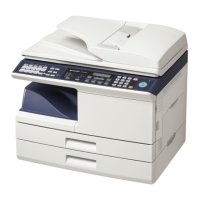
Dual-line Option (FO-DC635 only)
73
2. Send/Receive
Documents
♦ If you wish to restrict either of the lines to transmission only or reception
only, see the following section.
♦ When you program an auto-dial number (Rapid Key or Speed Dial number),
you can specify that the number use a particular line.
Note: The key cannot be used to select a line if either of the lines has
been set to reception only as explained in the following section. A line
selection made with will override a line selection programmed into a
Rapid Key or Speed Dial number.
LINE
@
LINE
@
1 Press and then so that
LINE SETTING MODE is selected in the
display.
2 Press .
• Line 1 is intially selected. If you wish to
adjust the setting for Line 2, press
to select LINE 2.
MENU
START/
ENTER
Display:
MENU MODE
1:LINE SETTING MODE
2:LISTING MODE
3:ENTRY MODE
LINE SETTING MODE
1:LINE 1
2:LINE 2
Restricting a line to transmission or reception /
selecting the reception mode for Line 1
You can restrict either line to transmission only or reception only. You can also
use this procedure to select the reception mode (AUTO or MANUAL) for Line
1 (the reception mode for Line 2 is fixed at AUTO).



 To Next Page