AUD 2012 02 01
Date of Issue: 8
th
February 2012
Classification: White
AUDIO TECHNICAL BULLETIN Page 3 of 6
Sharp Electronics (UK) Limited
Reference – RG20120119
Revision - 1
White – Carry out as required
Yellow – Carry out as required and whenever the unit comes in for service
Red – Carry out on all units
Software Update for both units.
Reflash both CPU and slave MPU software.
Load onto your PC, down loadable from the Technical Web site the “EPFlash”
software and also save to a known location the “HDMI update software”.
1. Connect the mains supply and have the unit in stand-by ( Red light on ).
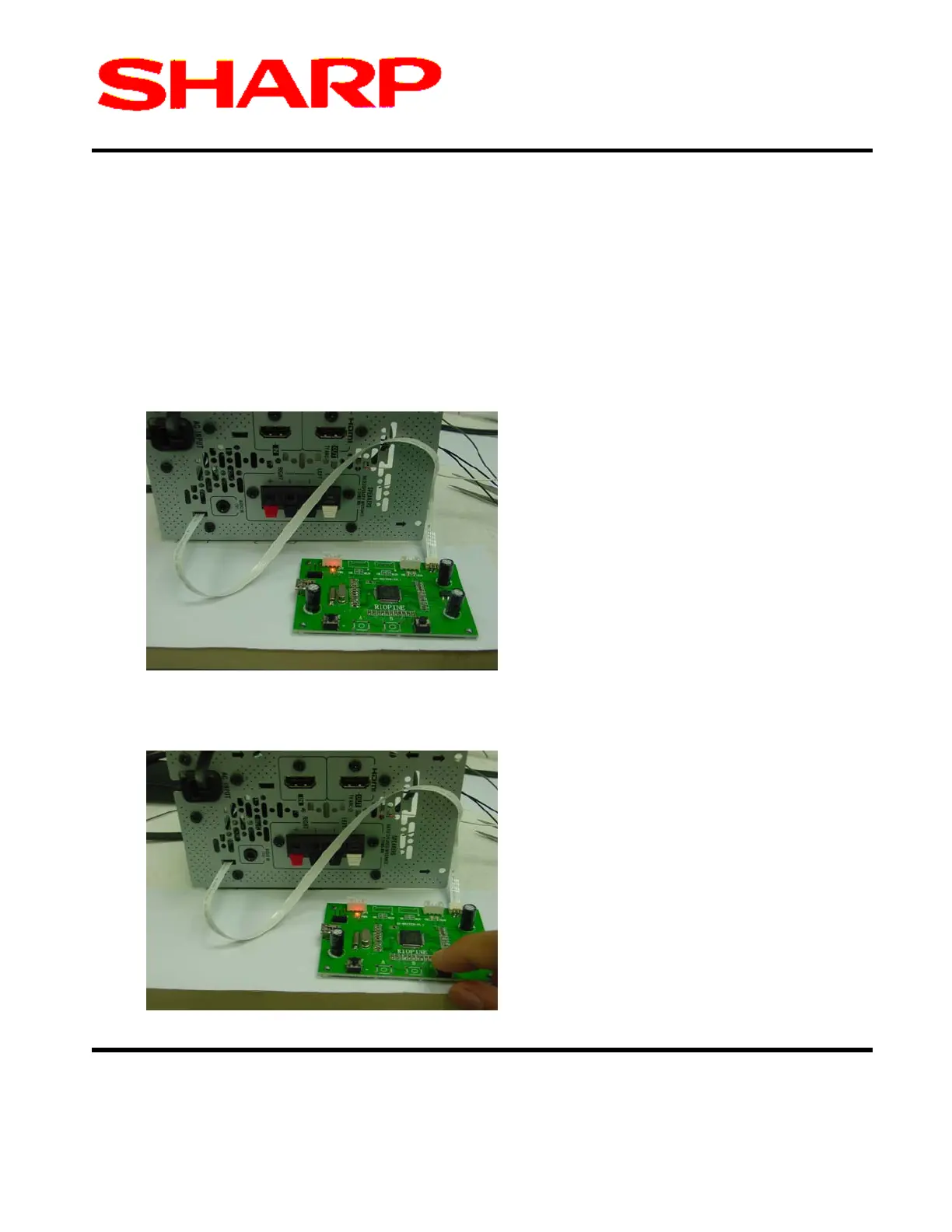
2. Connect the Software writer jig as shown below.
Figure 1. Jig Red light should be iluminated.
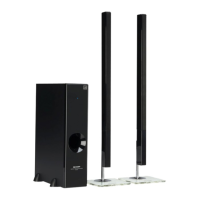
3. Press the RH tip button.
Figure 2. R.H. Button press to start programming cycle.



 To Next Page