AUD 2012 02 01
Date of Issue: 8
th
February 2012
Classification: White
AUDIO TECHNICAL BULLETIN Page 5 of 6
Sharp Electronics (UK) Limited
Reference – RG20120119
Revision - 1
White – Carry out as required
Yellow – Carry out as required and whenever the unit comes in for service
Red – Carry out on all units
Updating HDMI software.
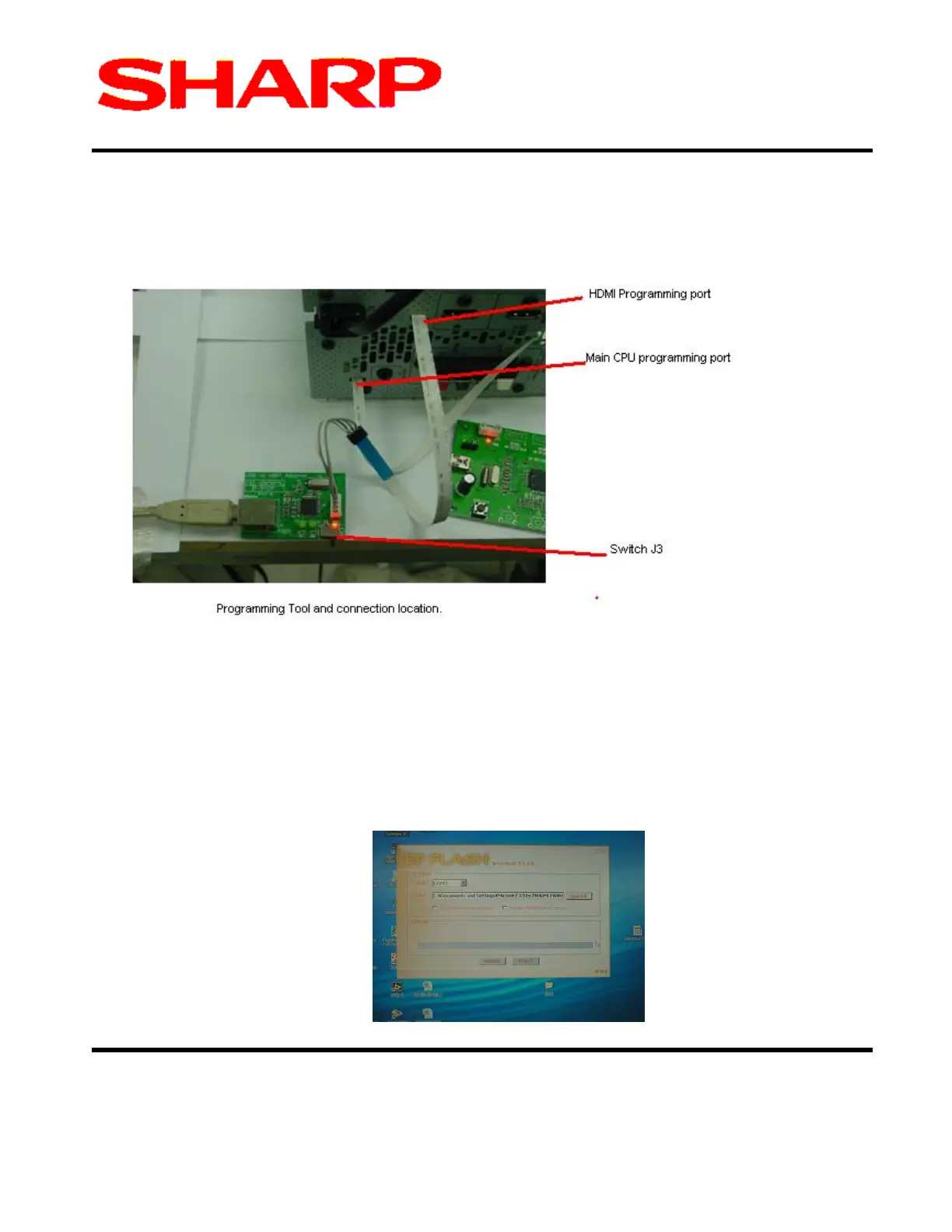
7. Connect the HDMI programming tool as can be seen below and reconnect mains supply.
8. Ensure the Red Light is ON if not adjust switch J3.
9. Turn OFF the Mains supply.
10. Start PC program (EPFlash) program installed on the PC.



 To Next Page