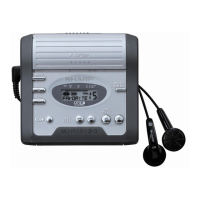
IM-MT899H/IM-MT899W
– 15 –
EEPROM (IC402) writing procedure
Temperature reference setting method.
[1] Measurement, calculation and setting procedure.
(1) Set the TEST mode.
(2) Start the 'EEPROM' mode 'Temp' menu.
• Press the PLAY button.
• 'TM$$%%' is displayed. ($$= Temperature code, %% = Temperature reference)
(3) Once press
SKIP UP, and determine the displayed microcomputer TEMP input AD value.
• 'TPin##' is displayed. (## = TEMP input AD value)
(4) At the ambient temperature, determine the temperature corrected value from the "temperature measurement value
correction table".
(5) Determine the temperature reference, using the following formula.
• Temperature reference = Microcomputer TEMP input AD value + Temperature corrected value
(6) Set the temperature reference value by button operation, and check whether the temperature code indication corresponds to "Temperature
Code Identification Table".
[2] Temperature measurement value correction table. [3] Temperature code identification.
Ambient
temperature
Temperature
correction
+ 9
o
C ~ +11
o
C – 05 h + 10.0
o
C
+12
o
C ~ +14
o
C – 04 h + 12.7
o
C
+15
o
C ~ +16
o
C – 03 h + 15.4
o
C
+17
o
C ~ +19
o
C – 02 h + 18.2
o
C
+20
o
C ~ +22
o
C – 01 h + 20.9
o
C
+23
o
C ~ +24
o
C ± 00 h + 23.6
o
C
+25
o
C ~ +27
o
C + 01 h + 26.3
o
C
+28
o
C ~ +30
o
C + 02 h + 29.0
o
C
+31
o
C ~ +33
o
C + 03 h + 31.8
o
C
Center
temperature
Ambient
temperature
Temperature
correction
Center
temperature
– 9
o
C ~ +10
o
C 08 h + 0.5
o
C
+ 3
o
C ~ +21
o
C 07 h + 12.5
o
C
+15
o
C ~ +33
o
C 06 h + 23.6
o
C
+26
o
C ~ +43
o
C 05 h + 35.0
o
C
Error List
Can't (*)
* = f : Focus retraction
a : Servo adjustment
s : Search convergence
r : Data read
p : Spindle startup
Er-MD (**)
** = 80
“Er-MD80” is displayed when data is not read from EEPROM
correctly.
(Data and the check sum are not identical.)
There may be a problem with either EEPROM or the communication
path including the microcomputer.
When replacing the EEPROM, data needs resetting.
Refer to the service manual for details.
** = 41
“Er-MD41” is displayed when an error occurs while writing U-TOC
for trial (recorders only).
(Data error found when reading data after it is written.)
There may be a problem with the recording head, recording signal
generating circuit including the system LSI, or pickup laser.
T Form(*)
* = t : TNO information
a : Address information
L : Pointer information


 To Next Page