– 43 –
IM-MT899H/IM-MT899W
After checking that recording and playback are normally operated on this unit, try the check-in/check-out operation.
Preparations
After checking "Necessary system configurations" described in the service manual, install Jukebox according to "Software
installation" and "PC connection". After completing the installation, start Jukebox.
Insert a recordable MD and turn on the power.
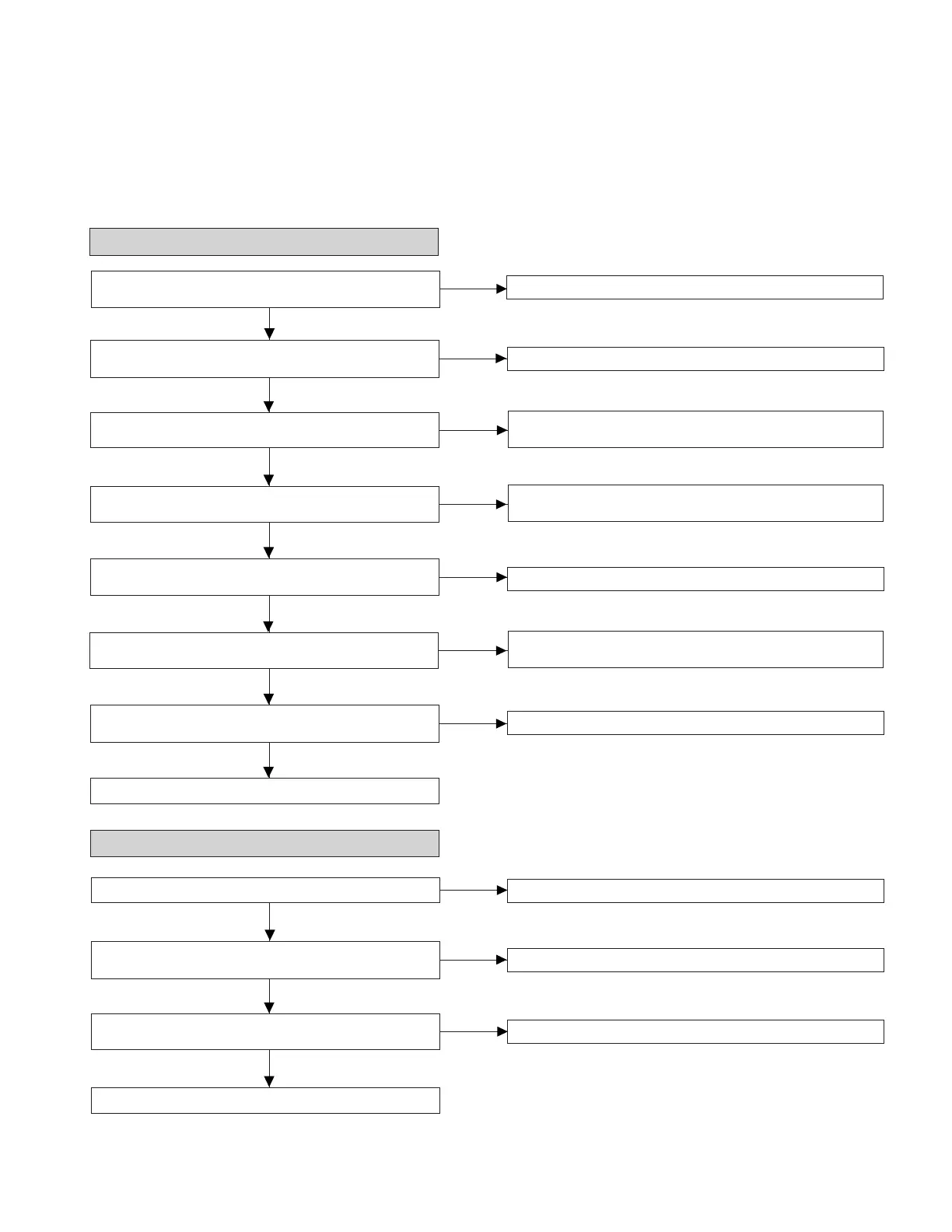
• Tracks cannot be checked out from Jukebox
Yes
Is the DNK number displayed in the test mode?
No
Is there pulse wave at pins 5, 7, 8, 10 and 11 of IC301 while
checking out tracks?
Is the message "Error occurred during transmission. Write
operation to the external device/medium failed." displayed?
IC301 is defective.
Yes
Check connection between IC401 and IC402.
Refer to items in "Recording and playback operation".
Check soldering of IC201, IC301 and IC303.
No
No
Yes
• Jukebox does not recognize Net MD
Yes
Does "Net MD" appear on the remote control?
Does "PC" appear on the unit?
No
Is MD player turned on?
Is the disc inserted?
Though you connect the USB cable while MD is ON, it is indicated
that the external device/medium for Jukebox cannot be found.
IC301 is defective.
Yes
Are pins 41, 43, 45 and 49 of IC301 set to H, and pin 29 of
IC401 to L?
Is there oscillation wave of 12MHz at pins 46 and 47 of
IC301?
Is there pulse wave at pins 39 and 40 of IC301?
Is pin 42 set to H?
Are pins 57 and 58 set to H, and pin 3 to L?
Is there pulse wave at pins 51, 52, 53 and 56?
Check the connection of the PC and Net MD.
Refer to "Tracks cannot be checked out from Jukebox."
Press the PLAY button to turn on the power.
Insert a recordable disc.
Check the terminal voltage and soldering of the USB connector,
F301, D302, IC302 and Q301.
Check soldering of IC301 and XL301, and their periphery.
Check soldering of the USB connector and connecting parts.
Replace the USB cable, or pull it out and plug it in again.
Check soldering of IC301 and IC401.
No
No
No
No
No
No
Yes
Yes
Yes
Yes
Yes
TROUBLESHOOTING FOR NET MD


 To Next Page