17
LC-26D43U
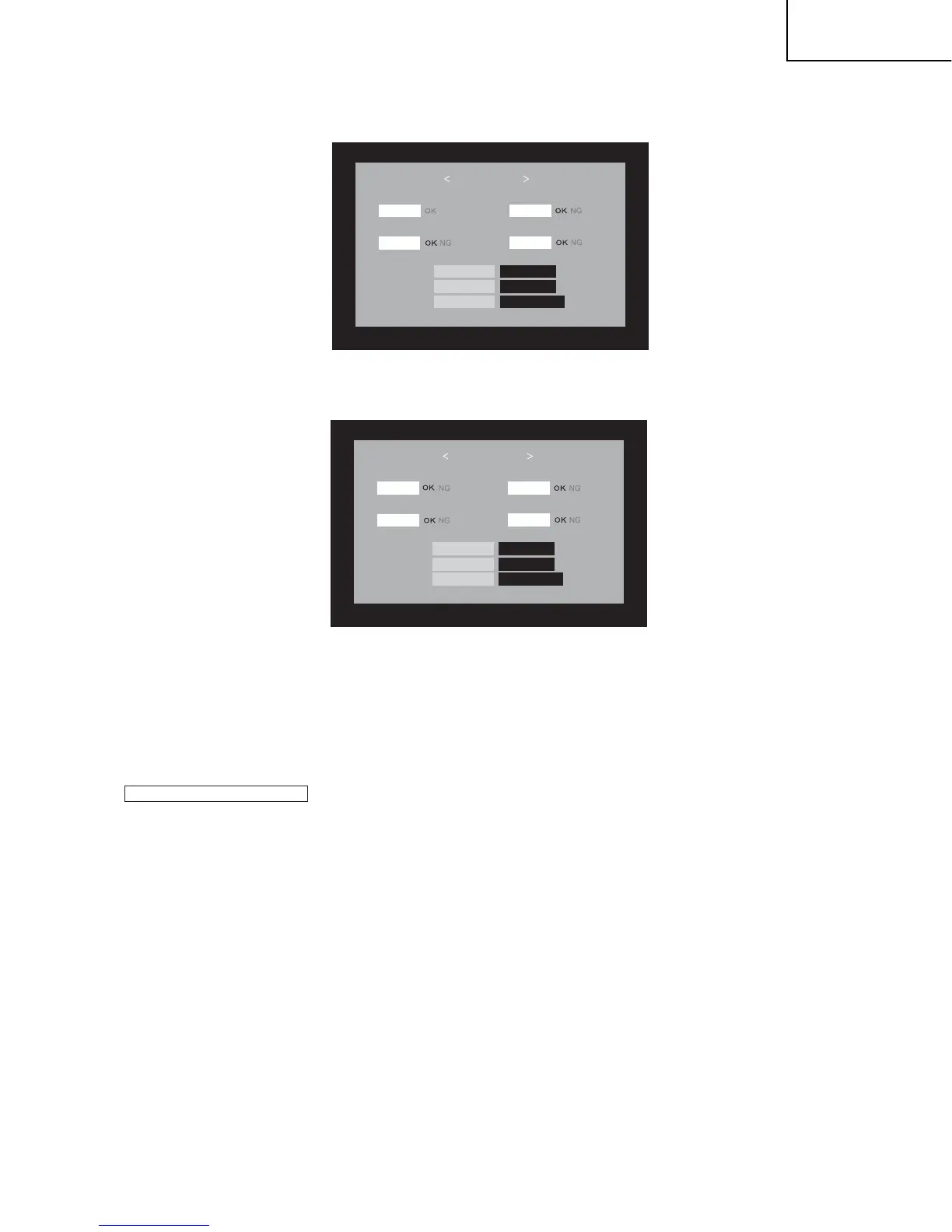
6. Even a single failure in the process will trigger the upgrade failure screen as shown below.the word "NG" channges to red for the item failed.
NOTE: In the event of a failure, repeat the upgrading process.If the process repeatedly fails. it is likely that the hardware is troubled.
7.Upon completion of the whole process,the upgrade success screen as shown below appears.You can check the new software version on this
screen. The version information appears after the upgrade is complete.
8.unplug the AC cord and remove the USB Memory for version upgrade.
9
.Now the software version upgrade is complete.
NOTE: When you are done with the software version upgrade,start the set,go to the top page of the adjustment process screen and check the main
software version information.
SYSTEM UPGRADE
MAIN
MONITOR
45%
DETECT
U0612111 OLD Version
NEW Version U0612201
MOISE_LITE
EEPROM
100%
USB - MEMORY
NO DAT
Boot Version
D42U_LITE 0.80
2.3. Monitor microprocessor software version upgrade
Create the USB memory for monitor microprocessor software version upgrade in the same manner as explained in the "Main software version upgrade".
Copy the file 42LTMxxx.USB and 42LTMxxx.BIN(named temorarily ) for monitor microprocessor software version upgrade to th USB memory.
1. Unplug the AC cord.
2. Insert the USB memory for version upgrade (prepared as above) into the service socket located Right side from center at terminals,above HDMI4
terminal in the rear of the unit.
3. plug in the AC cord with power button pressing.
How to upgrade the software
4. After 5 seconds later,unpress the power botton.
CAUTION:
•
The moment this operation is done,the upgrading of the monitor microprocessor software starts.While the upgrade is ongoing,never power
off the unit. Otherwise the upgrade will fail and the system may have a serious damage beyond recovery (inability to start).
5. After the unit startup, the power light will flash continuous.
•
After the monitor microprocessor software is upgraded, should preform the 'Industry Init' by all mean.








 To Next Page